Do You Need Avast with Windows 10?
Windows 10 includes Microsoft Defender Antivirus through Windows Security, so Avast is not required merely to have baseline antivirus protection. Whether you keep a third-party product depends on the features you use and who manages the PC. No antivirus substitutes for a backup or for security updates.
Check which protection is active
Step 1. Open Windows Security > Virus & threat protection. Under Who's protecting me?, choose Manage providers. Check which antivirus is active and whether definitions are current.
Step 2. If you use Avast, confirm it is installed from its official source and receiving updates. A third-party antivirus commonly takes over primary real-time protection, while Defender may move out of active mode. Running two real-time antivirus engines as separate primary products can create conflicts.
Step 3. If you choose to uninstall Avast, use Windows Apps settings or the publisher's official removal guidance, restart, then return to Windows Security and verify Defender real-time protection is on. Run an update and a scan. Do not leave the PC unprotected between products.
The bigger issue: Windows 10 support
Microsoft ended standard Windows 10 support on October 14, 2025. Antivirus may still detect malware, but it cannot patch unmaintained operating-system components. If the PC qualifies for a supported Windows version, plan the upgrade. On a managed or extended-security-update device, follow its administrator's policy instead of changing protection yourself.
Back Up Files Before Changing Security Software or Windows
Qiling Disk Master is a backup tool here, not an antivirus product. A backup helps recover files if an update or cleanup goes wrong.
Step 1. Connect a separate external drive. In Qiling Disk Master choose Backup and Recovery > File Backup.
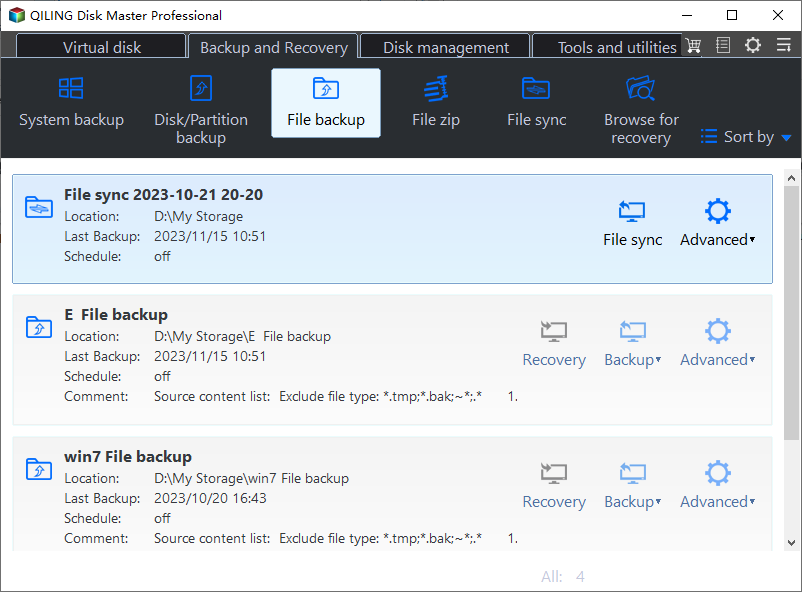
Step 2. In the source tree, select the folders you need to protect, such as Documents, Desktop, Photos, and project folders. Choose the external drive as the destination; avoid backing up only to C:.
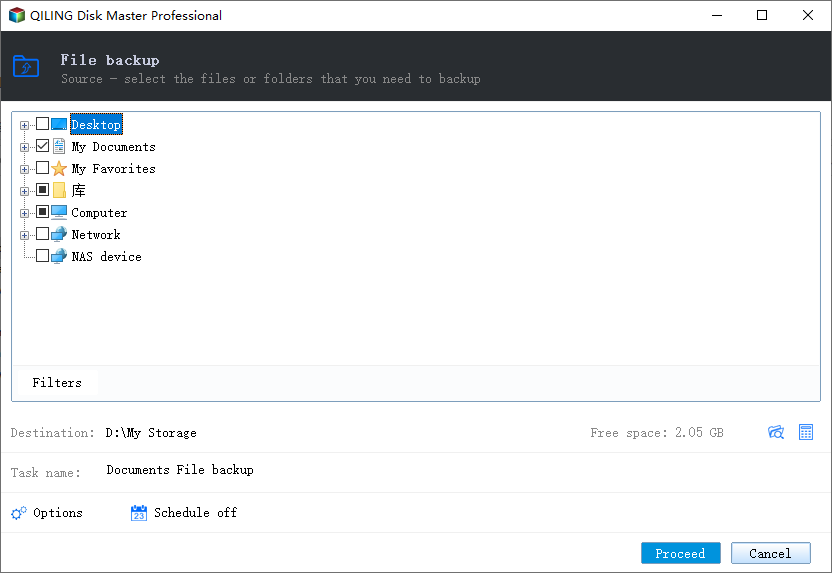
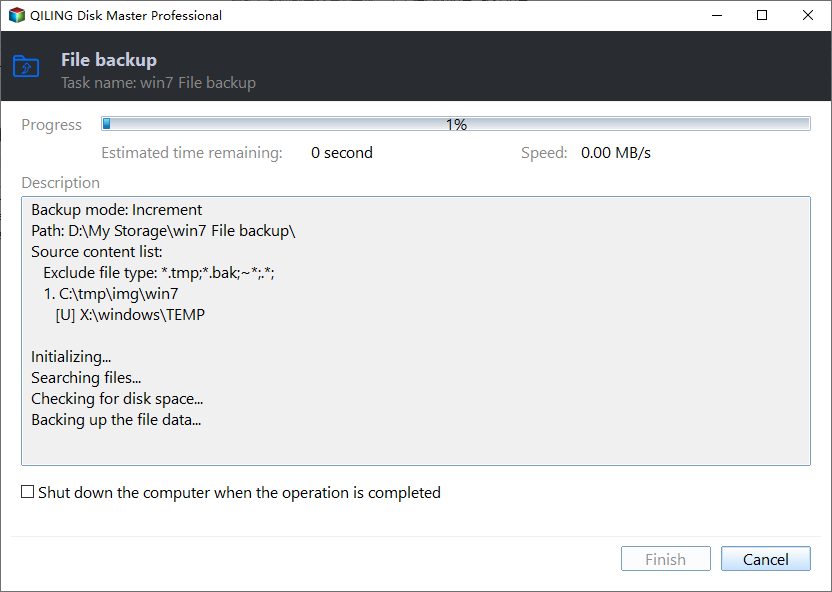
Step 3. Review source and destination, click Proceed, and wait for the task to finish. Verify a sample of files from the backup before uninstalling software or upgrading Windows.
Conclusion
Avast is optional if Microsoft Defender is active and meets your needs. The more important tasks are keeping a supported Windows installation, confirming active protection, and maintaining recoverable copies of your files.
Related Articles
- Windows System Backup and Restore Tutorials
Find system image, recovery, and migration guides. - Windows Cloning Tutorials
Compare whole-disk and Windows system migration methods.
Products
Articles & Tutorials
- Data Recovery
- Data Backup
- File Recovery
- File Backup
- System Backup and Restore
- Disk and Partition Clone
- Technical articles
- Mobile articles
- Disk Master Help
- Windows Data Recovery Tutorials
- Windows Secure Delete Tutorials
- Windows Partition Management Tutorials
- Windows File Backup and Restore Tutorials
- Windows System Backup and Restore Tutorials
- Windows Disk Backup and Restore Tutorials
- Windows Clone Tutorials