Does Resetting Windows 10 Affect Secondary Hard Drives?
Read the exact reset choice
Reset this PC is not always confined to C:. The choices differ between Keep my files and Remove everything; the latter can offer an option to remove files from all drives. Windows and installed apps on the system drive are affected even when personal files are kept. A second partition on the same physical drive and a separate physical disk are different things; do not infer safety from the letter D: alone.
Protect non-target drives before reset
Step 1. In Disk Management, note the model, capacity, and partitions of each physical disk. Copy irreplaceable files from every disk to external or network storage.
Step 2. Save BitLocker recovery keys and application licenses. Shut down and disconnect secondary internal drives if practical and safe for your PC; also disconnect external backup drives before starting the reset.
Step 3. In Settings > Recovery > Reset this PC, read every confirmation screen, especially any all drives or clean data choice. If you cannot identify what will be erased, cancel and use a technician or a less destructive repair option.
Step 4. After the reset, reconnect secondary drives and verify their files before reusing backup storage.
Back Up Files Before a Windows Reset with Qiling Disk Master
This creates a separate file-backup task; it does not change the originals. Connect a healthy external drive before starting.
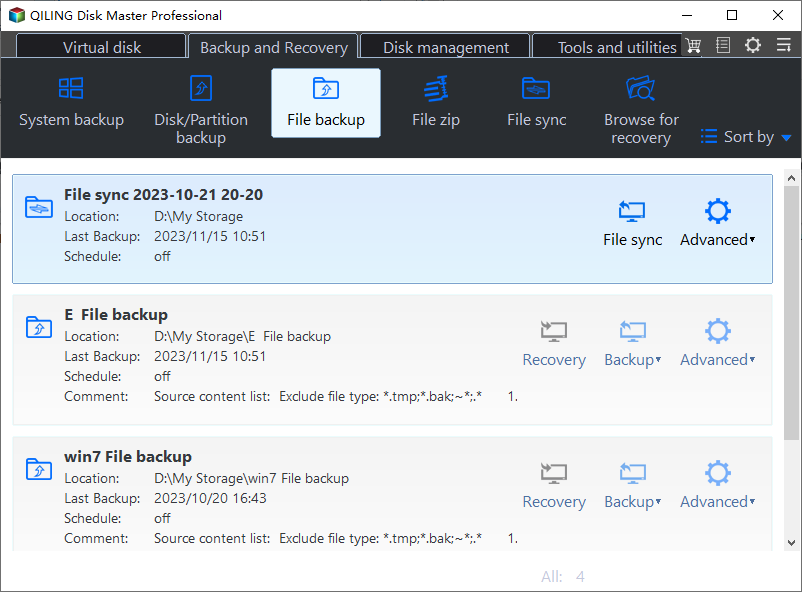
Step 1. Open Backup and Recovery > File Backup in Qiling Disk Master.
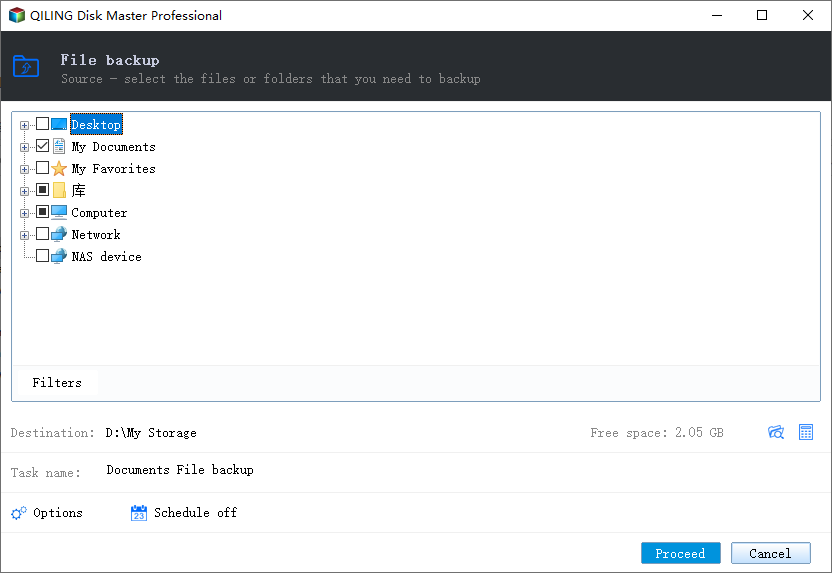
Step 2. In the source tree, select the folders on both the Windows disk and any secondary disk that contain personal data. Check each selected folder rather than assuming everything under the user profile is included.
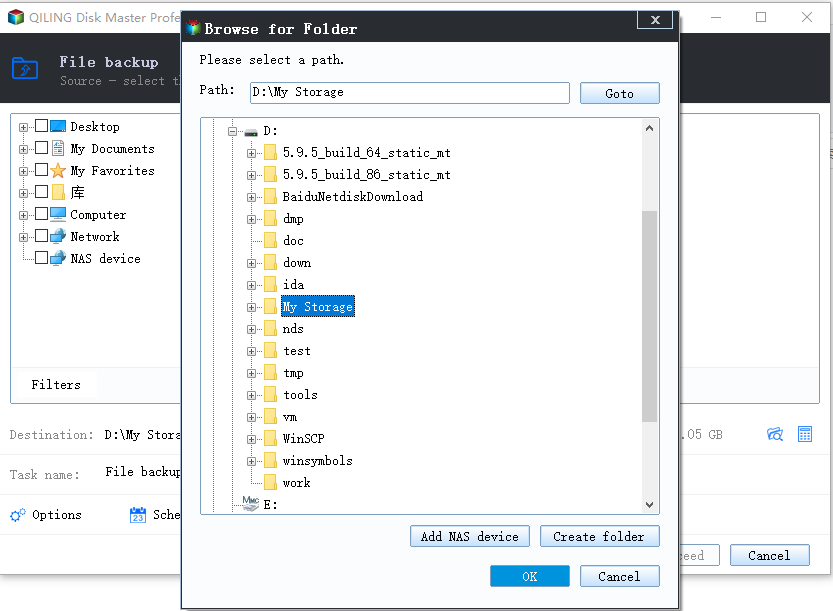
Step 3. Choose the external drive or a separate network location as the destination. Compare its letter and available space with the source; do not save the only backup on the source disk.
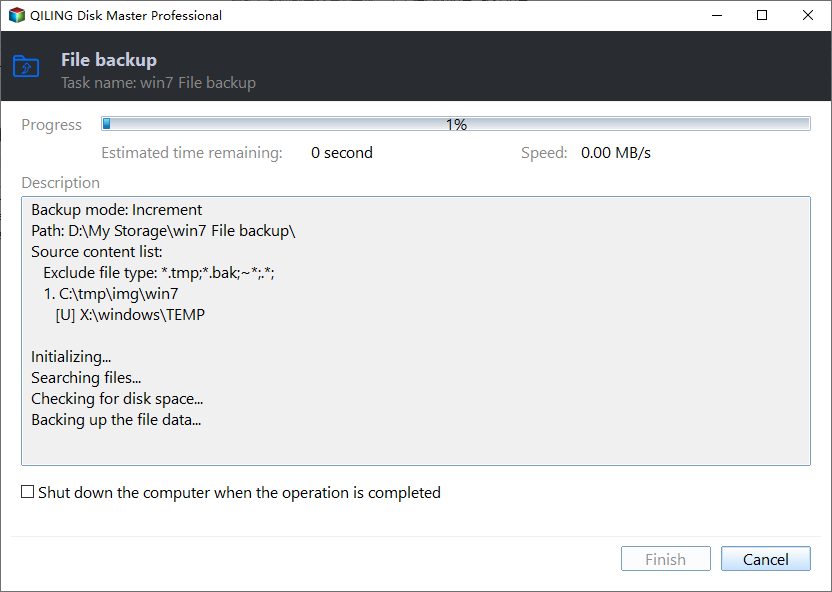
Step 4. Review the task, click Proceed, and wait for completion. Browse the resulting backup and restore a test file to a different folder before relying on it.
Conclusion
A reset can affect more than the Windows volume if you choose an all-drives removal option. Treat each reset screen as an explicit data-deletion decision and back up first.
Related Articles
- Windows File Backup and Restore Tutorials
Find file-copy, scheduled-backup, and restore guides. - Windows System Backup and Restore Tutorials
Compare file backups with full system images.
Products
Articles & Tutorials
- Data Recovery
- Data Backup
- File Recovery
- File Backup
- System Backup and Restore
- Disk and Partition Clone
- Technical articles
- Mobile articles
- Disk Master Help
- Windows Data Recovery Tutorials
- Windows Secure Delete Tutorials
- Windows Partition Management Tutorials
- Windows File Backup and Restore Tutorials
- Windows System Backup and Restore Tutorials
- Windows Disk Backup and Restore Tutorials
- Windows Clone Tutorials