How to Back Up Files from a Virus-Infected PC
The priority is to preserve irreplaceable personal data without carrying active malware into a clean computer. A backup made during an infection needs extra care and should not be treated as a trusted system image.
Contain the infection before copying
Disconnect the PC from networks and shared drives if malware is spreading or files are being encrypted. Stop using the machine for ordinary work. If the drive is making mechanical noises or repeatedly disconnecting, treat that as a separate hardware-recovery problem.
When Windows can run safely enough, update protection definitions if possible and run Microsoft Defender Offline or another trusted scanner. Preserve clean pre-infection backups if available. Do not delete the only copy of damaged files until you understand your recovery options.
Select what to preserve
Prioritize documents, photos, and other personal files. Avoid transferring unknown executables, scripts, installers, macro-enabled documents, or entire Program Files folders. A file backup will preserve file bytes, including any malicious ones, so keep the new backup disconnected and do not open it on another PC until it has been scanned.
Rebuild and restore safely
- After copying, disconnect the destination drive and scan it from a clean, updated computer.
- If the Windows installation remains untrustworthy, reinstall from official media or restore a verified pre-infection image.
- Restore only reviewed personal files, change exposed passwords from a clean device, and monitor accounts for suspicious activity.
Make a Cautious Qiling File Backup
Use this only when the infected PC remains stable and you can identify personal folders. Do not create a full system clone as the preferred way to clean the infection.
Step 1. Connect a healthy external drive and open Qiling Disk Master. Under Backup and Recovery, choose File backup.
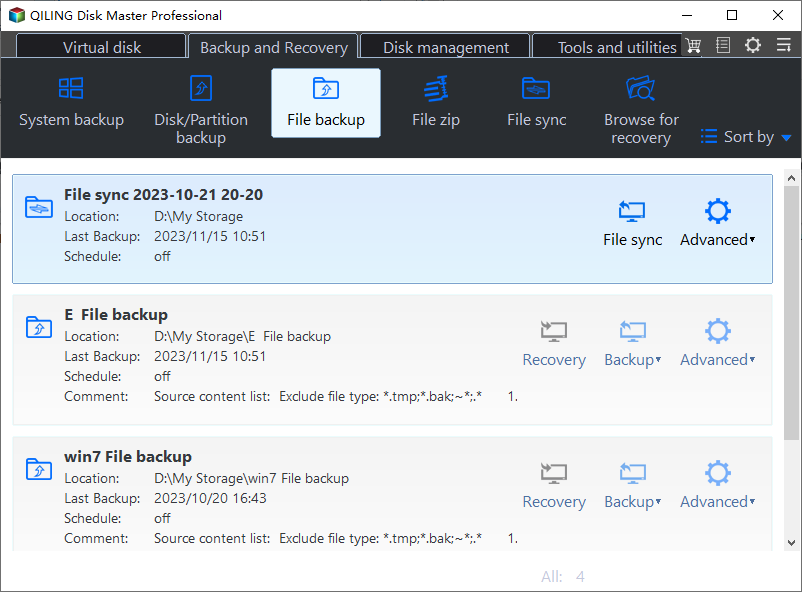
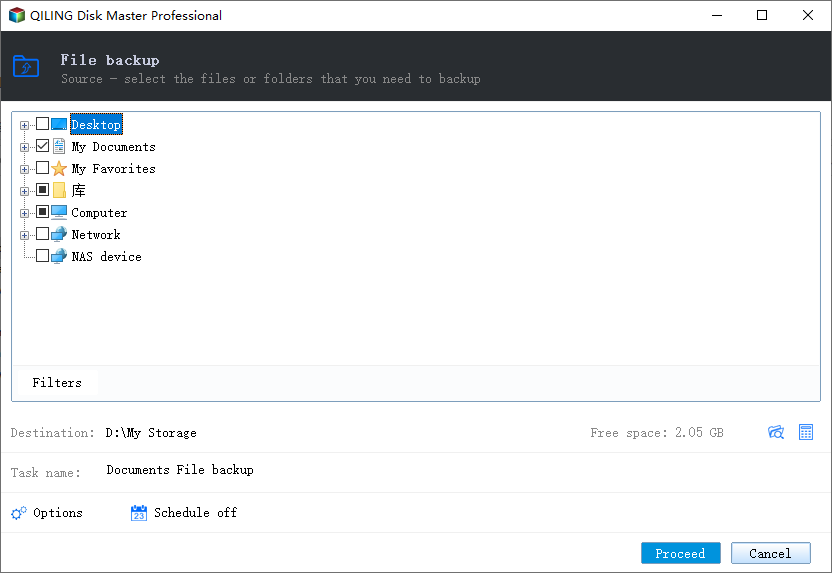
Step 2. In the folder tree, select irreplaceable personal folders, excluding unknown programs and installers. Expand folders and check the selected paths; there is no separate Add Folder button in this screen.
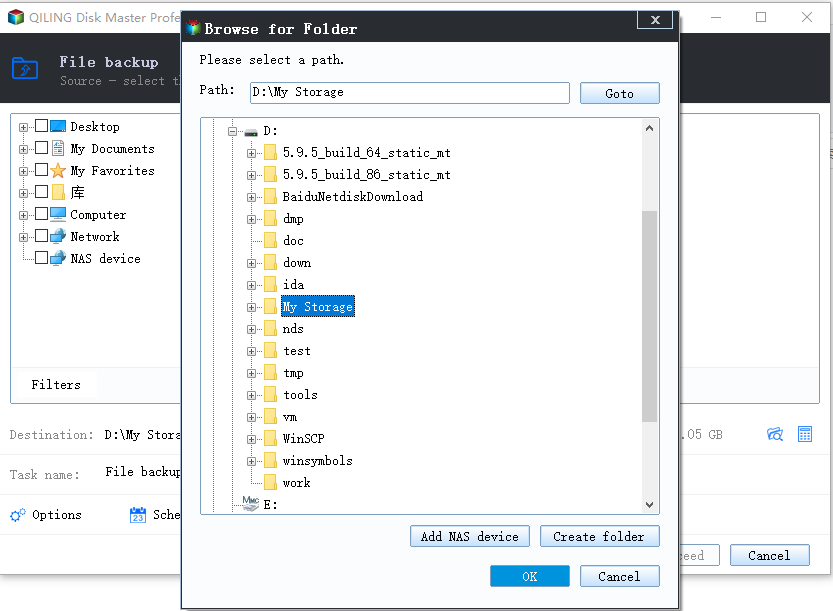
Step 3. Open the destination chooser, select a removable drive that will be scanned before reuse, and click OK. Verify that the destination is not the same disk as the files being protected and has enough free space.
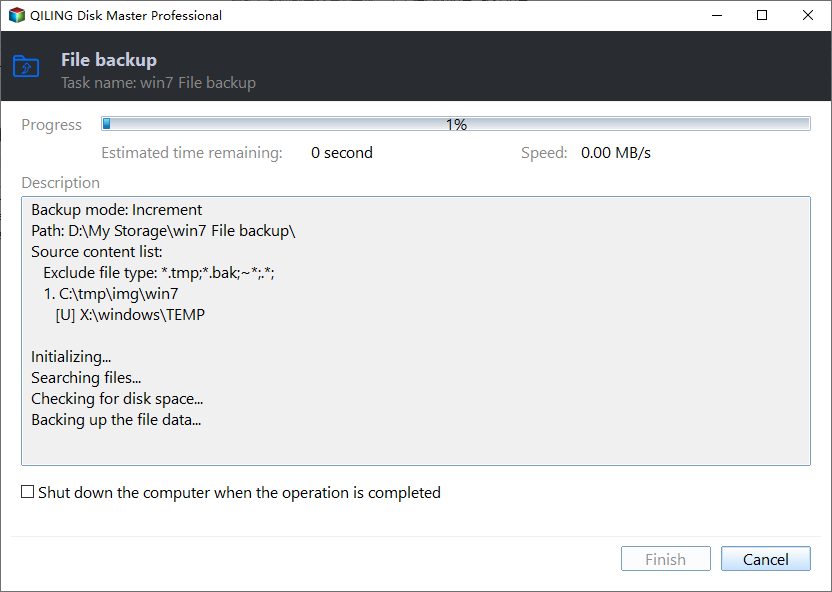
Step 4. Review the task name and selected folders, then click Proceed. Wait for the backup to finish. Disconnect the drive and scan the backup on a clean device before opening or restoring files.
Frequently Asked Questions
Can antivirus guarantee the backup is clean? No. Scan the copy and inspect file types; some malicious documents may still need review.
Should I restore a system image made after infection? A post-infection image can preserve the infection. Prefer a verified image from before the incident.
Conclusion
Isolate the PC, copy only needed personal files, scan the destination, and rebuild Windows from a trusted source when necessary.
Related Articles
- Windows File Backup and Restore Tutorials
Find practical Windows file backup and restore methods. - Windows System Backup and Restore Tutorials
Compare system images, recovery drives, and restore options. - Windows Cloning Tutorials
Explore disk and system migration guides for Windows PCs.
Products
Articles & Tutorials
- Data Recovery
- Data Backup
- File Recovery
- File Backup
- System Backup and Restore
- Disk and Partition Clone
- Technical articles
- Mobile articles
- Disk Master Help
- Windows Data Recovery Tutorials
- Windows Secure Delete Tutorials
- Windows Partition Management Tutorials
- Windows File Backup and Restore Tutorials
- Windows System Backup and Restore Tutorials
- Windows Disk Backup and Restore Tutorials
- Windows Clone Tutorials