Your VAIO Failed to Start Windows
Fix a VAIO laptop that failed to start Windows. Try Startup Repair, boot checks, system restore, and Qiling backup before risky repair.

What This Problem Usually Means
The laptop may fail after an update, power loss, disk error, BIOS setting change, or damaged boot files. If the disk makes unusual noise or disappears from BIOS, treat it as a data-risk case first.
What to Check First
- Disconnect external USB devices.
- Enter BIOS and confirm the internal drive is detected.
- Run Startup Repair from Windows recovery.
- Use System Restore if a restore point exists.
- Back up the disk before reset or reinstall.
Protect Windows with Qiling Backup Before Repair
Before reset, system restore, BCD repair, partition repair, or driver rollback, create a backup. It gives you a recovery path if the repair changes files, boot records, or user data unexpectedly.
Step 1. Open Qiling Backup and choose System Backup for Windows protection, or Disk Backup if you want to image the whole drive.
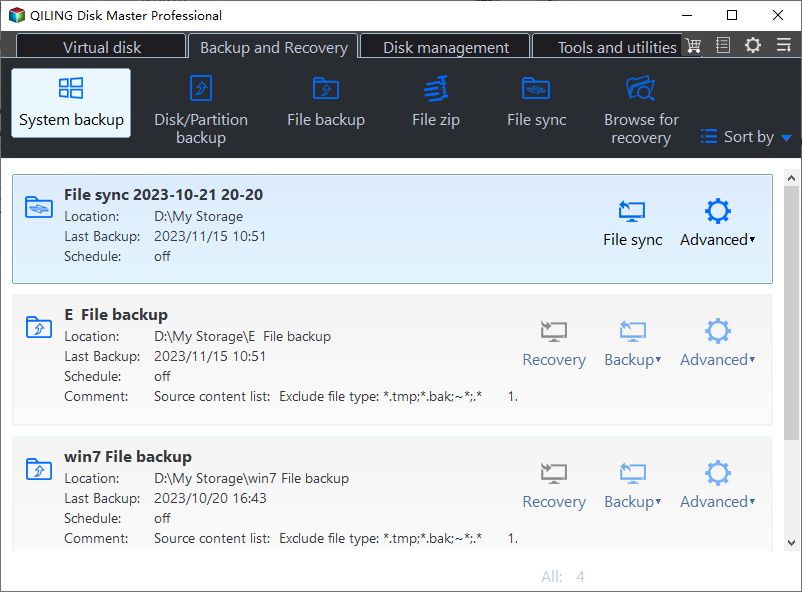
Step 2. Check that the Windows boot partitions and C drive are included. If you are backing up personal data only, use File Backup instead.

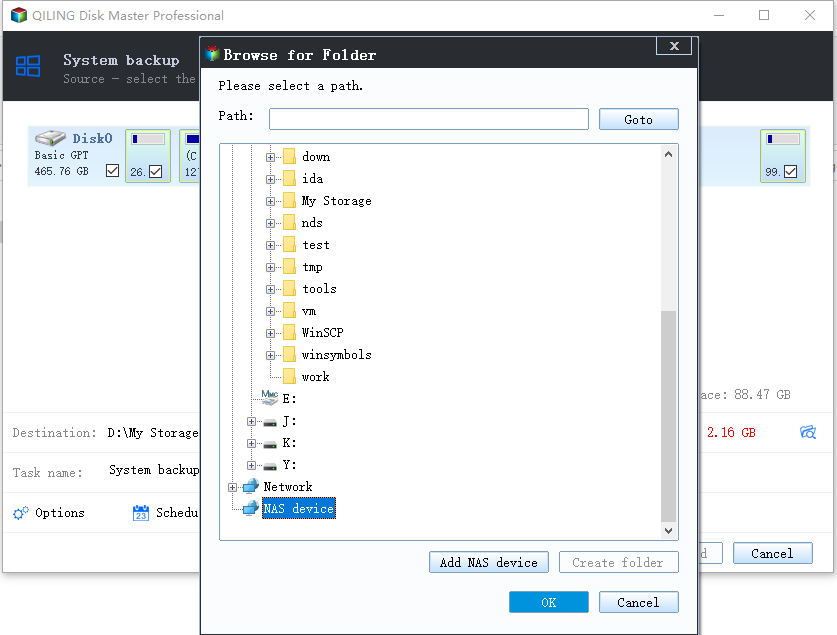
Step 3. Choose an external drive, NAS, or another safe disk as the destination. Do not store the backup image on a failing or soon-to-be-formatted drive.
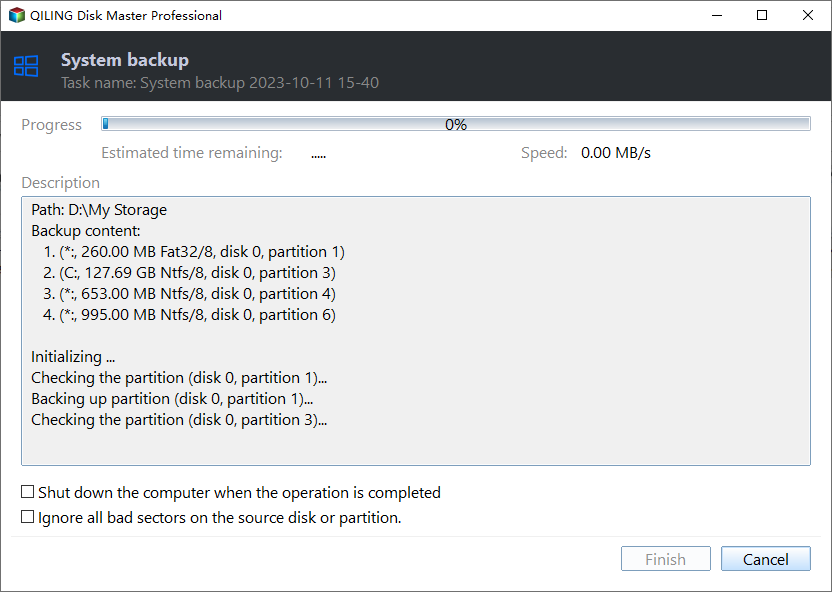
Step 4. Review the task summary and click Proceed. Keep the backup connected until the task finishes and label the image with the repair date.
FAQ
Should I repair Windows before backing up? If the disk is readable, back up first. Repair commands, formatting, resizing, and reset options can change data or boot records.
Can Windows built-in tools solve the issue? Often yes. Use Settings, Disk Management, Startup Repair, CHKDSK, SFC, or DISM first when the risk is low. Use Qiling tools when you need a clearer disk map, safer preview, or a full backup before changing the drive.
What should I avoid? Do not format a drive that still holds needed files, do not run clean commands on the wrong disk, and do not clone to a target disk that contains the only copy of important data.
Conclusion
A VAIO startup failure can come from boot order, updates, disk errors, or damaged Windows files. Protect the disk first, then repair startup or restore the system.
Related Articles
- Windows System Backup and Restore Tutorials
Browse Windows backup and restore guides for system images, recovery drives, restore points, and safe repair preparation. - Windows Disk Backup and Restore Tutorials
Learn how to image, clone, restore, and protect Windows disks before upgrades, repair, or hardware replacement.
Products
Articles & Tutorials
- Data Recovery
- Data Backup
- File Recovery
- File Backup
- System Backup and Restore
- Disk and Partition Clone
- Technical articles
- Mobile articles
- Disk Master Help
- Windows Data Recovery Tutorials
- Windows Secure Delete Tutorials
- Windows Partition Management Tutorials
- Windows File Backup and Restore Tutorials
- Windows System Backup and Restore Tutorials
- Windows Disk Backup and Restore Tutorials
- Windows Clone Tutorials