Screen Turns Off When Playing Games: Fix and Protect Data
Fix a screen that turns off during games by checking power, GPU, heat, drivers, and disk health before data loss.

Why the Screen Turns Off During Games
This problem can be caused by a GPU driver crash, overheating, weak power supply, loose display cable, aggressive power settings, or a game installed on an unstable disk. If the PC keeps running but the monitor loses signal, start with display and GPU checks.
What to Check First
- Reseat HDMI, DisplayPort, and GPU power cables.
- Update or roll back the graphics driver.
- Check GPU and CPU temperature while gaming.
- Disable sleep and screen timeout during plugged-in gaming.
- Back up game saves if crashes happen during disk writes.
Back Up Important Files with Qiling Disk Master
Before you change Windows settings, reset a PC, format a drive, or repair a failing disk, copy user files to a safe location. A file backup is easier to restore when you only need documents, photos, game saves, or work folders.
Choose File Backup
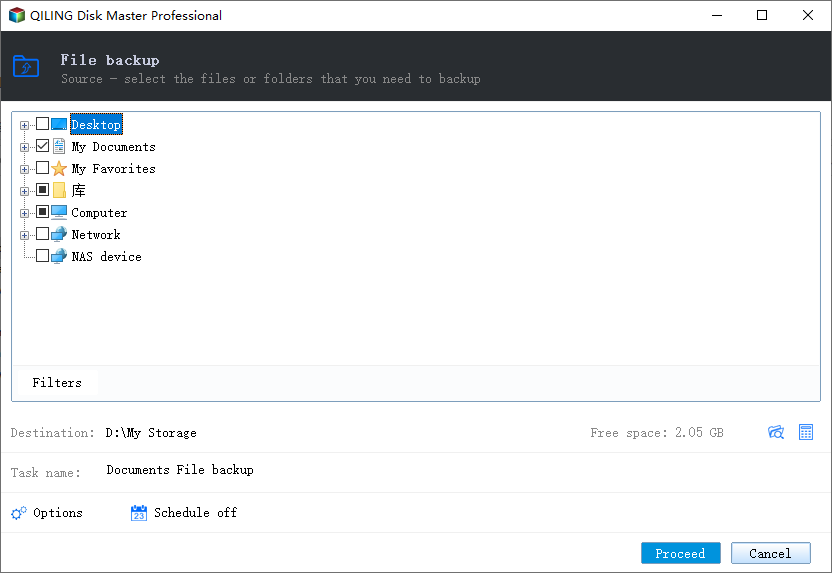
- Open Qiling Disk Master and choose File Backup. Select the folders that matter most, such as Desktop, Documents, Pictures, game save folders, browser profiles, and project folders.
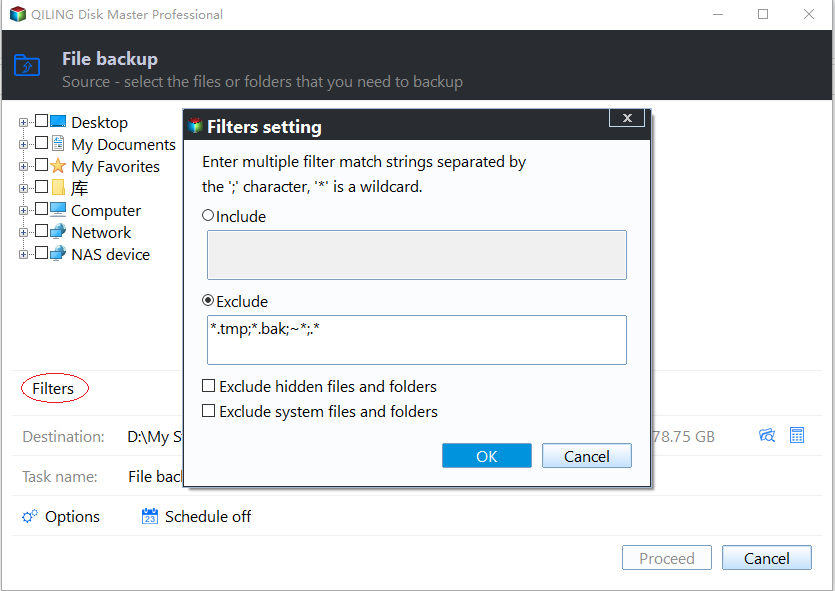
- Use the filter option if you need to include only certain file types or exclude temporary files.
Select a Safe Destination
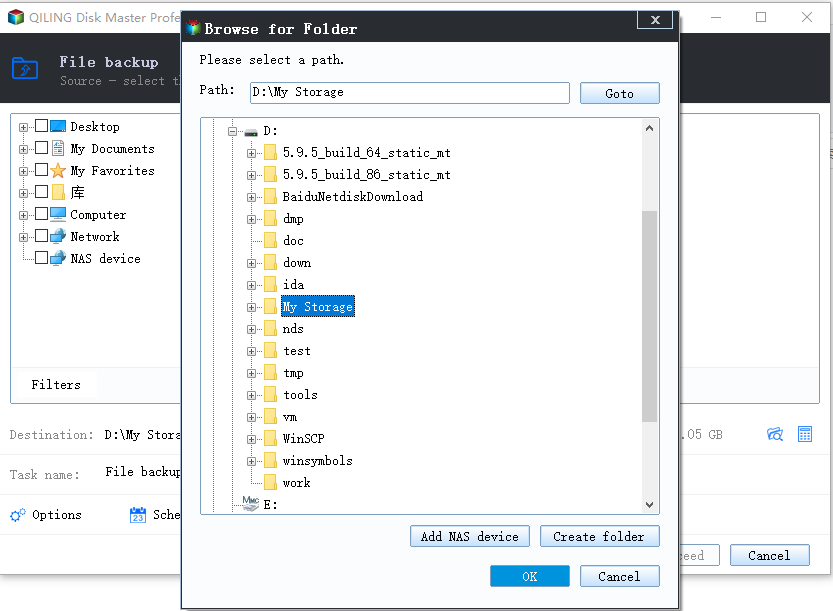
- Choose an external drive, another internal disk, or a network location as the backup destination. Do not save the backup on the same partition that may be reset, formatted, or repaired.
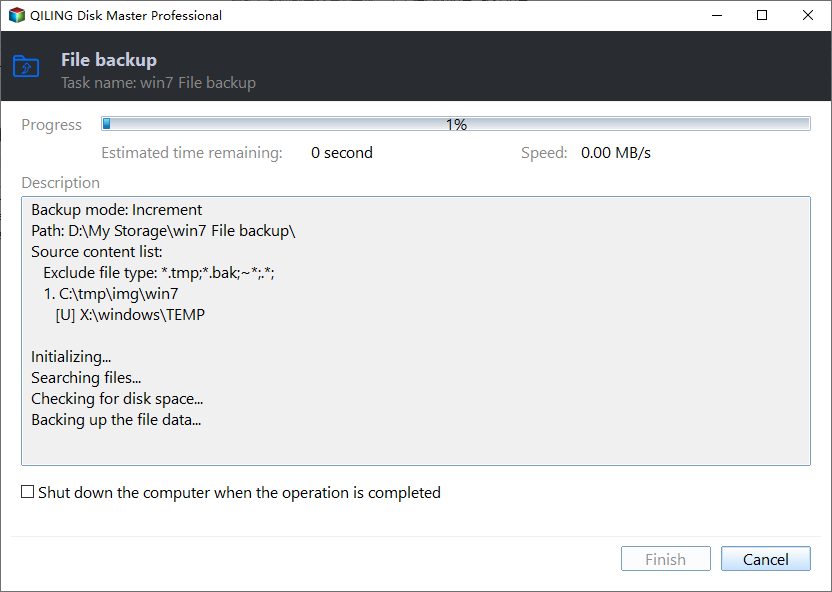
- Click Proceed to start the backup and wait until it finishes. Open the destination afterward and confirm that the backup image is visible.
If the display flickers rather than shutting off completely during a game, follow the gaming screen-flicker checks for refresh rate, overlays, graphics drivers, and cable issues.
Related Articles
- Windows Partition Management Tutorials
Find practical Windows partition guides for resizing, formatting, checking, converting, and repairing disks without unnecessary risk. - Windows System Backup and Restore Tutorials
Browse Windows backup and restore guides for system images, recovery drives, restore points, and safe repair preparation.
Products
Articles & Tutorials
- Data Recovery
- Data Backup
- File Recovery
- File Backup
- System Backup and Restore
- Disk and Partition Clone
- Technical articles
- Mobile articles
- Disk Master Help
- Windows Data Recovery Tutorials
- Windows Secure Delete Tutorials
- Windows Partition Management Tutorials
- Windows File Backup and Restore Tutorials
- Windows System Backup and Restore Tutorials
- Windows Disk Backup and Restore Tutorials
- Windows Clone Tutorials