NVMe SSD Disappears From BIOS Intermittently
Quick Navigation:
- What Intermittent Detection Means
- Reseat, Cool, and Swap the Slot
- Update Firmware and Drivers Safely
- Copy the Data with Qiling
- Frequently Asked Questions
An NVMe SSD that appears in the BIOS on Monday, vanishes on Tuesday, and returns after a cold boot is sending a warning. Intermittent detection is usually a physical or firmware problem, and the drive may stop appearing for good after the next reboot. The priority is to copy the data while the drive is still readable.
What Intermittent Detection Means
A drive that is missing at the firmware level is not a Windows problem. The board has not enumerated the device, so drivers and recovery software cannot reach it. Causes include a loose M.2 connection, a dirty slot, a shared PCIe lane, a power-management setting, or a controller that is starting to fail.
Heat is another common trigger. An NVMe drive that reaches its throttle limit can drop off the bus under a long write, then reappear after it cools. If the disappearance follows large copies or game installs, temperature belongs on the short list.
A drive that disappears only after sleep or hibernation points to power management, while a drive that disappears under load points to power delivery or thermal behavior. The pattern narrows the cause faster than any single setting.
Reseat, Cool, and Swap the Slot
Power off and unplug the battery. Remove the M.2 drive, inspect the slot for dust or a bent pin, and reinstall it with the retention screw fully tightened. A drive that is slightly lifted at one end can work cold and fail warm as the contacts expand.
Move the drive to a second M.2 slot if the board provides one. On many motherboards, the primary slot shares lanes with SATA ports or a graphics slot; moving the drive can reveal a lane-sharing problem that looks like a failing SSD.
Check the firmware storage mode. Intel VMD, RAID, and legacy modes can change whether the drive is visible. Set the mode the machine was installed with, and do not switch modes on a working Windows installation without a backup.
Update Firmware and Drivers Safely
Update the motherboard firmware and the SSD firmware, but only after the data is copied. A firmware update resets the controller and can finish a failing drive. Use the vendor's own tool and keep the laptop on AC power for the whole process.
Install the chipset and storage drivers from the laptop or board vendor. A generic driver can mishandle deeper power states, especially on laptops that use Modern Standby. If the drive vanishes only after sleep, test with a short period of disabled sleep before changing hardware.
Watch the drive temperature during the update and during ordinary work. A drive that idles at a high temperature or climbs quickly under load needs a heatsink or better airflow, not just a new driver.
Copy the Data with Qiling
When the drive is visible and stable, clone it to a healthy SSD instead of waiting for the next disappearance. Qiling Disk Master can copy the whole disk, including the boot partitions, and it can retry a sector that fails during the read.
Step 1. Confirm the Drive Is Visible
Check that the NVMe drive appears in the program and in Disk Management. If a short copy fails, reconnect the drive and retry before starting a full clone.
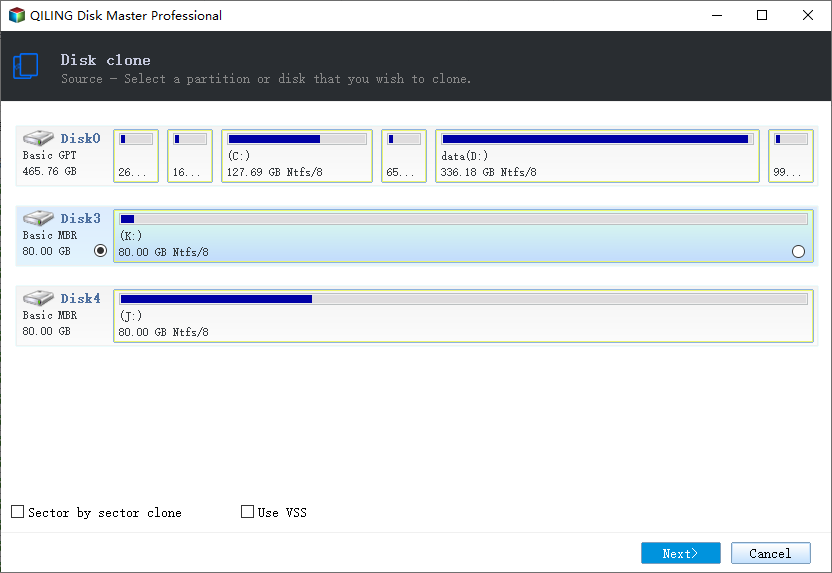
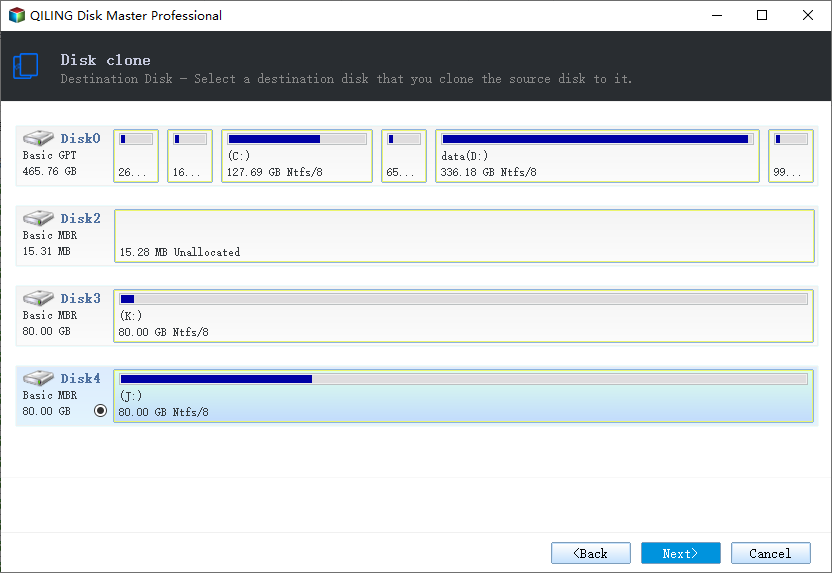
Step 2. Select Source and Destination
Choose Clone > Disk Clone, select the NVMe drive as the source, and use a healthy SSD with enough capacity as the destination. Match the devices by model and capacity.
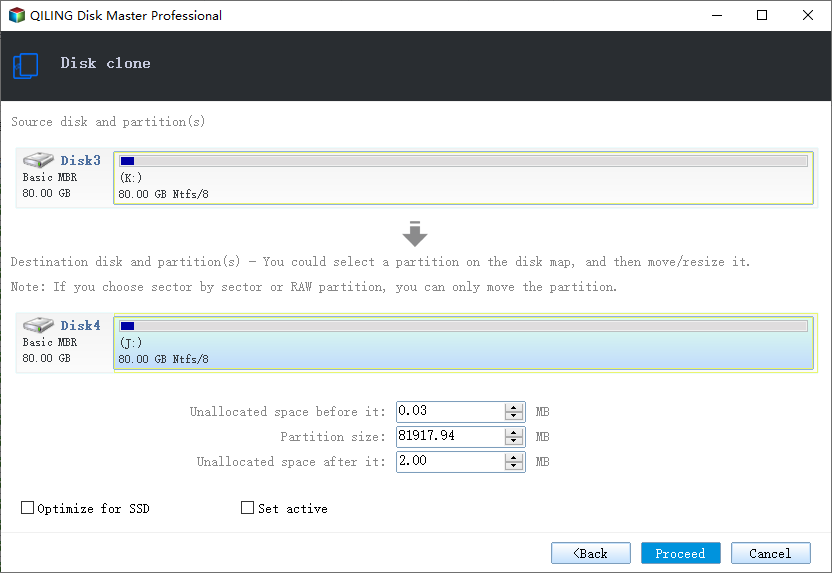
Step 3. Preview and Proceed
Review the layout and enable the options for bad-sector handling if the drive is already unstable. Click Proceed, keep the machine powered, and check the result before removing the old drive.
Frequently Asked Questions
Is intermittent detection a sign of failure?
It can be. Loose contacts and firmware bugs are fixable, but a controller that drops off the bus under load is usually on its way out.
Can I keep using the drive after it reappears?
Only long enough to copy the data. Do not store new work on a drive that has already disappeared once.
Why does the drive vanish only after sleep?
Power management can put the link into a state the controller does not resume correctly. Test with sleep disabled and update the storage driver.
Does cloning work on a failing SSD?
Often yes, if the drive stays visible. Clone as soon as possible and expect the task to slow down or retry on damaged areas.
If the drive no longer appears at all, see recover data from an SSD the BIOS cannot detect.
Related Articles
- Recover Data From an SSD the BIOS Cannot Detect
- M.2 SSD Overheating and Throttling in a Laptop
- QLC SSD Slows Down After the SLC Cache Runs Out
- Best Free SSD Cloning Software
Products
Articles & Tutorials
- Data Recovery
- Data Backup
- File Recovery
- File Backup
- System Backup and Restore
- Disk and Partition Clone
- Technical articles
- Mobile articles
- Disk Master Help
- Windows Data Recovery Tutorials
- Windows Secure Delete Tutorials
- Windows Partition Management Tutorials
- Windows File Backup and Restore Tutorials
- Windows System Backup and Restore Tutorials
- Windows Disk Backup and Restore Tutorials
- Windows Clone Tutorials