How to Update to Android 7.0 or Android N without Losing Data?
Summary
If you're trying to update your Android 6.0 Marshmallow to Android 7.0/Android N, Qiling offers effective methods to help you perform the update without losing any data.
Feeling fancy about the new Android system - Android 7.0 which is also called Android N and you wanna try the new Android system? How to get it on your phone? Don't worry about losing data or some important personal information when you get access to update to Android 7.0. Here the following, you'll find some effective methods to effortlessly make Android 7.0/Android N update without losing data.
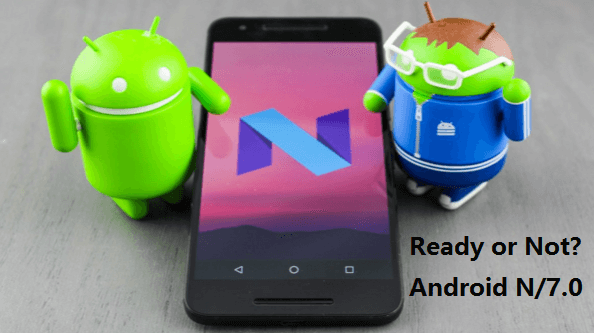
Question: what you should do before Android 7.0/Android N update?
Google's Android N (Android 7.0) is now available to some Android phone producers, including Samsung. To prepare your phone for the update, pay attention to the following:
1. To ensure that your phone can download the installation files, make sure it's connected to WiFi. This will be important for the process.
2. If your phone has less than 2GB of free space, you won't be able to install Android 7.0/Android N.
3. Be sure that the cellphone has more than 40% battery.
4. Backup important personal data before Android 7.0 update.
Suggestion: backup Android data before Android 7.0 update
Before updating your phone to Android 7.0, it's a good idea to create a data backup, despite the claim that no damage will be done to your device.
Option 1. Backup to Cloud account
If you have an Android account like Google, you can back up your phone data and restore it when you get Android 7.0.
Option 2. Backup to PC
Here, we suggest backing up personal data from a cellphone to a PC to protect privacy. You can use Qiling MobiSaver for Android, which is compatible with all Android devices and requires only three simple steps to backup all data to a PC.
To restore your Android device, launch the software on your PC, connect your device to the computer, and let the software scan it. Once the scan is complete, you can preview and restore the data from your device.
Save your Android data in a safe location on your PC, and then proceed with updating to Android 7.0.
Update to Android 7.0/Android N
After you've backed up all important data to PC, let's see how to get Android 7.0 installed in your phone now:
To update your phone, go to Settings, then About Phone, followed by System Updates. From there, select Check for Update, then Download, and finally Update now.
After following these steps, all you need to do is wait patiently for your phone to install the new Android system, which will be Android 7.0 or Android N.
Since Android 7.0/Android N is first available on Nexus phones and Samsung, users who haven't received an update notice should check for it. If no update information is available, users should wait patiently for it to arrive.
Related Articles
- HTC Data Recovery Software | Recover Lost HTC Data
- Best 4 Data Recovery Apps for Android
- Samsung Galaxy Recovery
- How to Fix Boot Loop Issue on Android without Losing Data
Products
Articles & Tutorials
- Data Recovery
- Data Backup
- File Recovery
- File Backup
- System Backup and Restore
- Disk and Partition Clone
- Technical articles
- Mobile articles
- Disk Master Help
- Windows Data Recovery Tutorials
- Windows Secure Delete Tutorials
- Windows Partition Management Tutorials
- Windows File Backup and Restore Tutorials
- Windows System Backup and Restore Tutorials
- Windows Disk Backup and Restore Tutorials
- Windows Clone Tutorials