Can You Abort Partition Resizing While Moving Data
Can you abort partition resizing while data is moving? Learn the risks, what to do if resizing seems stuck, and how to protect files.
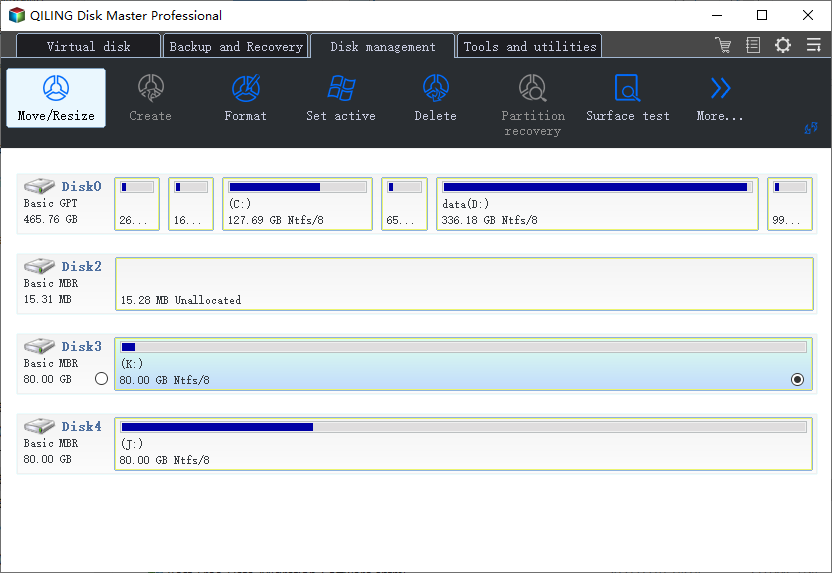
Do Not Stop It Immediately
Aborting partition resizing while data is being moved can corrupt the file system or make files inaccessible. If the program is still responding or disk activity continues, wait unless there is a clear power or hardware problem.
If the Process Looks Stuck
- Check whether the progress bar or disk light still changes.
- Keep the PC connected to power.
- Do not force shutdown during active data movement.
- If Windows no longer boots afterward, use recovery software before reformatting.
Use Qiling Disk Master When Windows Tools Are Not Enough
Qiling tools give you a visual way to review the disk state, protect files, and confirm risky operations before Windows repair, formatting, resizing, or cloning changes are applied.
Step 1. If a resize or move operation is already running and disk activity continues, do not close the tool or power off the PC. Wait unless there is a hardware emergency.
Step 2. Keep the computer connected to power and avoid unplugging external drives. Moving data can take a long time on large or slow disks.
Step 3. If Windows becomes unresponsive after the operation, restart only after disk activity has stopped for a long time and no progress is visible.
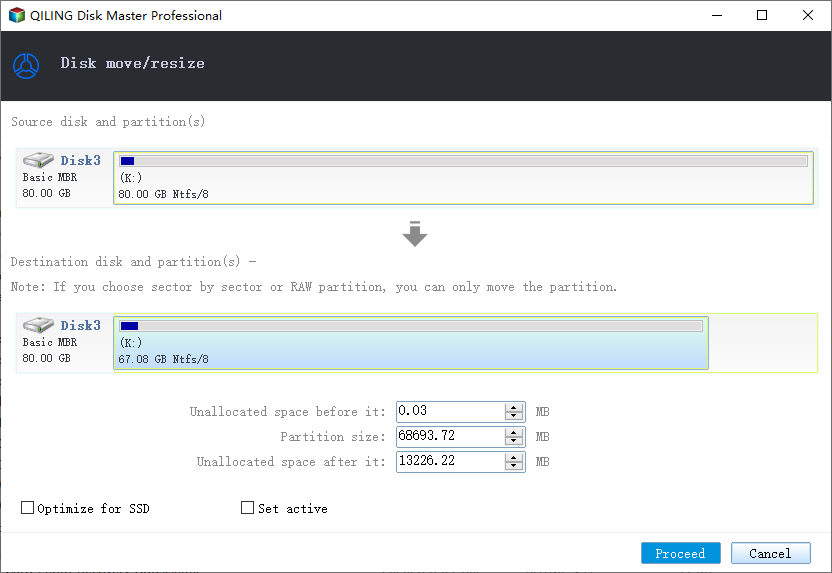
Step 4. After the PC restarts, open Qiling Disk Master and check the partition layout. Do not format a partition just because it looks unusual after an interrupted move.
Step 5. If files are missing or the partition becomes RAW, recover files to another disk before running repair or resize again.
Step 6. For future resize tasks, back up first, review the preview carefully, then click Proceed and let the operation finish without interruption.
Conclusion
Start with the Windows checks that match your symptom, protect important data before formatting or repartitioning, and use the Qiling workflow when you need a clearer, safer way to repair the disk or move data.
Related Articles
Products
Articles & Tutorials
- Data Recovery
- Data Backup
- File Recovery
- File Backup
- System Backup and Restore
- Disk and Partition Clone
- Technical articles
- Mobile articles
- Disk Master Help
- Windows Data Recovery Tutorials
- Windows Secure Delete Tutorials
- Windows Partition Management Tutorials
- Windows File Backup and Restore Tutorials
- Windows System Backup and Restore Tutorials
- Windows Disk Backup and Restore Tutorials
- Windows Clone Tutorials