Fix Checking Media Fail on Windows Startup
Fix Checking Media Fail during Windows startup. Check boot order, SSD detection, UEFI mode, network boot, and data-safe repair options.
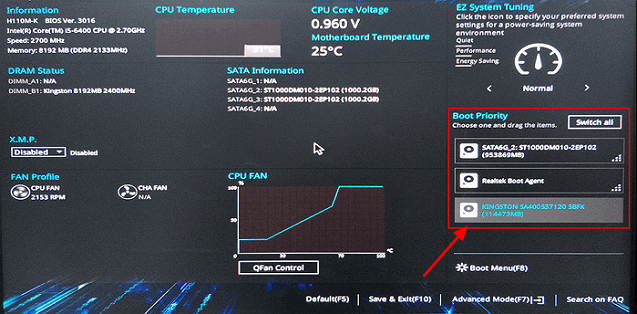
What Checking Media Fail Means
The message usually means the PC tried to boot from PXE/network because it could not find a working Windows boot device. The disk may be missing from BIOS, the boot order may be wrong, or the boot files may be damaged.
Fix the Boot Path
- Disconnect unnecessary USB drives.
- Enter BIOS and confirm the internal SSD/HDD is detected.
- Disable network boot or move Windows Boot Manager above it.
- Match UEFI or Legacy mode to the installed system.
- Run Startup Repair if the disk is detected but Windows still fails.
Use Qiling Backup When Windows Tools Are Not Enough
Qiling tools give you a visual way to review the disk state, protect files, and confirm risky operations before Windows repair, formatting, resizing, or cloning changes are applied.
Step 1. If the internal disk is still detected, protect it before changing BIOS boot mode or running boot repair. Start Qiling Backup from Windows if the PC can boot, or connect the disk to another PC first.
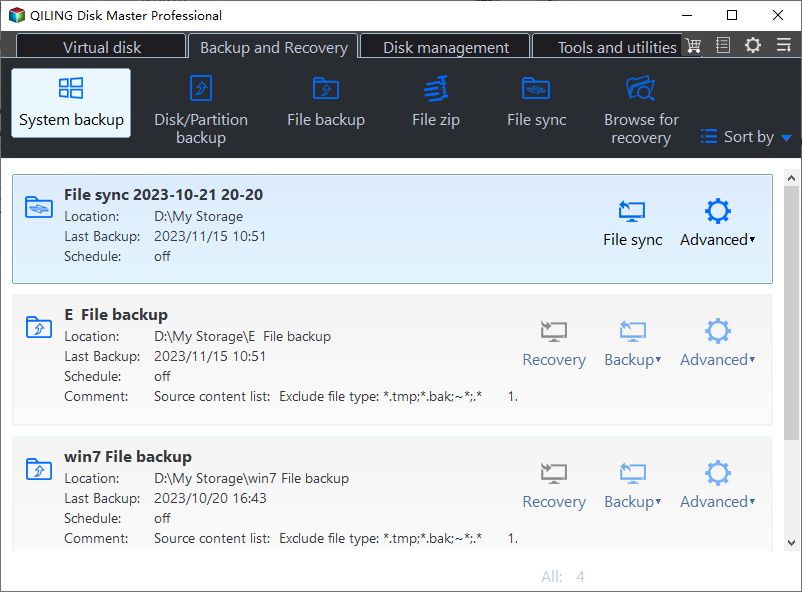
Step 2. Choose System Backup when you need to keep Windows boot partitions and the system drive together. This is safer than backing up only the C drive.

Step 3. Select an external disk or another safe location as the backup destination. Do not save the image to the same internal drive that fails to boot.
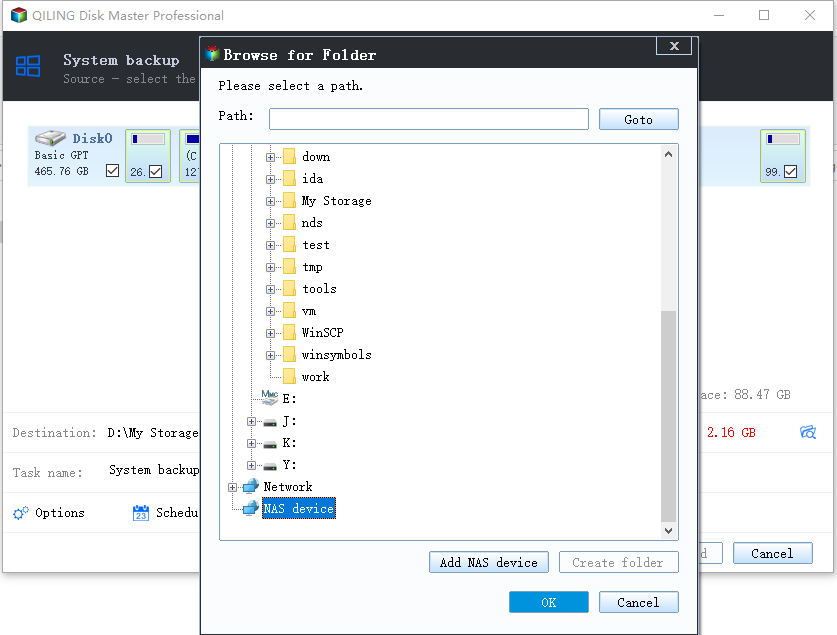
Step 4. Review the source partitions, destination, and backup task summary. Make sure the Windows boot partitions are included.
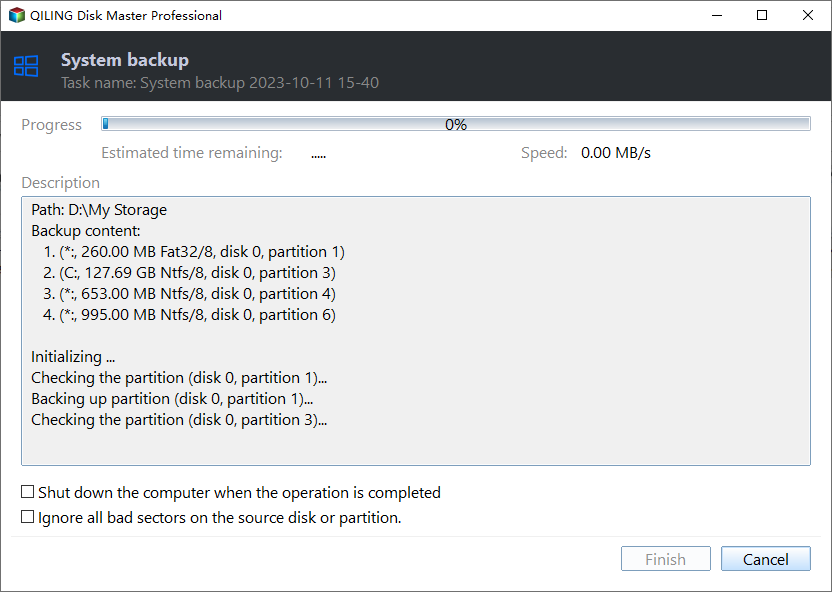
Step 5. Click Proceed and wait for the backup to finish. Then disconnect extra USB drives and repair the boot order, PXE/network boot setting, or Windows Boot Manager entry.
Conclusion
Start with the Windows checks that match your symptom, protect important data before formatting or repartitioning, and use the Qiling workflow when you need a clearer, safer way to repair the disk or move data.
Related Articles
Products
Articles & Tutorials
- Data Recovery
- Data Backup
- File Recovery
- File Backup
- System Backup and Restore
- Disk and Partition Clone
- Technical articles
- Mobile articles
- Disk Master Help
- Windows Data Recovery Tutorials
- Windows Secure Delete Tutorials
- Windows Partition Management Tutorials
- Windows File Backup and Restore Tutorials
- Windows System Backup and Restore Tutorials
- Windows Disk Backup and Restore Tutorials
- Windows Clone Tutorials