Easy Way to Create a Hard Drive Partition in Windows
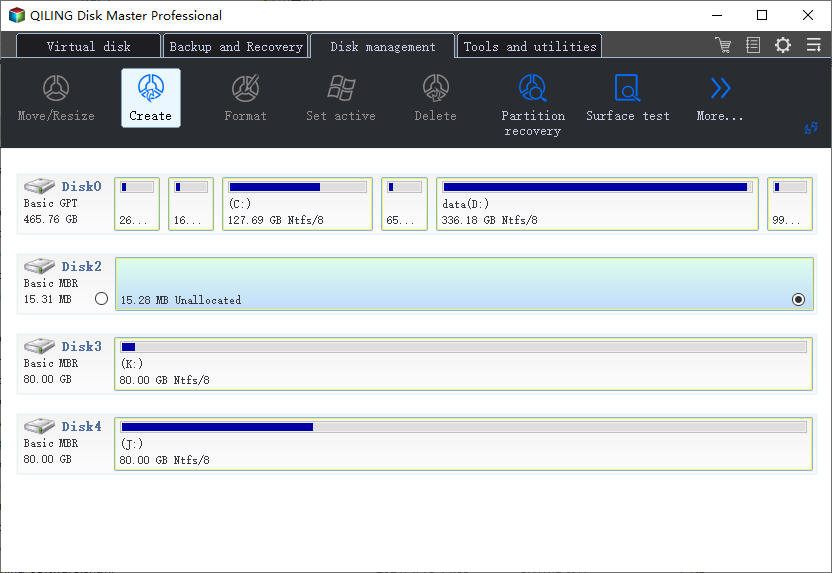
The easiest way to create a partition depends on whether the disk already has unallocated space. If it does, create the partition directly. If not, shrink an existing data partition first.
Before You Start
- Back up files before shrinking a partition.
- Check whether the disk is GPT or MBR.
- Avoid changing EFI, MSR, Recovery, or System Reserved partitions.
- Choose NTFS for normal Windows storage.
Windows Method
- Open Disk Management.
- If unallocated space already exists, right-click it and choose New Simple Volume.
- If there is no unallocated space, right-click a data partition and choose Shrink Volume.
- Use the new unallocated space to create a volume.
- Assign a drive letter and format it as NTFS or exFAT.
Use Qiling Disk Master to Create the Partition
Step 1. Open Qiling Disk Master and find the target disk.
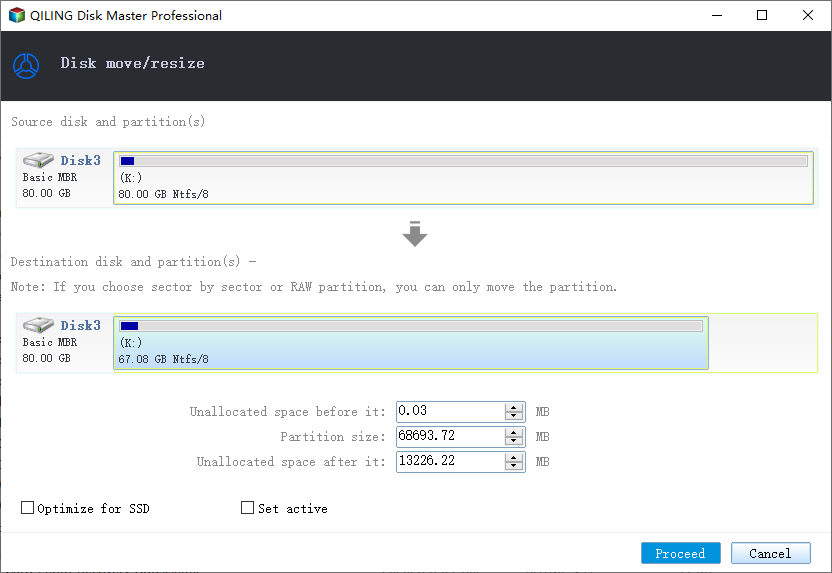
Step 2. If needed, select a data partition and choose Resize/Move to shrink it.
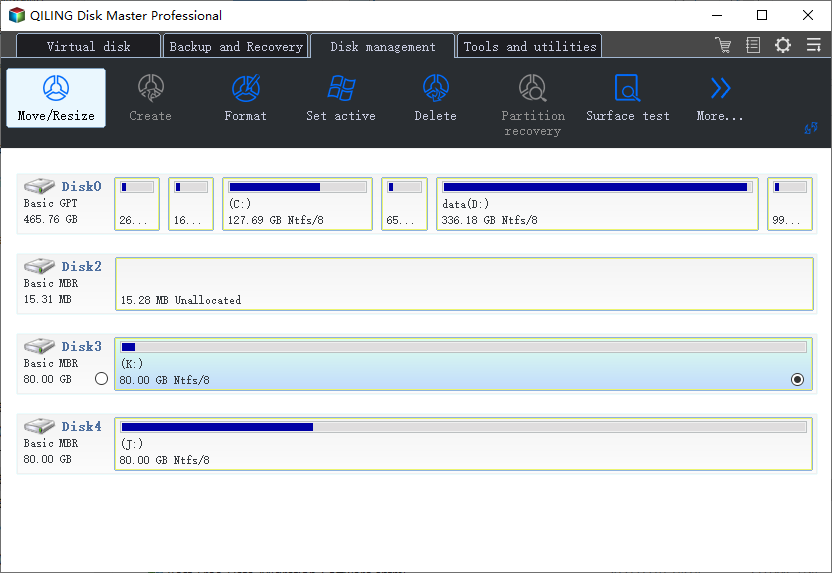
Step 3. Click Proceed and wait for the unallocated space to appear.
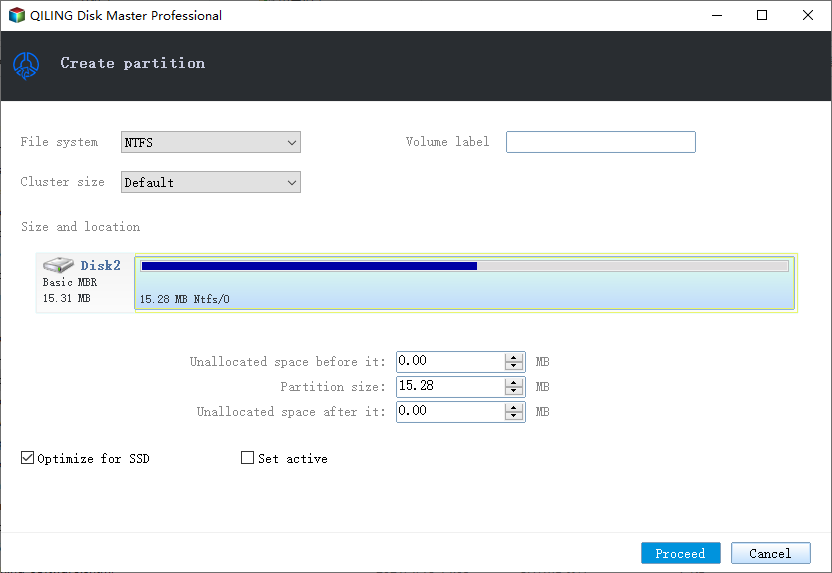
Step 4. Select the unallocated space and choose Create.
Step 5. Set size, drive letter, label, and file system, then click Proceed.
Conclusion
Create a partition from unallocated space. If there is no unallocated space, shrink a suitable data partition first.
Related Articles
Products
Articles & Tutorials
- Data Recovery
- Data Backup
- File Recovery
- File Backup
- System Backup and Restore
- Disk and Partition Clone
- Technical articles
- Mobile articles
- Disk Master Help
- Windows Data Recovery Tutorials
- Windows Secure Delete Tutorials
- Windows Partition Management Tutorials
- Windows File Backup and Restore Tutorials
- Windows System Backup and Restore Tutorials
- Windows Disk Backup and Restore Tutorials
- Windows Clone Tutorials