Create a Password Reset Disk for Windows 10
Create a Windows 10 password reset disk and learn bootable alternatives for local accounts when you are locked out.
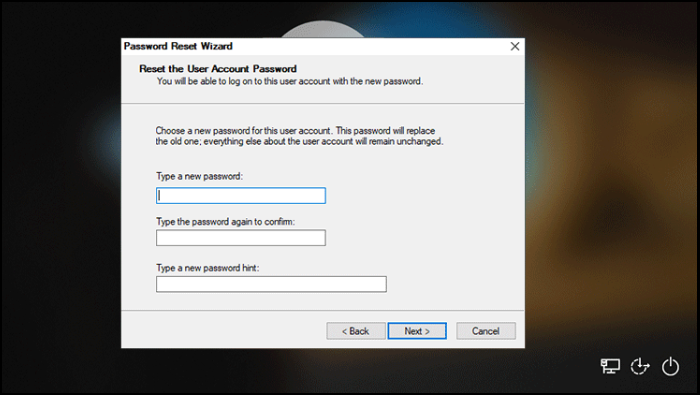
What This Problem Usually Means
A Windows password reset disk works for local accounts and should be created before you forget the password. It does not reset a Microsoft account password and may not help if BitLocker blocks disk access.
What to Check First
- Create the reset disk while you can still sign in.
- Store it safely because anyone with access may reset the account.
- Use Microsoft recovery for online accounts.
- Use bootable reset tools only for devices you own or manage.
Reset Windows Password or PIN with Qiling Disk Master
Use this method only on a computer you own or are authorized to repair. If BitLocker is enabled, prepare the recovery key before changing login settings.
Step 1. Create Qiling bootable media on another PC, boot the locked computer from it, and open the password reset feature.
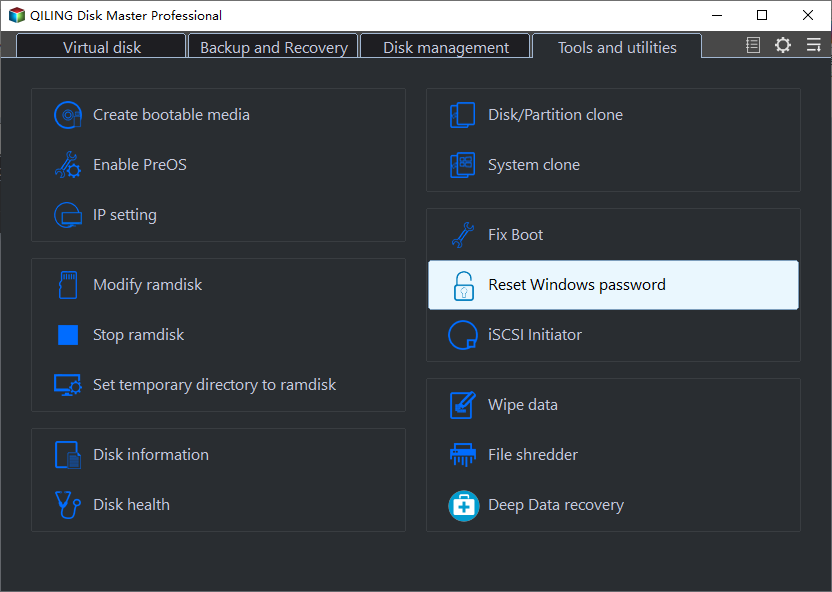
Step 2. Select the Windows installation and the local account you need to repair. Avoid changing system accounts you do not recognize.

Step 3. Click Reset to clear the password, then write down the new login information before restarting.
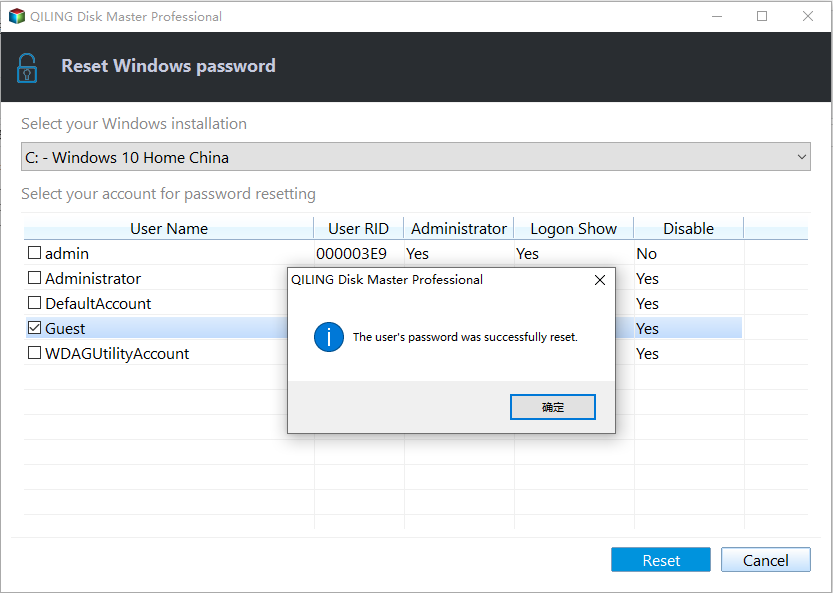
Step 4. Remove the USB drive, restart Windows, and update your sign-in options after login.
FAQ
Should I make changes before backing up? If the disk is readable and the files matter, back up first. Repairs, formatting, conversion, and cloning can change boot records or partition data.
When should I use Windows built-in tools? Use Settings, Disk Management, Startup Repair, CHKDSK, SFC, DISM, or account recovery first when the issue is simple and the risk is low.
When does Qiling help? Use Qiling tools when you need a clearer disk map, a bootable recovery environment, backup before repair, partition preview, disk cloning, or controlled password recovery on an authorized PC.
Conclusion
A password reset disk is simple but must be created in advance. For locked local accounts, bootable reset tools can help, but account ownership and encryption keys still matter.
Related Articles
- Windows Partition Management Tutorials
Find practical Windows partition guides for resizing, formatting, checking, converting, and repairing disks without unnecessary risk. - Windows System Backup and Restore Tutorials
Browse Windows backup and restore guides for system images, recovery drives, restore points, and safe repair preparation.
Products
Articles & Tutorials
- Data Recovery
- Data Backup
- File Recovery
- File Backup
- System Backup and Restore
- Disk and Partition Clone
- Technical articles
- Mobile articles
- Disk Master Help
- Windows Data Recovery Tutorials
- Windows Secure Delete Tutorials
- Windows Partition Management Tutorials
- Windows File Backup and Restore Tutorials
- Windows System Backup and Restore Tutorials
- Windows Disk Backup and Restore Tutorials
- Windows Clone Tutorials