Delete Write Protection on USB with CMD
USB write protection can come from a physical lock switch, Windows disk attributes, registry policy, damaged controller firmware, or a failing flash drive. CMD can remove software-level read-only attributes, but it cannot fix a broken USB controller or a hardware lock.
What to Know First
- Check whether the USB drive has a physical lock switch.
- Back up readable files before repair attempts.
- Run Command Prompt as administrator.
- Do not run clean unless you are ready to erase the USB drive.
Windows Method and Background
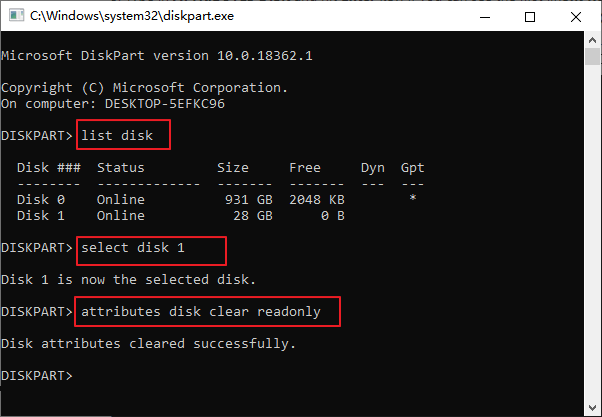
- Open Command Prompt as administrator.
- Type diskpart, then list disk.
- Type select disk N, replacing N with the USB disk number.
- Type attributes disk clear readonly.
- Exit DiskPart, unplug the USB drive, reconnect it, and test file copy again.
Use Qiling Disk Master After Write Protection Is Cleared
Use CMD or DiskPart first to clear software-level read-only protection. Then use Qiling Disk Master only if the USB becomes writable and still needs formatting or partition repair.
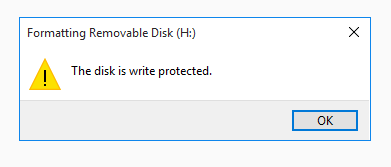
Case A. CMD Clears the Write Protection
Step 1. Reconnect the USB drive and test whether you can copy a small file to it.
Step 2. If it is writable but the file system is damaged, select the USB drive by capacity and removable-drive layout.
Step 3. Choose Format, then select exFAT for broad device compatibility or NTFS for Windows-only use.
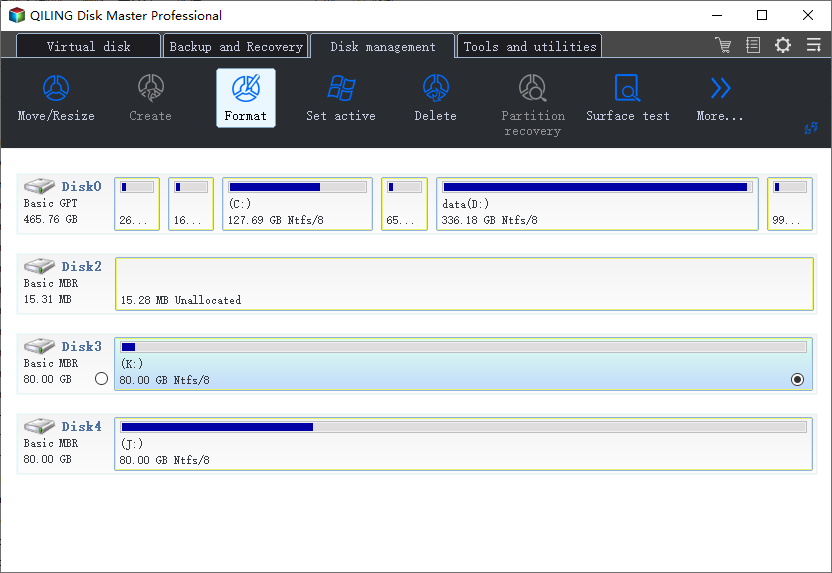
Step 4. Preview the operation and click Proceed.
Case B. The USB Has Damaged Partitions After Protection Is Removed
Step 1. Copy or recover readable files first.
Step 2. Delete the damaged USB partitions only after files are safe.
Step 3. Create one new partition, choose exFAT or NTFS, and assign a drive letter.
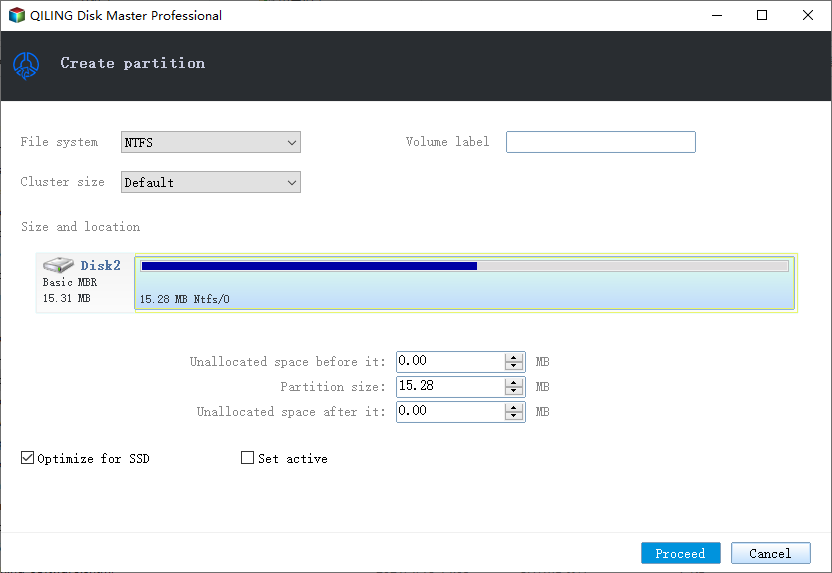
Step 4. Preview the delete/create tasks and click Proceed.
Case C. Write Protection Remains
Step 1. Do not force format or clean the USB if Windows still says it is write-protected.
Step 2. Check for a physical lock, try another computer, and replace the USB if the protection returns or the controller is failing.
Conclusion
CMD can remove software read-only attributes, but not every write-protected USB is repairable. If write protection returns, replace the drive after recovering files.
Related Articles
Products
Articles & Tutorials
- Data Recovery
- Data Backup
- File Recovery
- File Backup
- System Backup and Restore
- Disk and Partition Clone
- Technical articles
- Mobile articles
- Disk Master Help
- Windows Data Recovery Tutorials
- Windows Secure Delete Tutorials
- Windows Partition Management Tutorials
- Windows File Backup and Restore Tutorials
- Windows System Backup and Restore Tutorials
- Windows Disk Backup and Restore Tutorials
- Windows Clone Tutorials