Fix FAT32 Format Tool Not Opening in Windows
FAT32 format tool not opening? Check permissions, blocked downloads, damaged drives, and safer ways to format USB or SD cards in Windows.
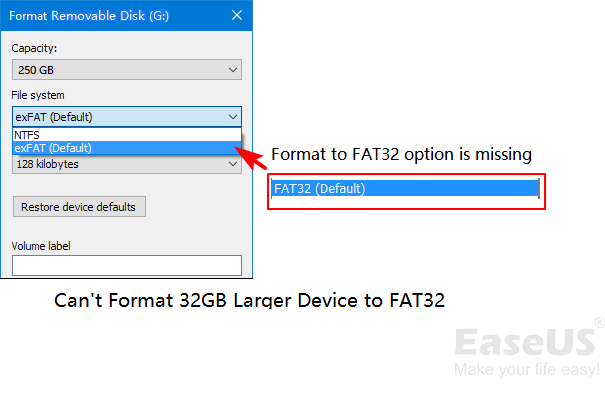
Why FAT32 Format May Not Open
A FAT32 formatter may fail to open if Windows blocks the downloaded app, antivirus quarantines it, the tool is outdated, or the target USB/SD card has file system errors. Do not keep retrying on a failing card before recovering important files.
Try These Windows Checks
- Right-click the tool and choose Run as administrator.
- Open Properties and unblock the file if Windows shows a security block.
- Try another USB port or card reader.
- Use Disk Management to see whether the device appears normally.
- Back up or recover files before formatting.
Use Qiling Disk Master When Windows Tools Are Not Enough
Qiling tools give you a visual way to review the disk state, protect files, and confirm risky operations before Windows repair, formatting, resizing, or cloning changes are applied.
Step 1. Connect the USB drive, SD card, or external disk that you wanted to format as FAT32. Back up files first if the device is readable.
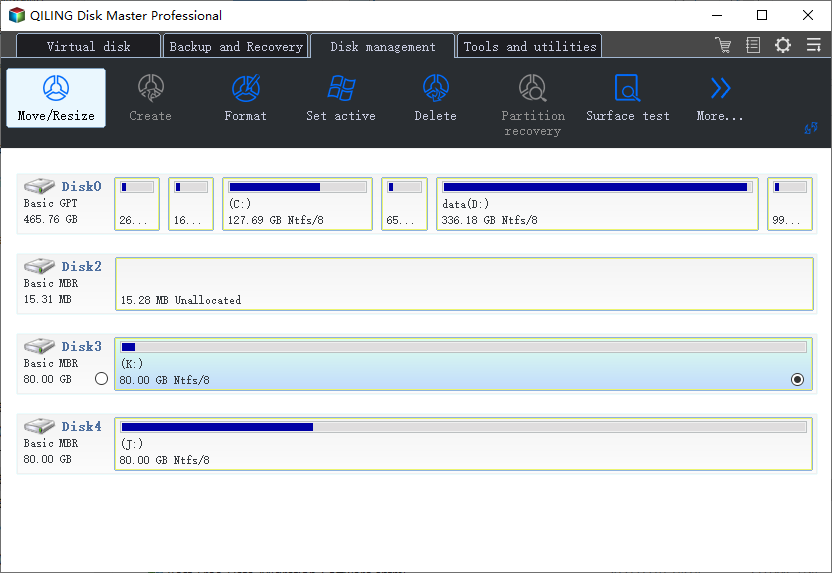
Step 2. Open Qiling Disk Master and select the target partition by capacity and drive letter. If the device has multiple partitions, confirm the correct one from the disk map.
Step 3. Choose Format. Select FAT32 if the device or boot tool requires it, or choose exFAT if the device supports it and you need files larger than 4GB.
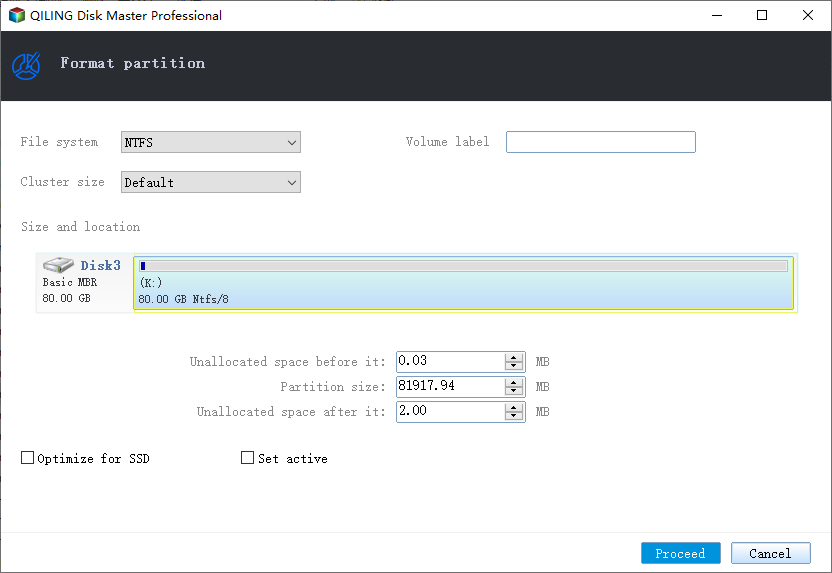
Step 4. Enter a simple volume label and keep the default cluster size unless the target device has a special requirement.
Step 5. Preview the format task and confirm no other disk is listed.
Step 6. Click Proceed. After formatting, reconnect the device and test it on the camera, console, boot tool, or Windows PC that requires FAT32.
Conclusion
Start with the Windows checks that match your symptom, protect important data before formatting or repartitioning, and use the Qiling workflow when you need a clearer, safer way to repair the disk or move data.
Related Articles
Products
Articles & Tutorials
- Data Recovery
- Data Backup
- File Recovery
- File Backup
- System Backup and Restore
- Disk and Partition Clone
- Technical articles
- Mobile articles
- Disk Master Help
- Windows Data Recovery Tutorials
- Windows Secure Delete Tutorials
- Windows Partition Management Tutorials
- Windows File Backup and Restore Tutorials
- Windows System Backup and Restore Tutorials
- Windows Disk Backup and Restore Tutorials
- Windows Clone Tutorials