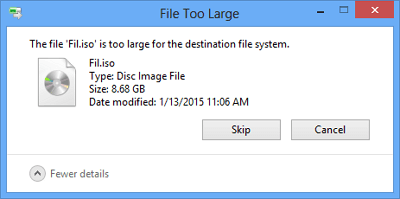
Fix File Is Too Large for the Destination File System
This error usually appears when the target drive is FAT32 and the file is larger than 4GB. FAT32 works with many devices, but it cannot store one file above that limit.
Before You Start
- Check the target drive file system in Properties.
- Use exFAT for USB drives used across devices.
- Use NTFS for Windows-only drives.
- Back up files before formatting.
Windows Method
- Right-click the target drive and choose Properties to confirm it is FAT32.
- If you need to keep existing files and the drive is Windows-only, run convert X: /fs:ntfs, replacing X with the correct drive letter.
- If the drive can be erased, format it as exFAT or NTFS.
- Copy the large file again after conversion or formatting.
Use Qiling Disk Master to Change the File System
Step 1. Select the target USB, SD card, or external drive.
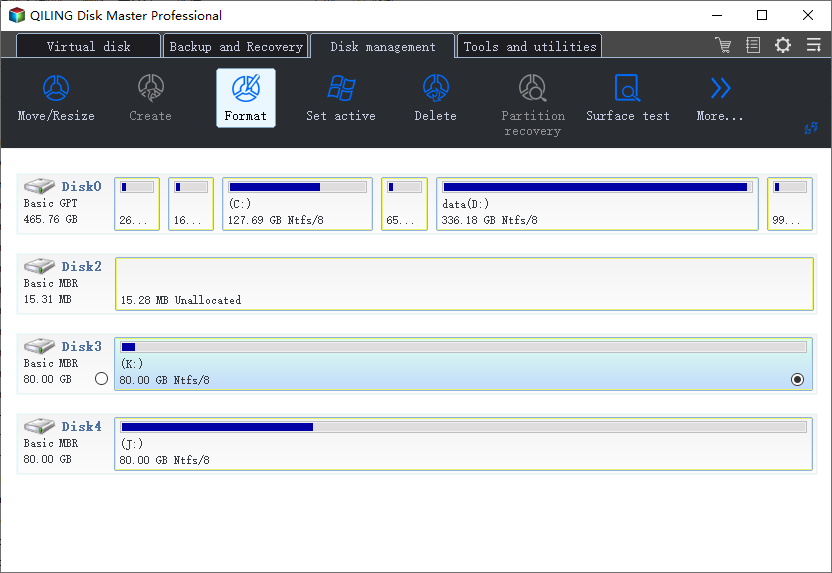
Step 2. Back up or copy files if you plan to format.
Step 3. Choose Format and select exFAT or NTFS.
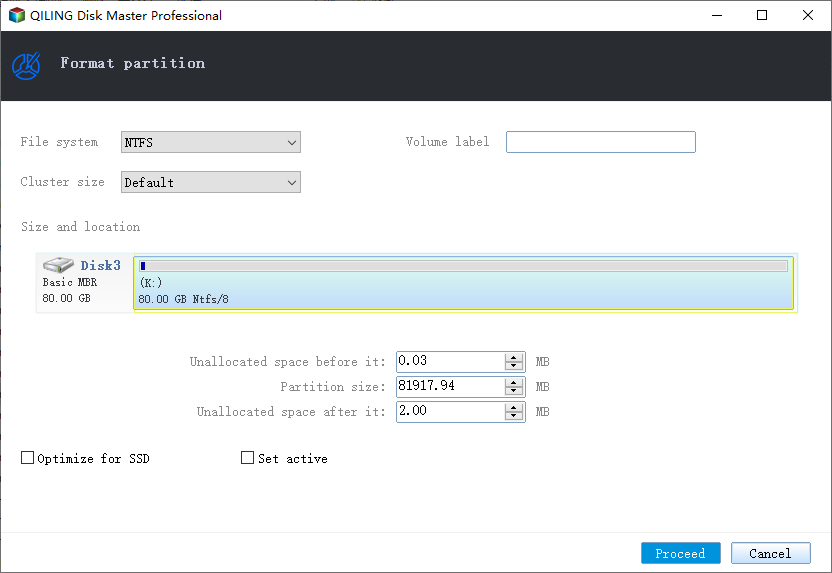
Step 4. Preview the operation and click Proceed.
Step 5. Copy the large file again and confirm the error is gone.
Conclusion
The fix is to stop using FAT32 for files larger than 4GB. Convert to NTFS when you need to keep files, or format to exFAT or NTFS after backup.
Related Articles
Products
Articles & Tutorials
- Data Recovery
- Data Backup
- File Recovery
- File Backup
- System Backup and Restore
- Disk and Partition Clone
- Technical articles
- Mobile articles
- Disk Master Help
- Windows Data Recovery Tutorials
- Windows Secure Delete Tutorials
- Windows Partition Management Tutorials
- Windows File Backup and Restore Tutorials
- Windows System Backup and Restore Tutorials
- Windows Disk Backup and Restore Tutorials
- Windows Clone Tutorials