Can Formatting Fix Bad Sectors
Formatting can sometimes isolate logical errors, but it does not repair physical damage on a failing HDD or SSD. Recover important files before testing or formatting.
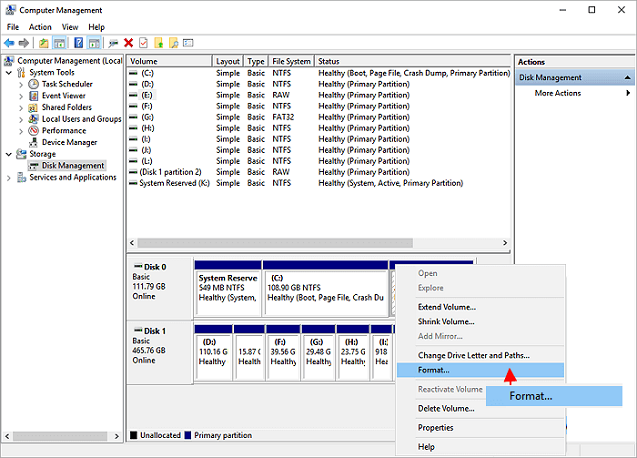
Logical vs Physical Bad Sectors
- Logical errors may be fixed by file system repair or a full format.
- Physical bad sectors usually mean the drive is wearing out.
- More bad sectors over time is a replacement warning.
Recommended Order
- Recover important files to another disk.
- Run a disk health check.
- Try CHKDSK only if the drive is stable.
- Replace the disk if errors return.
Use Qiling When the Built-in Method Is Risky
Windows tools are useful for simple checks, but Qiling gives you a visual preview before disk changes. Use it when the operation affects partitions, boot records, cloned disks, USB capacity, or files you cannot afford to lose.
Step 1. Open Qiling Deep Data Recovery and choose the scan mode that matches the device or lost-data situation.

Step 2. Select the affected disk, USB drive, SD card, or partition and scan it before formatting or deleting anything.

Step 3. Preview the files, recover them to another healthy drive, and then return to the repair or format task.

Conclusion
Handle the visible symptom first, then protect data before any delete, format, resize, or clone action. If the disk layout is confusing, use a visual tool and confirm the target before you click Proceed.
Related Articles
Products
Articles & Tutorials
- Data Recovery
- Data Backup
- File Recovery
- File Backup
- System Backup and Restore
- Disk and Partition Clone
- Technical articles
- Mobile articles
- Disk Master Help
- Windows Data Recovery Tutorials
- Windows Secure Delete Tutorials
- Windows Partition Management Tutorials
- Windows File Backup and Restore Tutorials
- Windows System Backup and Restore Tutorials
- Windows Disk Backup and Restore Tutorials
- Windows Clone Tutorials