Trouble Formatting a Buffalo External Hard Drive
A Buffalo external hard drive may fail to format if the cable is unstable, the partition table is damaged, the drive is write-protected, or Windows cannot access the file system correctly.
Before You Start
- Try another USB port and cable first.
- Back up or recover files before formatting.
- Check whether the drive appears with the correct capacity.
- Do not initialize or clean the disk if it contains needed files.
Windows Method
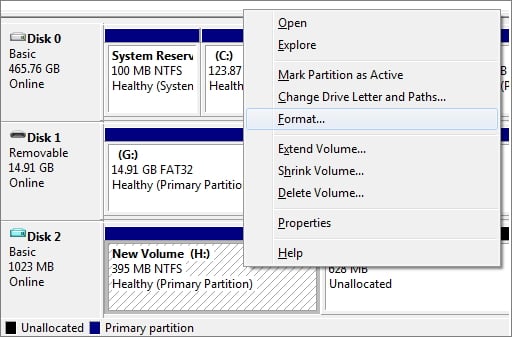
- Open Disk Management and find the Buffalo drive by capacity.
- If the volume is healthy, right-click it and choose Format.
- Choose NTFS for Windows-only use or exFAT for cross-device use.
- If the volume is RAW or damaged, recover files first, then delete and recreate the partition.
Use Qiling Disk Master to Format the Buffalo Drive
Step 1. Open Qiling Disk Master and select the Buffalo external hard drive.
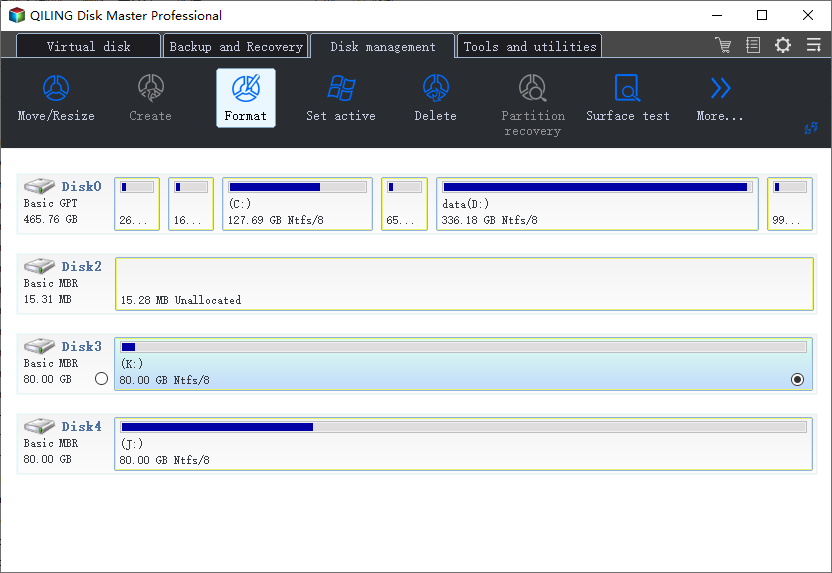
Step 2. If files are already backed up, select the target partition and choose Format.
Step 3. Choose NTFS or exFAT, set a label, and keep the default cluster size.
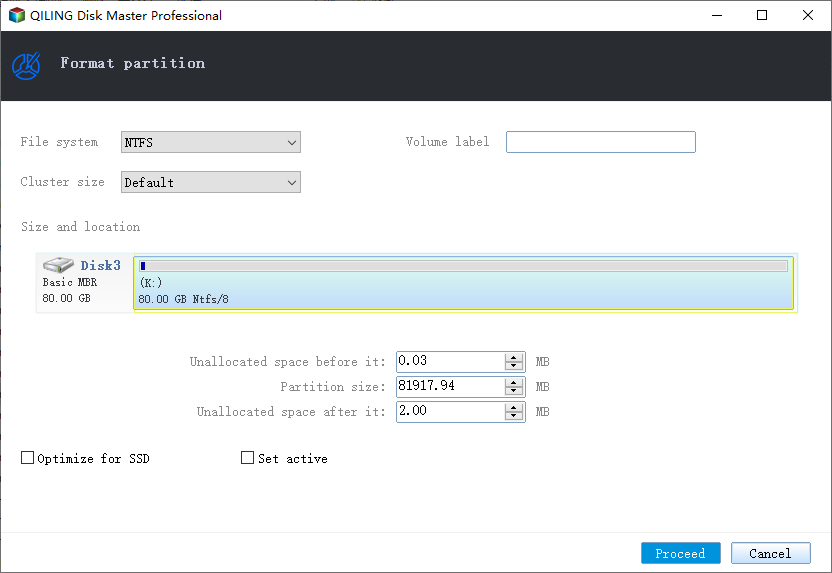
Step 4. Preview the operation and click Proceed.
Step 5. If formatting fails, run a surface test or replace the drive if errors are reported.
Conclusion
Formatting trouble often points to connection, file system, or disk health problems. Confirm the drive is stable and files are safe before formatting.
Related Articles
Products
Articles & Tutorials
- Data Recovery
- Data Backup
- File Recovery
- File Backup
- System Backup and Restore
- Disk and Partition Clone
- Technical articles
- Mobile articles
- Disk Master Help
- Windows Data Recovery Tutorials
- Windows Secure Delete Tutorials
- Windows Partition Management Tutorials
- Windows File Backup and Restore Tutorials
- Windows System Backup and Restore Tutorials
- Windows Disk Backup and Restore Tutorials
- Windows Clone Tutorials