How to Move Recovery Partition in Windows
Move a recovery partition only when it blocks another required operation, such as extending C drive. The goal is usually to move it to the end of the disk while keeping Windows recovery working.
Before You Start
- Create a full system backup first.
- Run reagentc /info to check the active WinRE location.
- Do not delete EFI, MSR, or System Reserved partitions.
- Use a maintenance window because system-disk moves may require restart.
What Windows Can and Cannot Do
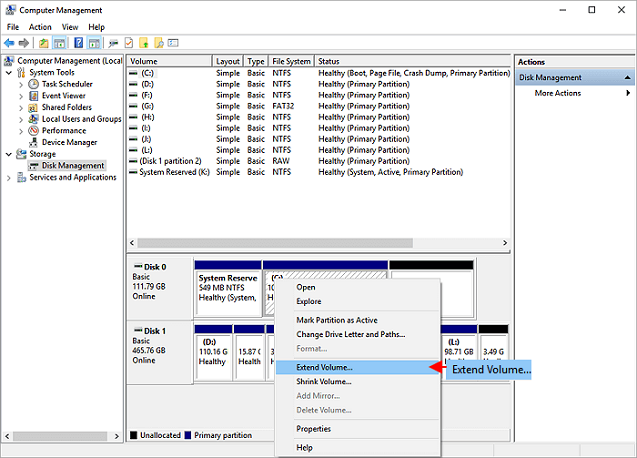
- Disk Management can show the recovery partition location.
- It cannot move a recovery partition to another position.
- If the recovery partition blocks C drive extension, use a partition tool or rebuild WinRE only if you know the exact Windows recovery steps.
Use Qiling Disk Master to Move the Recovery Partition
Step 1. Open Qiling Disk Master and locate the recovery partition on the system disk.
Step 2. Choose Resize/Move and drag the whole recovery partition to the right side of the unallocated space.
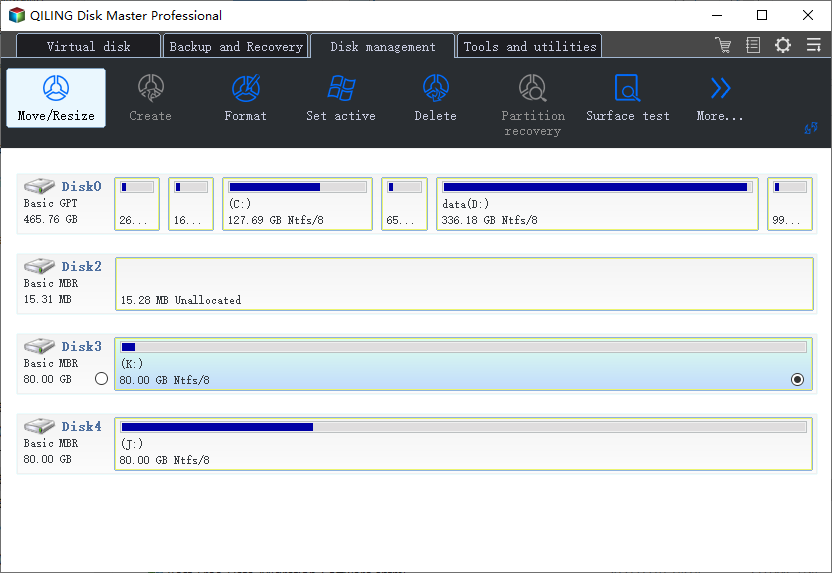
Step 3. Preview the layout and confirm the recovery partition is moved, not deleted.
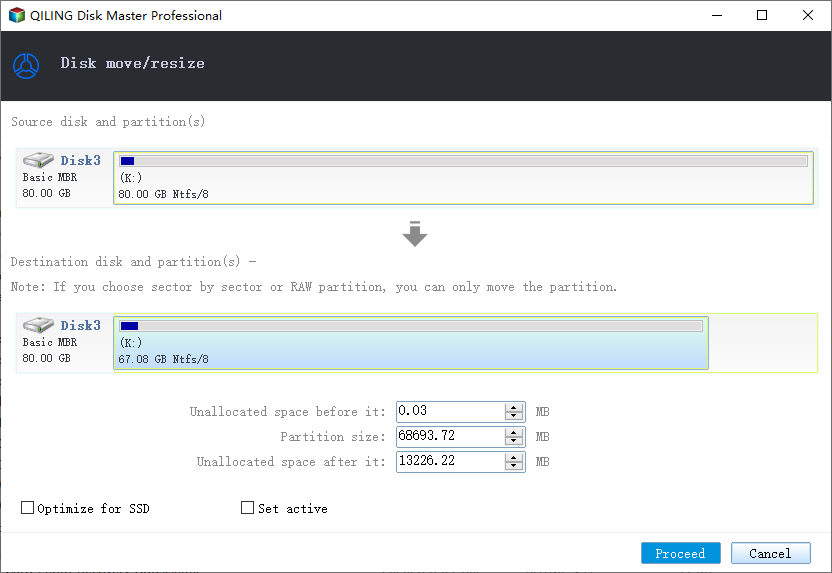
Step 4. Click Proceed and restart Windows if required.
Step 5. After Windows starts, run reagentc /info to confirm WinRE is still enabled.
Conclusion
Move the recovery partition only when needed, and verify WinRE afterward so Windows recovery remains available.
Related Articles
Products
Articles & Tutorials
- Data Recovery
- Data Backup
- File Recovery
- File Backup
- System Backup and Restore
- Disk and Partition Clone
- Technical articles
- Mobile articles
- Disk Master Help
- Windows Data Recovery Tutorials
- Windows Secure Delete Tutorials
- Windows Partition Management Tutorials
- Windows File Backup and Restore Tutorials
- Windows System Backup and Restore Tutorials
- Windows Disk Backup and Restore Tutorials
- Windows Clone Tutorials