NTFS Formatted Hard Drive Mounts as fuseblk: What It Means
On Linux, an NTFS drive may appear as fuseblk because it is mounted through a FUSE-based NTFS driver. This does not necessarily mean the drive is damaged. It usually means Linux is using a user-space driver to read and write a Windows NTFS volume. Problems start when the drive was not safely removed, has file system errors, or needs Windows repair.
What to Know First
- Do not format the drive only because it shows fuseblk in Linux.
- Check the drive in Windows if it was last used on Windows.
- Back up files before repairing or reformatting.
- Use NTFS for Windows-only drives and exFAT for cross-platform drives.
Windows Method and Background
- Connect the drive to Windows.
- Open File Explorer and check whether files are accessible.
- Open Command Prompt as administrator and run chkdsk X: /f, replacing X with the correct drive letter.
- Safely eject the drive after repair.
- If you need cross-platform use, back up files and format the drive as exFAT.
Use Qiling Disk Master to Check or Reformat the Drive
fuseblk is usually a Linux mount label, not a reason to format by itself. Use Qiling Disk Master only if Windows reports errors or you decide to change the file system after backup.
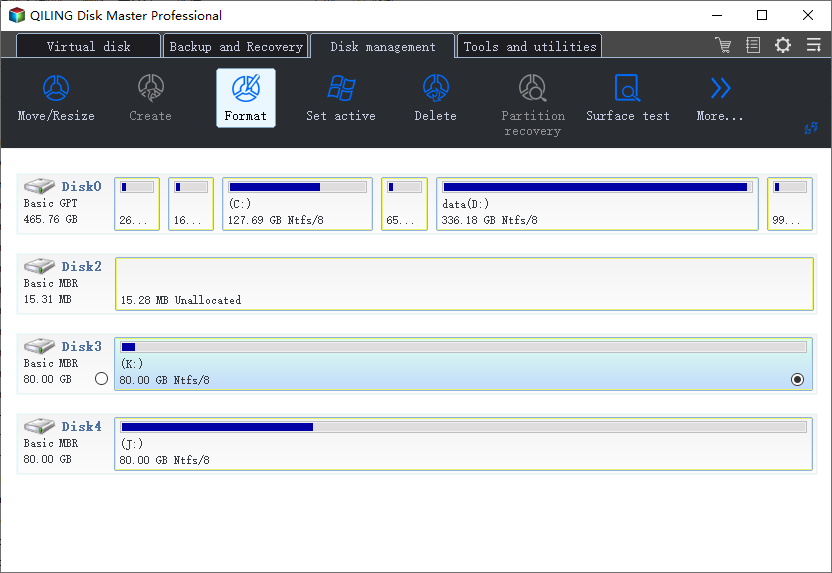
Case A. The Drive Works in Windows
Step 1. Connect the drive to Windows and confirm that files open normally.
Step 2. Back up important files if the drive was not safely removed or Linux reported errors.
Step 3. Keep NTFS if the drive is mainly used with Windows. Safely eject it before moving it back to Linux.
Case B. You Want Cross-Platform Use
Step 1. Back up all files from the NTFS drive.
Step 2. Select the drive in Qiling Disk Master and choose Format.
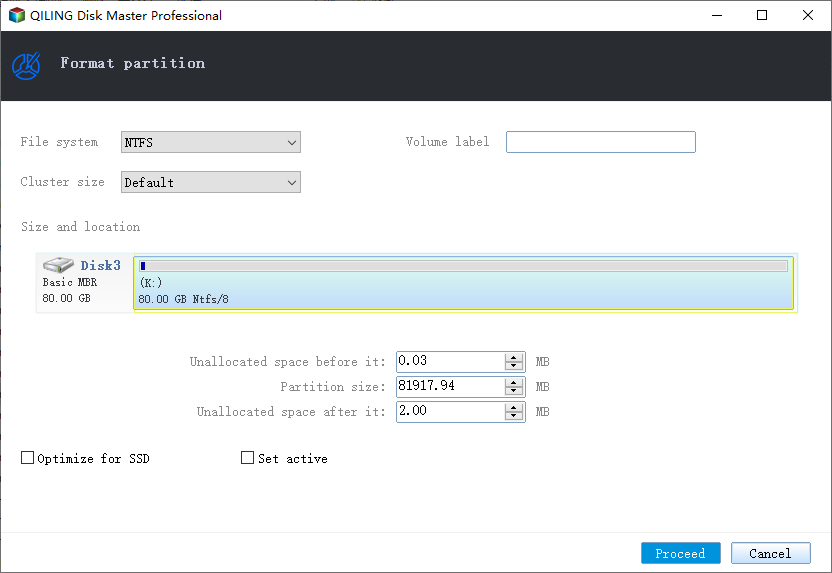
Step 3. Choose exFAT for easier sharing between Windows, macOS, Linux, and devices, or keep NTFS for Windows-only use.
Step 4. Preview the operation, click Proceed, and safely eject the drive after formatting.
Case C. Windows Cannot Access the Drive
Step 1. Stop formatting if files are still needed. Try file recovery or repair first.
Step 2. Reformat only after the data is safe or no longer needed.
Conclusion
fuseblk is usually a Linux mount detail, not a Windows format error. Repair unsafe shutdown issues first, then reformat only when you need a different file system.
Related Articles
Products
Articles & Tutorials
- Data Recovery
- Data Backup
- File Recovery
- File Backup
- System Backup and Restore
- Disk and Partition Clone
- Technical articles
- Mobile articles
- Disk Master Help
- Windows Data Recovery Tutorials
- Windows Secure Delete Tutorials
- Windows Partition Management Tutorials
- Windows File Backup and Restore Tutorials
- Windows System Backup and Restore Tutorials
- Windows Disk Backup and Restore Tutorials
- Windows Clone Tutorials