Which Partitioning Method Should Be Used for a 4TB Hard Drive
A 4TB hard drive should use GPT on modern Windows systems. MBR can address only about 2TB of usable space, so the rest of a 4TB disk may become unusable or appear as unallocated. GPT works with UEFI systems and supports large disks and many partitions.
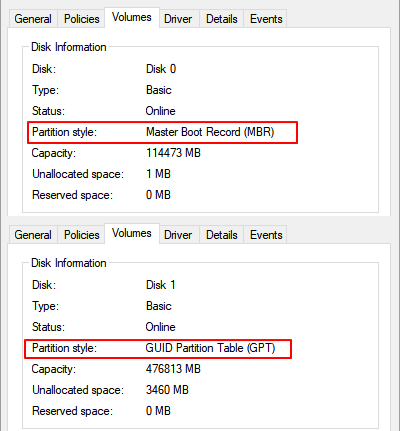
What to Know First
- Use GPT for 4TB drives unless an old Legacy BIOS system requires MBR.
- Back up data before converting an existing disk.
- Do not convert the Windows boot disk without checking boot mode.
- Initialize a new 4TB disk as GPT before creating partitions.
Windows Method and Background
- Open Disk Management.
- For a new disk, choose GPT when Windows asks to initialize it.
- Right-click unallocated space and create one or more new simple volumes.
- If an existing 4TB disk is MBR, back up data before conversion.
- Use UEFI boot mode for modern Windows boot disks on GPT.
Use Qiling Disk Master to Prepare the 4TB Drive
Open Qiling Disk Master and select the 4TB drive by model and capacity. Do not convert a disk that contains files until the backup is verified.
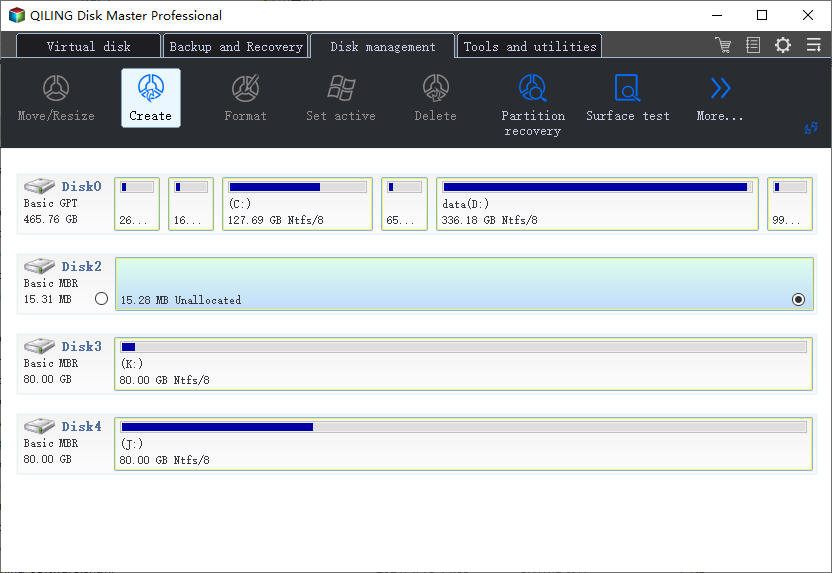
Case A. The 4TB Drive Is New or Empty
Step 1. Select the empty 4TB disk and check its partition style.
Step 2. Initialize or convert the empty disk to GPT so Windows can use the full capacity.
Step 3. Select the unallocated space and choose Create.
Step 4. Set the partition size, drive letter, label, and NTFS file system for Windows storage.
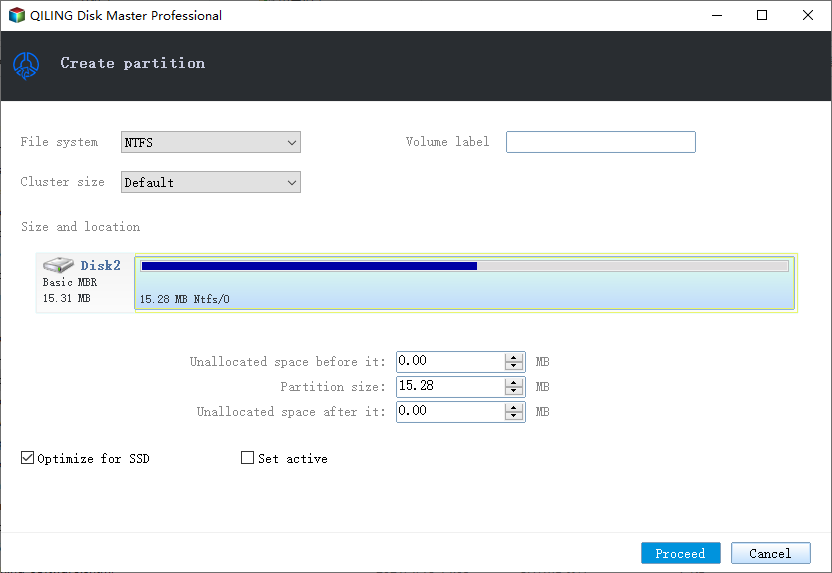
Step 5. Preview the layout and click Proceed.
Case B. The 4TB Drive Is MBR and Shows Only About 2TB
Step 1. Back up all files on the 4TB drive before changing the partition style.
Step 2. Select the disk and convert it to GPT only after confirming the backup is complete.
Step 3. Create or extend partitions so the remaining space becomes usable.
Step 4. Preview the operation list and click Proceed.
Case C. The 4TB Drive Is a Windows Boot Disk
Step 1. Check whether the computer boots in UEFI mode. GPT boot disks require UEFI on modern Windows.
Step 2. Do not convert the boot disk only to use extra space unless you have a full system backup and know the boot mode.
Step 3. If the boot mode and backup are ready, convert and restart only when the preview shows the intended system disk operation.
Conclusion
GPT is the right partitioning method for a 4TB hard drive in modern Windows. MBR is mainly for older compatibility and cannot use the full 4TB normally.
Related Articles
Products
Articles & Tutorials
- Data Recovery
- Data Backup
- File Recovery
- File Backup
- System Backup and Restore
- Disk and Partition Clone
- Technical articles
- Mobile articles
- Disk Master Help
- Windows Data Recovery Tutorials
- Windows Secure Delete Tutorials
- Windows Partition Management Tutorials
- Windows File Backup and Restore Tutorials
- Windows System Backup and Restore Tutorials
- Windows Disk Backup and Restore Tutorials
- Windows Clone Tutorials