Why Does My PC Only Have C Drive
Many Windows PCs ship with only one visible C drive. This is normal. If you want a D drive for file organization, shrink C drive and create a new partition from the free space.
Before You Start
- Remember that D drive on the same disk is not a backup.
- Back up important files before resizing C drive.
- Leave enough space on C drive for Windows updates and apps.
- Do not modify small EFI or Recovery partitions.
Windows Method: Create D Drive from C Drive
- Open Disk Management.
- Right-click C drive and choose Shrink Volume.
- Enter the amount of space to shrink.
- Right-click the unallocated space and create a new simple volume.
- Assign drive letter D if available and format it as NTFS.
Use Qiling Disk Master to Create D Drive
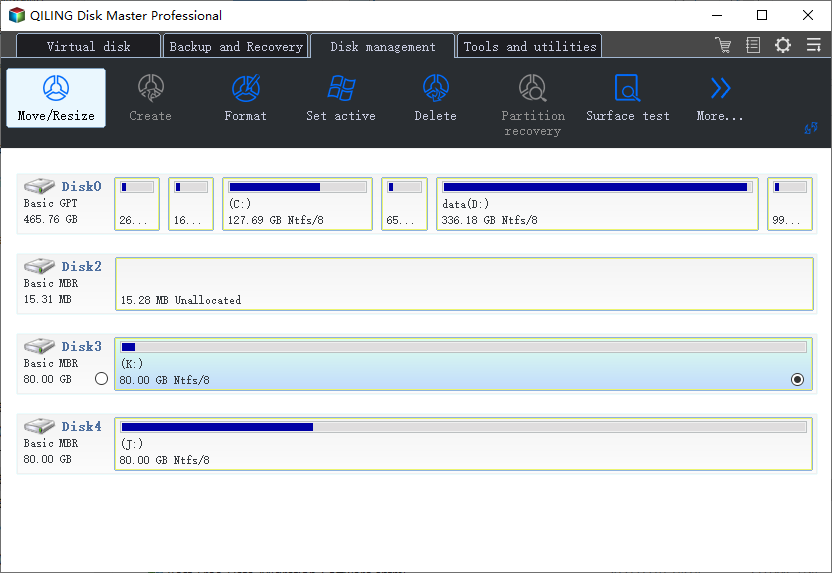
Step 1. Select C drive on the system disk.
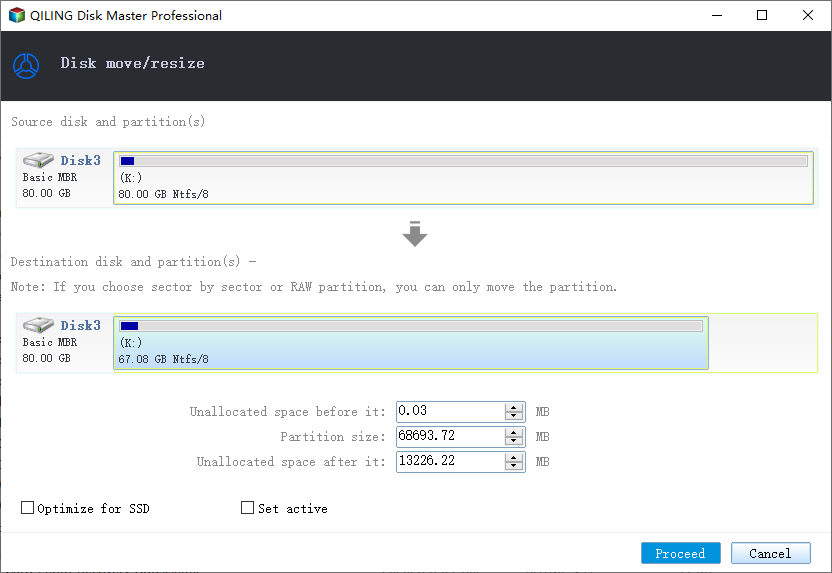
Step 2. Choose Resize/Move and shrink C drive to create unallocated space.
Step 3. Preview the resize and click Proceed.
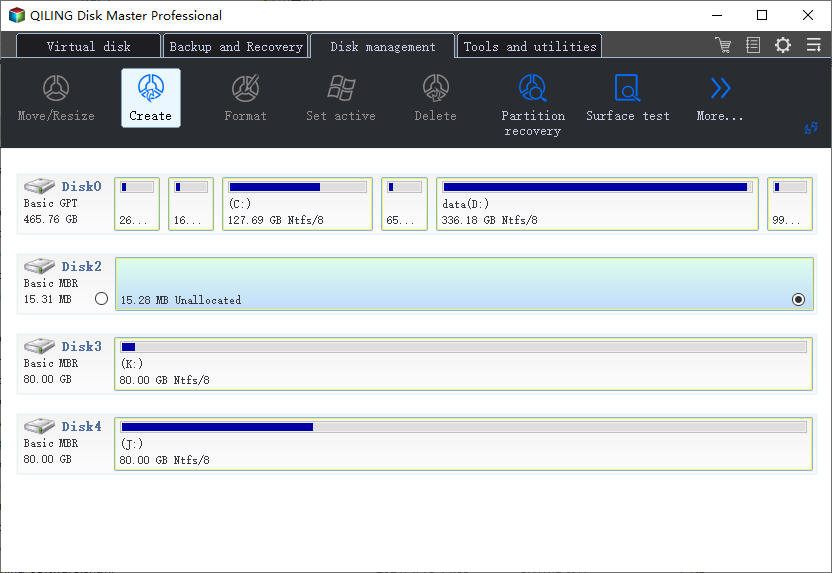
Step 4. Select the unallocated space and choose Create.
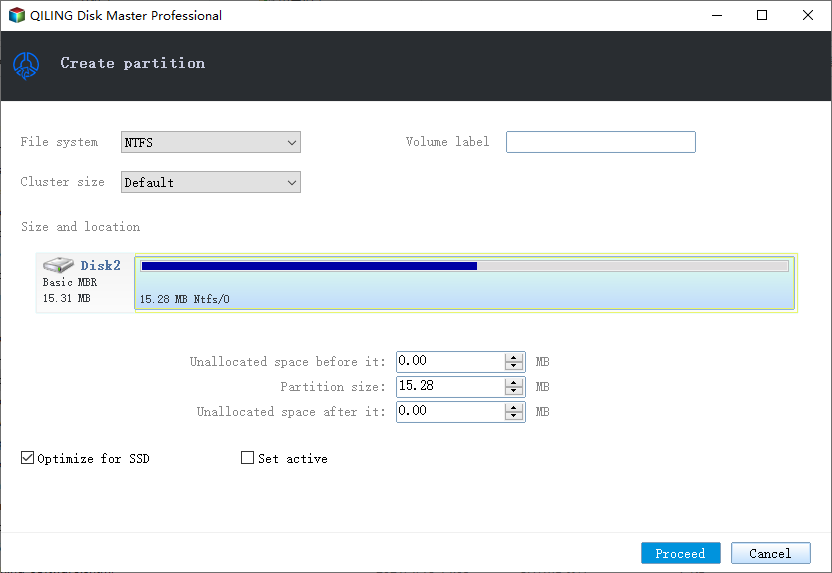
Step 5. Assign D as the drive letter if available, choose NTFS, and click Proceed.
Conclusion
Having only C drive is not a problem. Split it only if a separate data partition makes your files easier to manage.
Related Articles
Products
Articles & Tutorials
- Data Recovery
- Data Backup
- File Recovery
- File Backup
- System Backup and Restore
- Disk and Partition Clone
- Technical articles
- Mobile articles
- Disk Master Help
- Windows Data Recovery Tutorials
- Windows Secure Delete Tutorials
- Windows Partition Management Tutorials
- Windows File Backup and Restore Tutorials
- Windows System Backup and Restore Tutorials
- Windows Disk Backup and Restore Tutorials
- Windows Clone Tutorials