How to Remove a Healthy Recovery Partition
A Healthy Recovery Partition in Disk Management may be active and important even if it has no drive letter. Do not remove it until you confirm whether Windows uses it.
Before You Start
- Run reagentc /info to check Windows RE status.
- Create a system image or recovery USB first.
- Keep the partition if it is the only recovery option.
- Do not delete EFI or System Reserved partitions.
Why Disk Management May Not Delete It
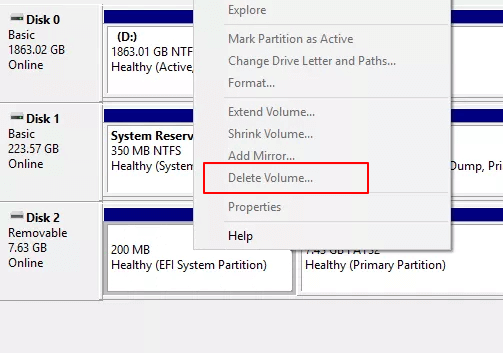
- Windows protects recovery partitions on the system disk.
- Delete Volume may be unavailable for protected partitions.
- DiskPart can force deletion, but a wrong command can remove the wrong partition.
- Use a visual tool only after backup and confirmation.
Use Qiling Disk Master to Remove the Healthy Recovery Partition
Step 1. Select the Healthy Recovery Partition that you have confirmed is unused.
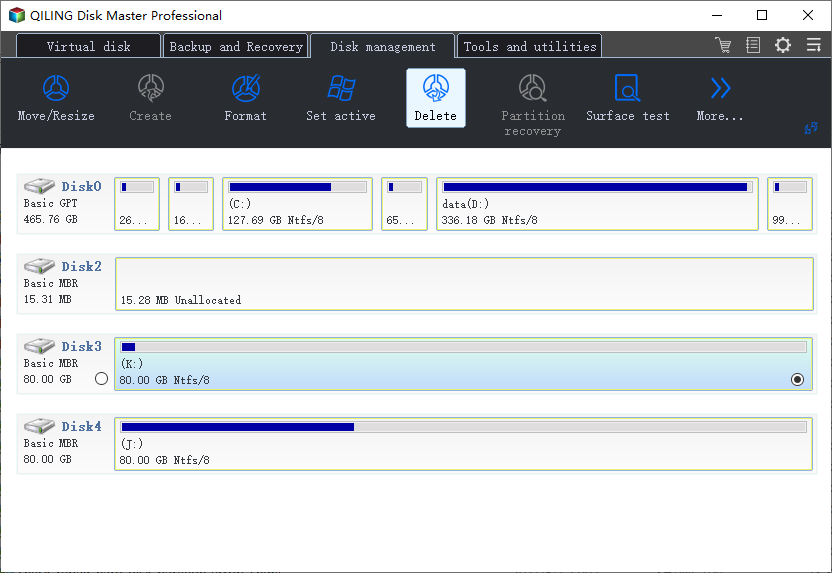
Step 2. Choose Delete and check the disk number, partition size, and position.
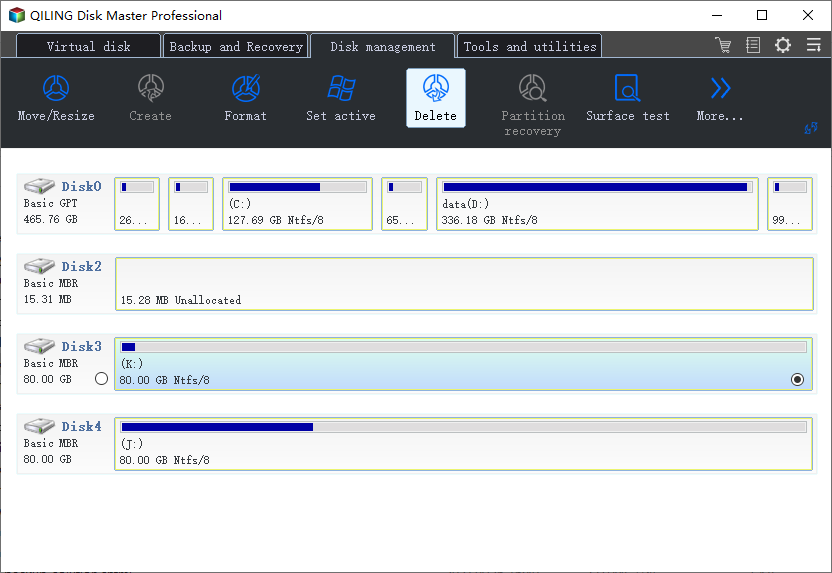
Step 3. When the data-loss warning appears, confirm only if the target is correct and files are backed up.
Step 4. Use the unallocated space to extend a neighboring partition or create a new volume.
Conclusion
A healthy recovery partition should usually stay. Remove it only when it is unused, duplicated, or no longer needed after backup.
Related Articles
Products
Articles & Tutorials
- Data Recovery
- Data Backup
- File Recovery
- File Backup
- System Backup and Restore
- Disk and Partition Clone
- Technical articles
- Mobile articles
- Disk Master Help
- Windows Data Recovery Tutorials
- Windows Secure Delete Tutorials
- Windows Partition Management Tutorials
- Windows File Backup and Restore Tutorials
- Windows System Backup and Restore Tutorials
- Windows Disk Backup and Restore Tutorials
- Windows Clone Tutorials