Remove Write Protection from SanDisk Cruzer Switch
Remove write protection from a SanDisk Cruzer Switch USB drive. Check lock causes, Windows attributes, recovery steps, and safe formatting.
Why the USB Drive Is Write Protected
Write protection can come from a read-only attribute, registry policy, file system error, failing flash memory, or a security setting on a managed PC. If the drive suddenly becomes read-only, copy or recover important files first.
Windows Checks
- Try the USB drive on another PC.
- Run Command Prompt as administrator and inspect disk attributes with DiskPart.
- Check whether antivirus or company policy blocks writing.
- If the device is failing, avoid repeated formatting attempts.
Use Qiling Deep Data Recovery When Windows Tools Are Not Enough
Qiling tools give you a visual way to review the disk state, protect files, and confirm risky operations before Windows repair, formatting, resizing, or cloning changes are applied.
Step 1. If the SanDisk Cruzer Switch still opens in File Explorer, copy important files first. If it is readable but unstable, use recovery before trying format or DiskPart clean.
Step 2. Open Qiling Deep Data Recovery and choose USB/SD Scan for the SanDisk USB drive.

Step 3. Select the SanDisk Cruzer Switch by capacity and drive letter, then scan it before removing partitions or formatting.

Step 4. Preview the files that matter, especially documents, photos, and portable app data.
Step 5. Recover files to another disk. Do not save recovered files back to the write-protected USB drive.

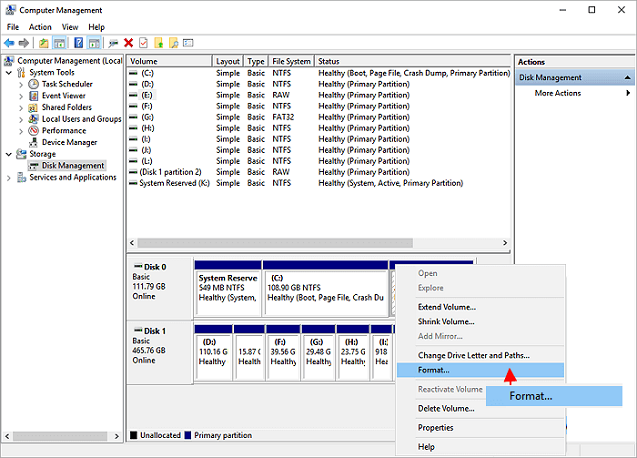
Step 6. After the files are safe, try DiskPart read-only removal or formatting. If write protection returns, replace the USB drive.
Conclusion
Start with the Windows checks that match your symptom, protect important data before formatting or repartitioning, and use the Qiling workflow when you need a clearer, safer way to repair the disk or move data.
Related Articles
Products
Articles & Tutorials
- Data Recovery
- Data Backup
- File Recovery
- File Backup
- System Backup and Restore
- Disk and Partition Clone
- Technical articles
- Mobile articles
- Disk Master Help
- Windows Data Recovery Tutorials
- Windows Secure Delete Tutorials
- Windows Partition Management Tutorials
- Windows File Backup and Restore Tutorials
- Windows System Backup and Restore Tutorials
- Windows Disk Backup and Restore Tutorials
- Windows Clone Tutorials