Unable to Resize Partition Because Access Is Denied in Virtual Disk Manager
Virtual Disk Manager may show Access is denied when Windows cannot lock the volume, permissions are insufficient, BitLocker is active, the file system has errors, or a service or application is using the partition. The error does not always mean the disk is broken, but it means Windows cannot safely complete the resize at that moment.
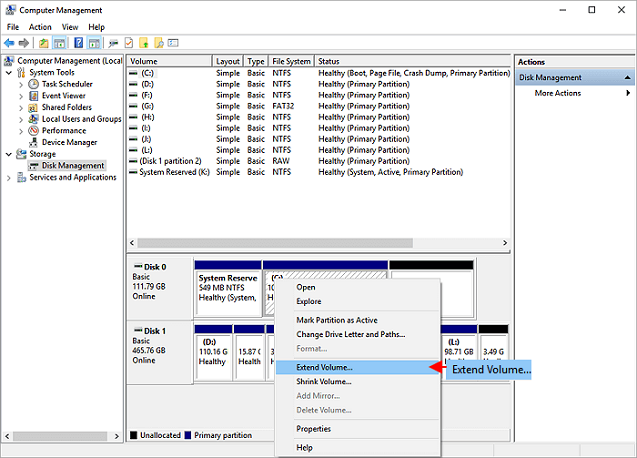
What to Know First
- Run Disk Management as administrator.
- Close apps and services using the target volume.
- Suspend BitLocker before resizing encrypted volumes.
- Back up files before trying advanced resize operations.
Windows Method and Background
- Restart Windows and try Disk Management again as administrator.
- Check the Virtual Disk service in services.msc.
- Run chkdsk on the target volume if file system errors are suspected.
- Suspend BitLocker if the volume is encrypted.
- Try resizing again when the volume is idle.
Use Qiling Disk Master to Resize with Preview
Before resizing, close programs using the target partition, suspend BitLocker if it is enabled, and back up important files. Then run Qiling Disk Master as administrator.
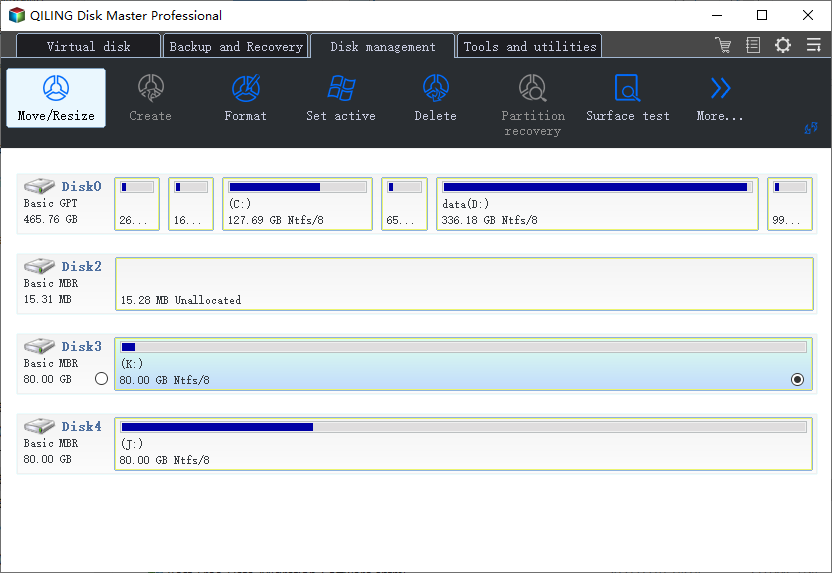
Step 1. Select the target partition and confirm the drive letter, capacity, and disk position.
Step 2. If the partition is encrypted, locked, or being used by backup, sync, database, or virtual machine software, stop that task first.
Step 3. Choose Resize/Move and set the new size or position. If you are extending, make sure unallocated space is adjacent or move the blocking partition first.
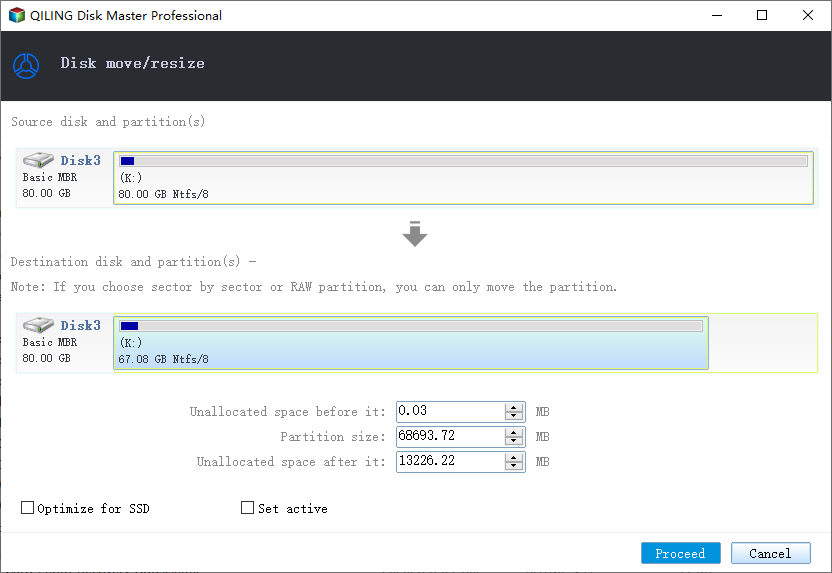
Step 4. Preview the pending operation list and check that no unrelated partition will be changed.
Step 5. Click Proceed. If the operation involves the system partition, allow the restart or pre-OS process and wait until it completes.
Step 6. After Windows starts again, open File Explorer or Disk Management to confirm the new partition size.
Conclusion
Access denied usually means Windows cannot safely lock or change the volume. Fix permissions, services, encryption, and file system issues before resizing.
Related Articles
Products
Articles & Tutorials
- Data Recovery
- Data Backup
- File Recovery
- File Backup
- System Backup and Restore
- Disk and Partition Clone
- Technical articles
- Mobile articles
- Disk Master Help
- Windows Data Recovery Tutorials
- Windows Secure Delete Tutorials
- Windows Partition Management Tutorials
- Windows File Backup and Restore Tutorials
- Windows System Backup and Restore Tutorials
- Windows Disk Backup and Restore Tutorials
- Windows Clone Tutorials