There Is a System Repair Pending
Fix the message There is a system repair pending in Windows. Restart, clear pending actions, repair boot files, and back up before advanced fixes.
What This Problem Usually Means
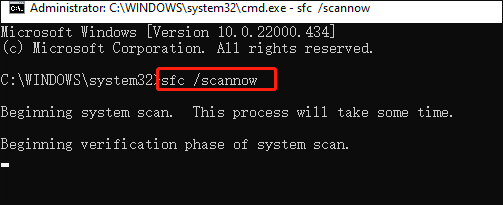
SFC may show this message when Windows Update, Startup Repair, DISM, or a previous repair did not finish. It can also happen when the offline Windows path is not selected correctly in recovery mode.
What to Check First
- Restart the PC and run SFC again.
- Finish Windows Update or uninstall the failed update if needed.
- Run DISM before SFC in normal Windows.
- Use WinRE Command Prompt only after backing up important files.
- Repair boot files if Windows cannot start.
Repair Windows Boot with Qiling Disk Master
If Windows cannot start, do not format the disk first. Check the boot mode, disk connection, and boot files. Fix Boot and Rebuild MBR are different repair methods, so choose the one that matches the actual startup problem.
Before You Choose a Repair Method
Step 1. Create or open bootable media, start the problem PC from it, and load Qiling Disk Master in the recovery environment.
Step 2. Select the Windows disk. Check whether the disk uses MBR or GPT and whether the PC boots in Legacy BIOS or UEFI mode. For a GPT disk with UEFI boot, try Fix Boot first. For an MBR disk with Legacy BIOS boot, Rebuild MBR may be the correct repair.
Method 1: Use Fix Boot for Damaged Startup Files
Step 1. Choose Fix Boot when Windows exists on the disk, but the startup files, boot configuration, or Windows Boot Manager entry may be damaged.
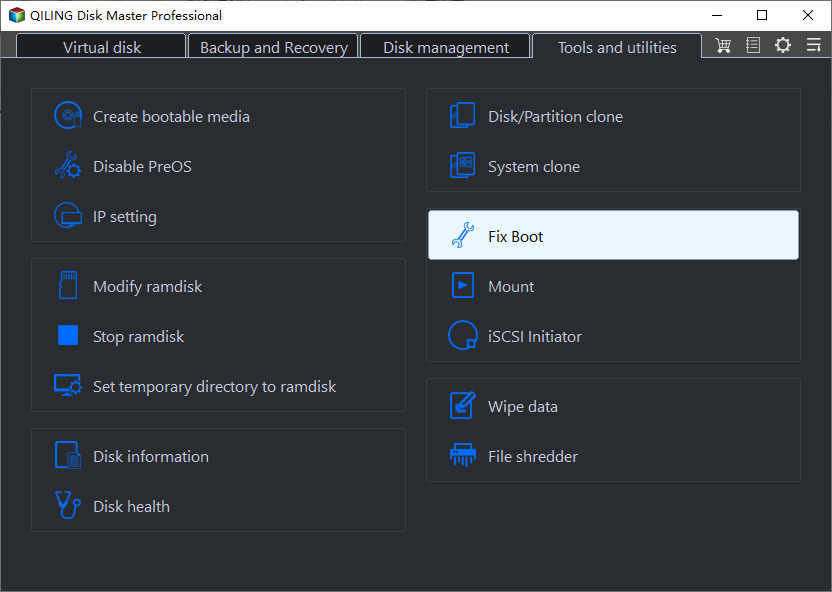
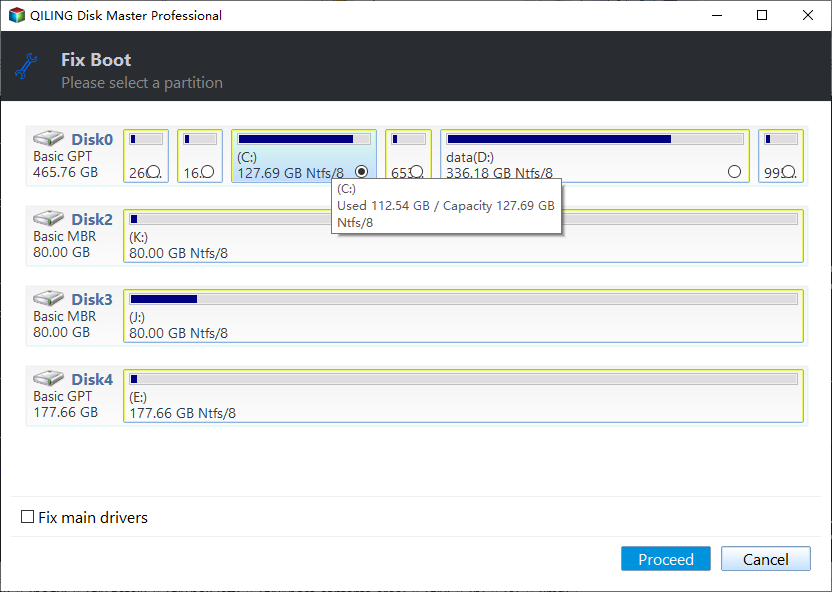
Step 2. Confirm that the selected disk is the Windows disk, then click Proceed. After the repair finishes, restart the PC and set Windows Boot Manager as the first boot option if the machine uses UEFI.
Method 2: Use Rebuild MBR for Legacy BIOS/MBR Boot Problems
Step 1. Choose Rebuild MBR only when the Windows disk is MBR and the computer starts in Legacy BIOS mode. Do not use it as the first choice for a GPT/UEFI installation.
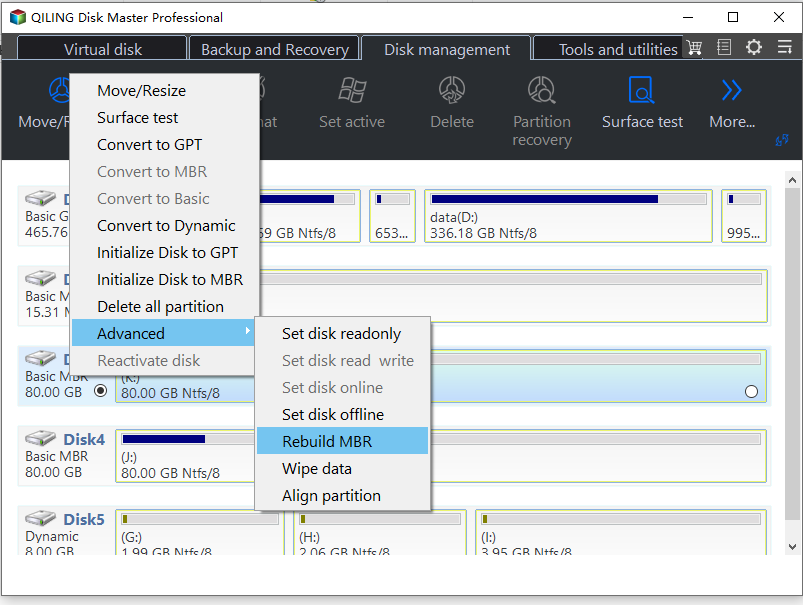
Step 2. Select the proper MBR type for the installed Windows version, preview the operation, and click Proceed. Restart the PC, enter BIOS, and set the repaired disk as the first boot device.
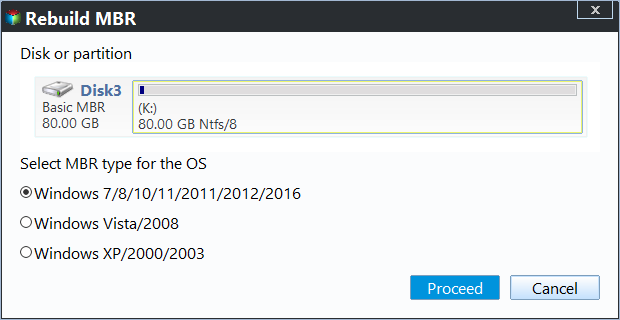
Step 3. If the message There is a system repair pending still appears after Windows starts, return to SFC, DISM, Windows Update, and pending repair cleanup. MBR repair cannot clear an unfinished Windows servicing task.
FAQ
Should I repair Windows before backing up? If the disk is readable, back up first. Repair commands, formatting, resizing, and reset options can change data or boot records.
Can Windows built-in tools solve the issue? Often yes. Use Settings, Disk Management, Startup Repair, CHKDSK, SFC, or DISM first when the risk is low. Use Qiling tools when you need a clearer disk map, safer preview, or a full backup before changing the drive.
What should I avoid? Do not format a drive that still holds needed files, do not run clean commands on the wrong disk, and do not clone to a target disk that contains the only copy of important data.
Conclusion
The pending repair message means Windows has unfinished repair actions. Restart and finish normal repair first; if it loops, protect files and repair boot or system files carefully.
Related Articles
- Windows Partition Management Tutorials
Find practical Windows partition guides for resizing, formatting, checking, converting, and repairing disks without unnecessary risk. - Windows Data Recovery Tutorials
Use these recovery guides when files are lost after formatting, partition errors, Windows repair, or accidental deletion.
Products
Articles & Tutorials
- Data Recovery
- Data Backup
- File Recovery
- File Backup
- System Backup and Restore
- Disk and Partition Clone
- Technical articles
- Mobile articles
- Disk Master Help
- Windows Data Recovery Tutorials
- Windows Secure Delete Tutorials
- Windows Partition Management Tutorials
- Windows File Backup and Restore Tutorials
- Windows System Backup and Restore Tutorials
- Windows Disk Backup and Restore Tutorials
- Windows Clone Tutorials