Qiling MS SQL Database Recovery - Repair MDF and NDF Files
MS SQL Server databases store business data in files such as MDF, NDF, and LDF. When these database files become corrupted, detached incorrectly, damaged by disk errors, or affected by a failed upgrade, SQL Server may fail to mount the database or show errors while opening tables and records.
Qiling MS SQL Recovery is designed to repair corrupted SQL Server database files and recover database objects, including tables, views, triggers, indexes, keys, stored procedures, rules, and functions. It is useful when a database cannot be restored from a healthy backup or when the MDF/NDF file is still available but unreadable.
When Do You Need MS SQL Database Recovery?
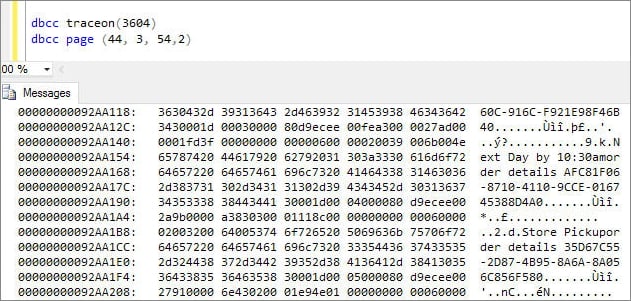
SQL Server database corruption can happen for many reasons. Common causes include sudden power failure, bad sectors on the storage disk, failed database attachment, interrupted backup or restore operations, virus infection, file system errors, and SQL Server service crashes.
You may need SQL recovery when SQL Server reports errors such as database suspect mode, recovery pending state, error 823, error 824, error 825, or when an MDF file cannot be attached. If DBCC CHECKDB reports consistency errors and the database is important, repair the database carefully and avoid actions that may cause further data loss.
Solution to Repair Corrupt MDF and NDF Files
Before repairing a database, stop using the damaged database files and make a copy of the original MDF, NDF, and LDF files if possible. Working on a copy helps preserve the original data in case another recovery attempt is needed.
Qiling MS SQL Recovery can scan corrupted SQL Server database files, preview recoverable database objects, and export repaired data. It helps recover data from damaged MDF and NDF files without requiring manual repair commands for every object.
Step 1. Launch Qiling MS SQL Recovery and choose the corrupted MDF or NDF file. If you are not sure where the database file is stored, use the search option to locate it.
Step 2. Start the repair process. The software scans the database structure and lists recoverable objects such as tables, views, triggers, stored procedures, and indexes.
Step 3. Preview the recoverable items and select the database objects you need. This helps confirm whether important tables and records can be restored before export.
Step 4. Export the repaired database to a SQL Server database or save selected items as SQL scripts, CSV, XLS, or HTML files according to your recovery plan.
MS SQL Recovery Precautions
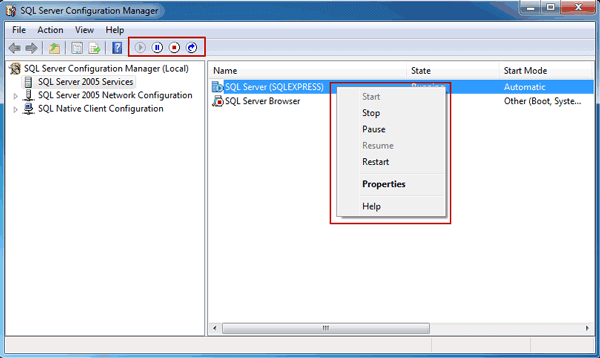
Database recovery requires caution because SQL files often contain business-critical data. Do not run repeated repair commands on the only copy of the corrupted database. If the SQL Server service is still writing to the damaged file, stop the service first or detach the database only after confirming the safest workflow.
If you have a valid full backup, differential backup, or transaction log backup, try restoring from backup first. SQL recovery software is most helpful when the backup is missing, outdated, damaged, or unable to restore the latest needed data.
MS SQL Database Backup Software
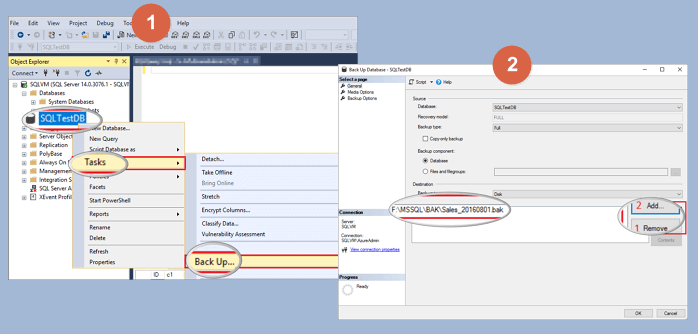
After repairing or restoring the SQL database, create a regular backup plan. A good SQL backup strategy should include full backups, differential backups, and transaction log backups based on your recovery point objective. Store backup copies on another disk, server, or secure storage location.
Qiling Backup can help protect SQL Server and other important business data with scheduled backup tasks. Regular backup reduces downtime and gives you a safer recovery path if a database file becomes corrupted again.
MS SQL Database Repair and Export Options
Different recovery situations require different export choices. If you need to return the database to SQL Server, export the repaired objects to a new or existing database. If you only need to review records, export selected tables to CSV, XLS, HTML, or SQL scripts.
For administrators, exporting repaired data into a clean database is often safer than overwriting the original damaged database. After export, check table relationships, constraints, indexes, and application connectivity before putting the database back into production.
Related Articles
- How to Rollback DROP/TRUNCATE Table in SQL Server
- How to Rebuild Master Database in SQL Server
- [Solved] MS SQL Server Database Corruption Repair
- How to Restore Database in SQL Server from .BAK File
- Download Best SQL Server MDF Viewer
Use an MDF viewer to open, check, and preview SQL Server MDF or NDF files before repairing or exporting database objects. - Best SQL Server Backup Software
Compare SQL Server backup software options and build a safer backup plan for important databases and business servers.
Products
Articles & Tutorials
- Data Recovery
- Data Backup
- File Recovery
- File Backup
- System Backup and Restore
- Disk and Partition Clone
- Technical articles
- Mobile articles
- Disk Master Help
- Windows Data Recovery Tutorials
- Windows Secure Delete Tutorials
- Windows Partition Management Tutorials
- Windows File Backup and Restore Tutorials
- Windows System Backup and Restore Tutorials
- Windows Disk Backup and Restore Tutorials
- Windows Clone Tutorials