Free ISO Creator for Windows Bootable Media
Create ISO files or bootable media for Windows repair and installation. Back up files and use Qiling bootable media for recovery tasks.
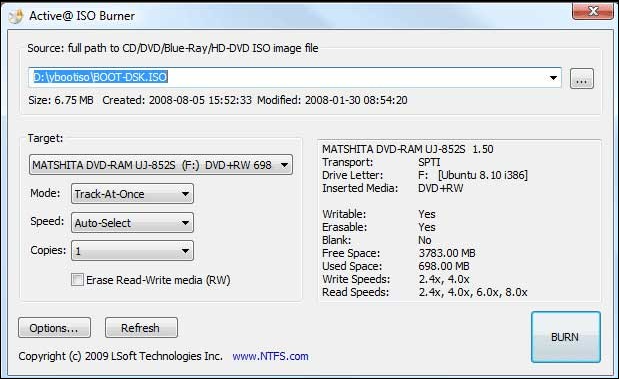
What This Problem Usually Means
An ISO file can store installation media, recovery tools, or a bootable environment. For repair work, the goal is not only to create an ISO but to make sure the target PC can boot from the media and detect its disks.
What to Check First
- Use a clean ISO source.
- Choose UEFI or Legacy boot support based on the target PC.
- Verify the USB drive before booting a problem computer.
- Add storage drivers if the recovery environment cannot see NVMe or RAID disks.
Create Bootable Media with Qiling Disk Master
Bootable media helps when Windows cannot start, when you need to repair boot files, or when you want to back up files before reinstalling Windows.
Step 1. Connect an empty USB drive to a working PC. Open Qiling Disk Master and choose the bootable media feature.
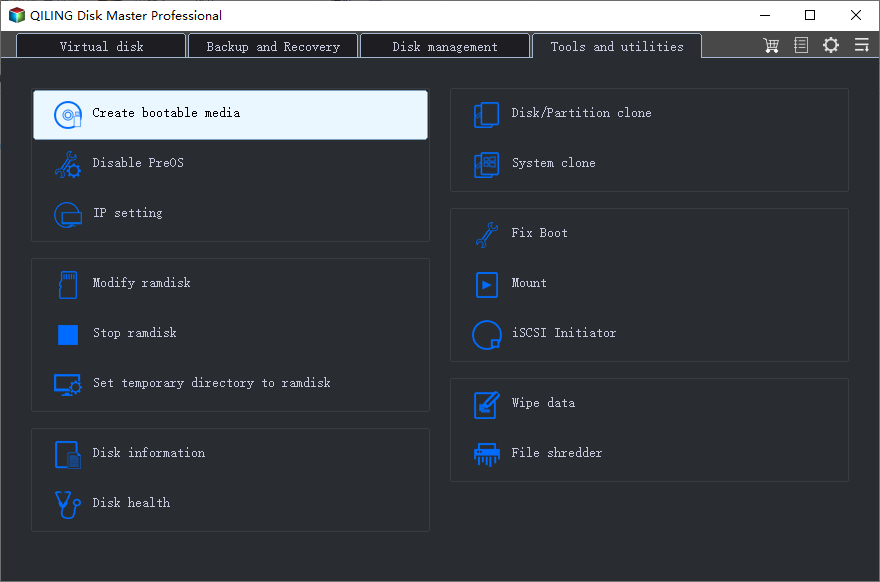
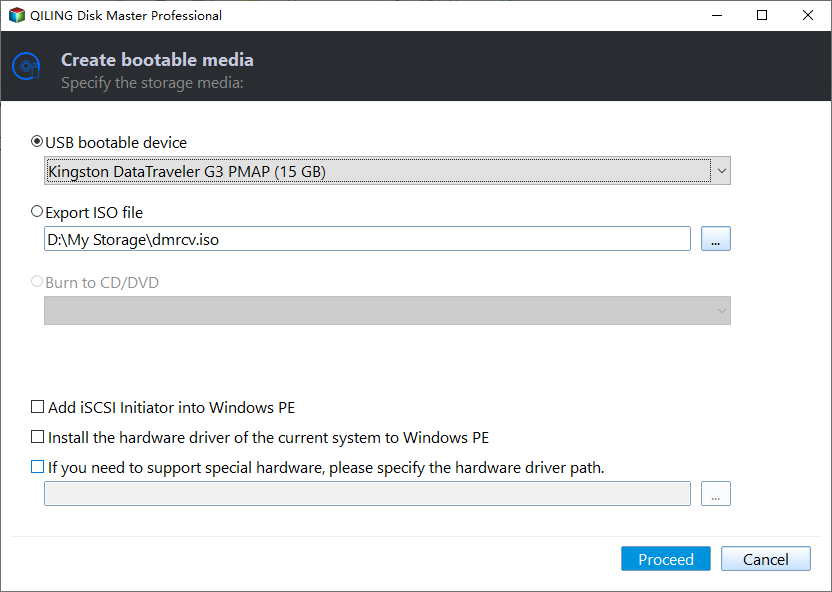
Step 2. Choose USB as the media type. Confirm the USB drive carefully because the process may erase it.
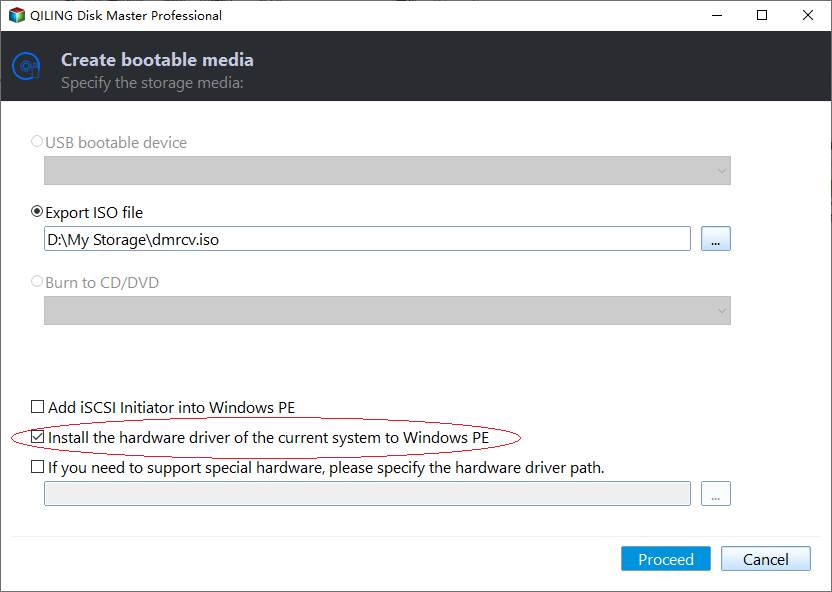
Step 3. Add storage or network drivers if the target PC needs them. This helps the recovery environment detect NVMe, RAID, or network storage.
Step 4. Create the USB, boot the problem PC from it, and then run backup, clone, partition, or boot repair tools as needed.
FAQ
Should I make changes before backing up? If the disk is readable and the files matter, back up first. Repairs, formatting, conversion, and cloning can change boot records or partition data.
When should I use Windows built-in tools? Use Settings, Disk Management, Startup Repair, CHKDSK, SFC, DISM, or account recovery first when the issue is simple and the risk is low.
When does Qiling help? Use Qiling tools when you need a clearer disk map, a bootable recovery environment, backup before repair, partition preview, disk cloning, or controlled password recovery on an authorized PC.
Conclusion
A bootable ISO or USB is most useful when it includes the right tools and drivers. Test the media before you need it in an emergency.
Related Articles
- Windows Partition Management Tutorials
Find practical Windows partition guides for resizing, formatting, checking, converting, and repairing disks without unnecessary risk. - Windows System Backup and Restore Tutorials
Browse Windows backup and restore guides for system images, recovery drives, restore points, and safe repair preparation.
Products
Articles & Tutorials
- Data Recovery
- Data Backup
- File Recovery
- File Backup
- System Backup and Restore
- Disk and Partition Clone
- Technical articles
- Mobile articles
- Disk Master Help
- Windows Data Recovery Tutorials
- Windows Secure Delete Tutorials
- Windows Partition Management Tutorials
- Windows File Backup and Restore Tutorials
- Windows System Backup and Restore Tutorials
- Windows Disk Backup and Restore Tutorials
- Windows Clone Tutorials