Is It Possible to Backup RAID in a Safe and Easy Way
Windows users, especially server users, need to backup their RAID drives due to various reasons. However, RAID users often have concerns about software compatibility with RAID, as well as the ease, safety, and speed of cloning their RAID drives. As a result, they must search for and compare different candidates that can meet their needs.
Backing up a RAID setup can be done safely and easily with the right software. A RAID backup software can provide a reliable solution to protect your data and ensure business continuity in case of hardware failure or other disasters.
What Is RAID
RAID (Redundant Array of Independent Disks) is a technology that combines two or more hard disk drives to achieve better performance, reliability, and larger storage capacity. By setting up multiple physical disks in a RAID array, data is distributed among them, and the array is seen as a single disk by users and the operating system.
RAID (Redundant Array of Independent Disks) uses two or more hard drives to improve performance, reliability, or create larger data volumes. It achieves performance through striping, where data is split and written across multiple drives, increasing throughput. Reliability can be improved by introducing redundancy, such as in mirrored RAID arrays, where data is written to more than one disk, ensuring an exact copy remains in case of a single disk failure.
Here are the 3 most commonly used RAID levels:
| Level | Description | Minimum No. of Disks | Image |
|---|---|---|---|
| RAID 0 | Striped set without parity/ [Non-Redundant Array]. | 2 |
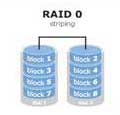
|
| RAID 1 | Mirrored set without parity. | 2 |
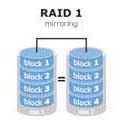
|
| RAID 5 | Striped set with distributed parity. | 3 |
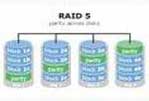
|
In critical scenarios like emergency services and businesses, RAID is utilized to its full potential to ensure data reliability and performance. However, to prevent downtime, it's also crucial to back up the operating system and RAID using RAID backup software.
To backup a Windows Server RAID, you can use the built-in Windows Server backup software. First, create a backup policy with the desired schedule and storage location.
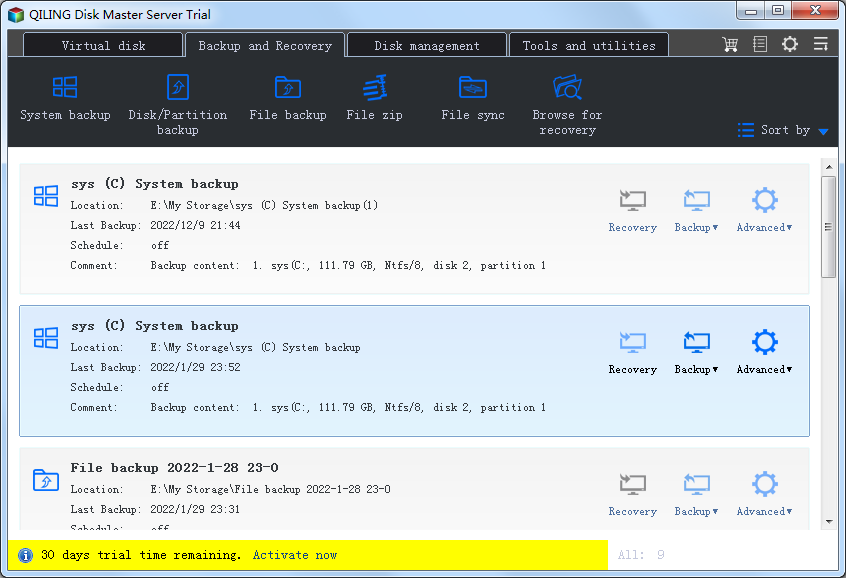
The software allows you to save the image archive to a local hard disk, tape, LAN computer disk, or CD/DVD. Additionally, you can clone the virtual disk to replace or upgrade the old one using this RAID backup software.
Related Articles
- WD SmartWare Backup Alternative for Windows 10/8/7
- What's the Difference between Differential and Incremental Backups
- How to fix Macrium Reflect clone failed
- How to Clone Windows 10/8/7 to Another Computer
- Fixed - Samsung Data Migration stuck at 0%, 99%, 100%
- Best PC Transfer Software Free Download with How-to Guide [Video Tutorial]
PC transfer software makes it easy to move files from one computer to another, and with the help of such software, the process is simple and straightforward.
Products
Articles & Tutorials
- Data Recovery
- Data Backup
- File Recovery
- File Backup
- System Backup and Restore
- Disk and Partition Clone
- Technical articles
- Mobile articles
- Disk Master Help
- Windows Data Recovery Tutorials
- Windows Secure Delete Tutorials
- Windows Partition Management Tutorials
- Windows File Backup and Restore Tutorials
- Windows System Backup and Restore Tutorials
- Windows Disk Backup and Restore Tutorials
- Windows Clone Tutorials