How to Choose the Right SSD for Your Needs
Definition: What Is an SSD & Its Benefits Over HDDs
A solid-A solid-state drive (SSD) is a type of computer storage that uses interconnected flash memory chips to hold data. Unlike traditional hard disk drives (HDDs), SSDs have no moving parts, making them faster and less prone to failure due to physical shocks. They also consume less power, making them ideal for laptops and portable devices, and are generally smaller in size, allowing for thinner and lighter laptops.
SSDs offer several key benefits over HDDs, including speed and reliability. They can boot up a computer in seconds and load applications almost instantly, making them ideal for users who need quick access to data. Additionally, SSDs are more resistant to shock and vibration, reducing the risk of damage if a laptop is dropped. While SSDs may be more expensive than HDDs on a per-gigabyte basis, their overall cost of ownership is often lower due to their reliability and performance advantages, making them a popular choice for new computers.
6 Factors You Should Consider When Choosing An SSD
Here are a few factors to consider when choosing an SSD:
- Size
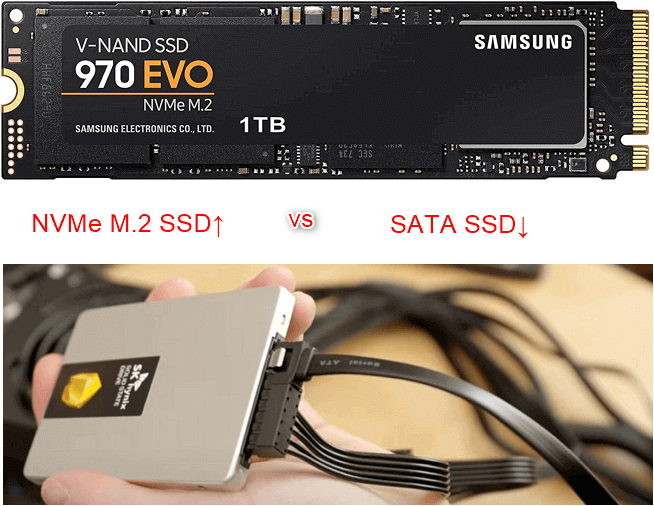
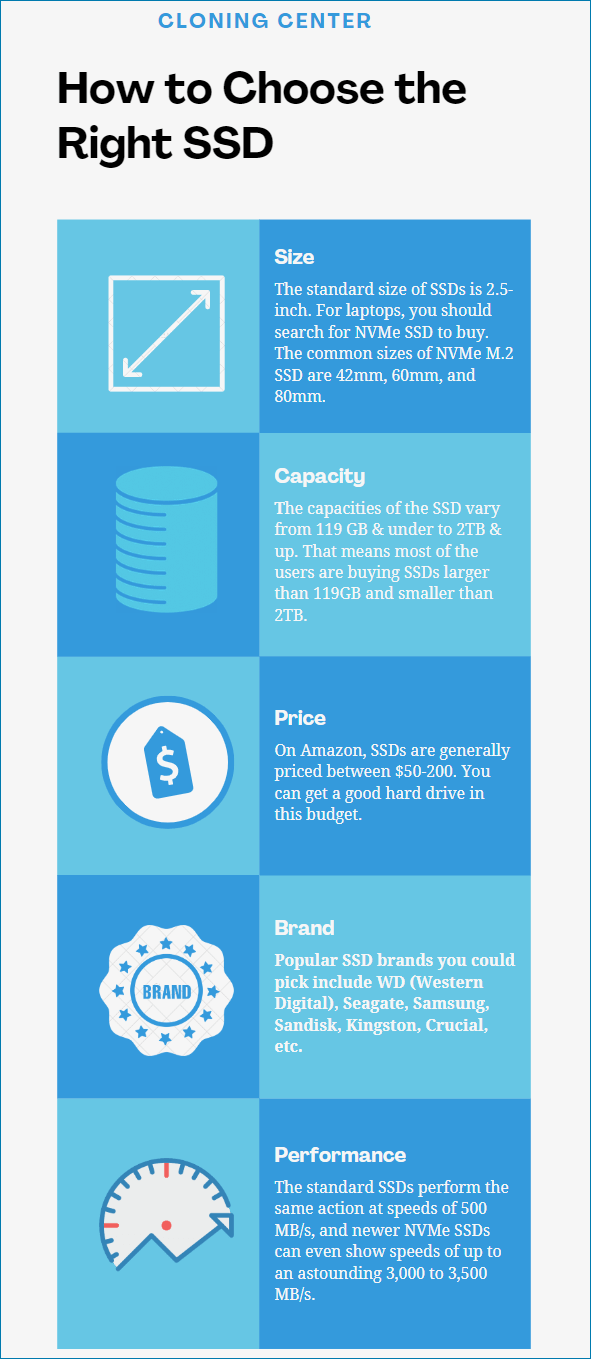
Commonly there are two basic physical sizes for hard drives: 2.5-inch and 3.5-inch. The standard size of SSDs is 2.5-inch, if you're planning to upgrade a new SSD for your desktop which uses an HDD as the storage device, then there is enough space to install the new SSD.
For laptops, look for NVMe SSDs with M.2 sizes such as 2242, 2260, or 2280, which are thinner and smaller, allowing for easier installation in compact laptop spaces.
- Capacity
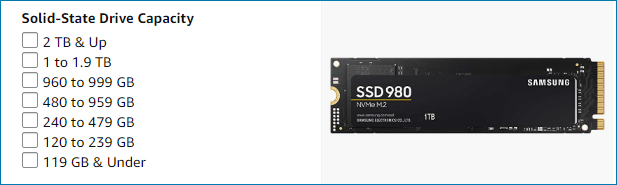
One notable drawback of SSDs compared to HDDs is their limited capacity, with the largest SSDs currently available at around 2TB, whereas HDDs can be found in capacities up to 4TB. While larger SSDs do exist, they come at a significantly higher cost than equivalent HDDs.
Amazon SSD capacities range from 119GB to 2TB, making most users opt for sizes between 119GB and 2TB. Users can choose a suitable SSD based on their needs and budget.
- Price
In 2022, the price difference between SSDs and HDDs is not as significant as it used to be, with SSDs becoming more affordable and high-capacity HDDs remaining relatively expensive. A good SSD can be purchased for between $50-200 on Amazon, making it a more viable option for users.
- Brand
When purchasing equipment, choose well-known brands with reliable after-sales service to ensure quality and have resources for troubleshooting issues.
Popular SSD brands include WD (Western Digital), Seagate, Samsung, Sandisk, Kingston, Crucial, and others.
- Performance
When buying an SSD, you'll notice it's significantly faster than an HDD. The standard SSD performs actions at speeds of 500 MB/s, while newer NVMe SSDs can reach speeds of up to 3,000 to 3,500 MB/s. This means transferring a 20GB file or cloning a 20GB HDD to an SSD will take less than 10 seconds, whereas it would take at least 2 minutes on an HDD.
- Power consumption
SSDs consume less power than HDDs, typically drawing 5 volts and 1.5 amps, resulting in a total power usage of 7.5-8 watts.
The decision on which SSD to choose depends on your specific needs and preferences. There isn't a single "perfect" SSD, but rather the most suitable one for your requirements. When considering a purchase, factors such as size, capacity, price, brand, performance, and power consumption should be taken into account. Checking this guide can help you make an informed decision.
What Are the Different Types of SSDs?
When searching for SSDs online, you'll notice different types such as M.2, NVMe, and others, each with a specific name and set of features.
SSDs are typically classified by their connector type, with common options including SATA, M.2, and PCIe. For consumers, SATA and M.2 are the most common choices, with SATA being a two-connector system used by older hard drives and M.2 being a newer, more compact connector. SATA-based SSDs are a good fit for older computers that only have SATA connections, while M.2 and PCIe are better suited for newer systems.
NVMe SSDs use the Non-Volatile Memory Express controller, which replaces the traditional AHCI (Advanced Host Controller Interface) used by hard drives. NVMe promises to reduce latency by operating more efficiently and taking advantage of the parallelization capabilities of SSDs, which can run thousands of commands simultaneously, far exceeding the capabilities of AHCI controllers.
NVMe vs SSD: Is NVMe Faster Than SSD?
NVMe SSDs have outperformed traditional SSDs in terms of speed and performance, thanks to their use of the NVMe interface. This interface allows for faster data transfer and lower latency, making NVMe SSDs ideal for applications that require quick access to data, such as gaming and video editing. In contrast, traditional SSDs use the older SATA interface, which limits their performance. As a result, NVMe SSDs have become a popular choice for users who need high-performance storage, and are often used in high-end gaming PCs and workstations.
The Bottom Line - How to Choose the Right SSD
Choosing the right SSD involves matching your requirements to the product. Some may be less expensive but with smaller storage, while others may be more expensive but offer greater performance and durability. Ultimately, select the one that best meets your needs. When making a purchase, ensure you buy from official channels, such as the manufacturer's website or Amazon's flagship store, to guarantee quality and after-sales service.
Reliable Cloning Software - Qiling Backup
- The best and simplest disk/SSD cloning software
- Capable of both disk cloning and data backup
- Provides various cloning, backup, and restore options
Related Articles
- Download Best SSD to SSD Cloning Software
- Best Alternative to Carbon Copy Cloner for Windows
- 5 Best USB Backup Software Free Download [2022 Roundup Reviews]
- How Do I Transfer Office from Windows 10 to Windows 11 with Product Key - Qiling
Follow this guide to transfer Office from Windows 10 to Windows 11 easily. Also, know how to find and save your Product Keys. - Complete Guide to Transfer Programs to New Computer Windows 11
If you're unsure about how to transfer your programs to a new computer running Windows 11, it's easier than you think. This post will guide you through a simple process to move your programs to another computer.
Products
Articles & Tutorials
- Data Recovery
- Data Backup
- File Recovery
- File Backup
- System Backup and Restore
- Disk and Partition Clone
- Technical articles
- Mobile articles
- Disk Master Help
- Windows Data Recovery Tutorials
- Windows Secure Delete Tutorials
- Windows Partition Management Tutorials
- Windows File Backup and Restore Tutorials
- Windows System Backup and Restore Tutorials
- Windows Disk Backup and Restore Tutorials
- Windows Clone Tutorials