Bootable Hard Drive Eraser Free Download for Windows
A bootable hard drive eraser is useful when Windows will not start, when you are selling a PC, or when you need to wipe a system disk that cannot be erased while Windows is running.
When to Use a Bootable Eraser
- You want to erase the system drive before disposal or resale.
- Windows cannot boot but the disk still needs to be wiped.
- You need to remove partitions and data from a locked or damaged installation.
- You want to wipe a drive before reinstalling Windows cleanly.
Important Warning Before Wiping
- Back up files you may need later.
- Disconnect drives that should not be erased.
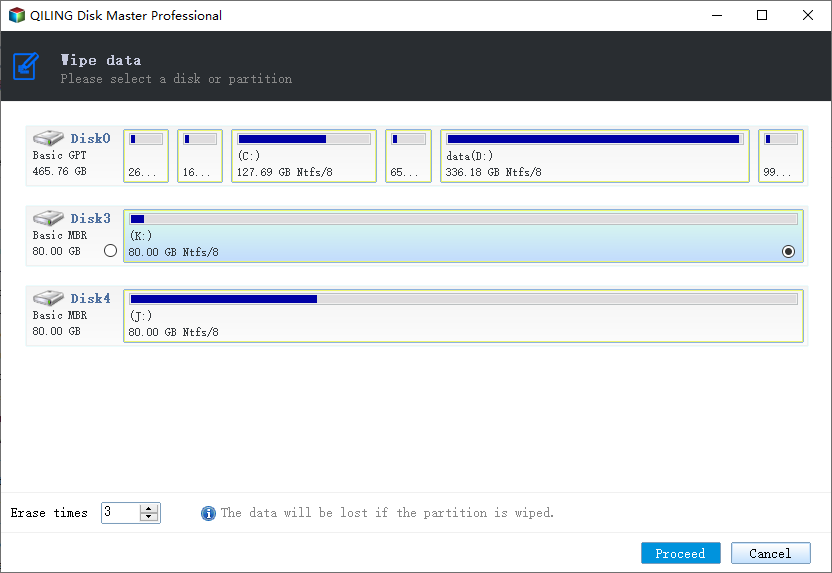
- Confirm the target disk by size, model, and partition layout.
- If the disk has data you may still need, recover it before wiping.
- Use a simple format only for reuse, and use secure wipe when privacy matters.
Create a Bootable Wipe Tool with Qiling Disk Master
Qiling Disk Master can create bootable media and wipe a disk outside Windows. This is useful for system disks and unbootable computers.
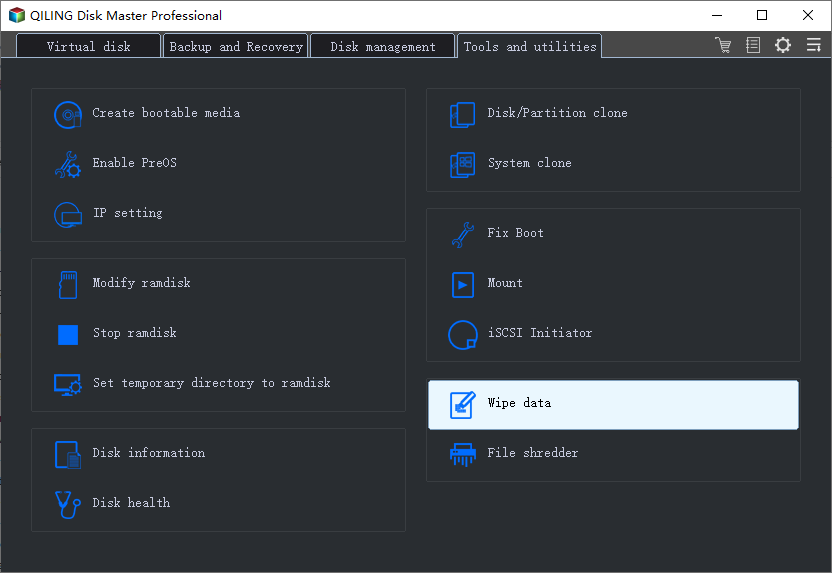
Step 1. Install Qiling Disk Master on a working Windows PC and create bootable media from the tool menu.
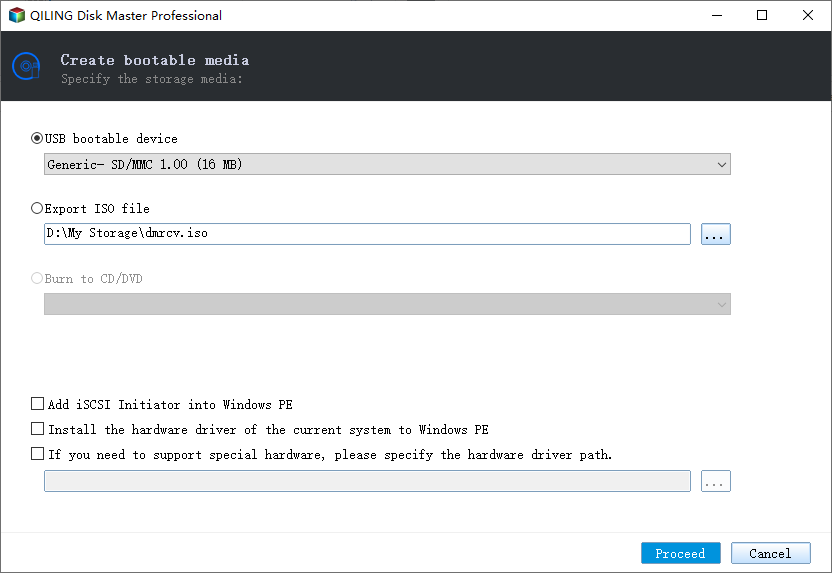
Step 2. Boot the target computer from the USB drive and change BIOS/UEFI boot order if needed.
Step 3. Open the wipe function and select the hard drive you want to erase.
Step 4. Choose a wipe method, confirm the target disk, then click Proceed.
Conclusion
A bootable eraser helps wipe a system drive outside Windows. Confirm the target disk carefully and keep a backup before starting any erase task.
Related Articles
Products
Articles & Tutorials
- Data Recovery
- Data Backup
- File Recovery
- File Backup
- System Backup and Restore
- Disk and Partition Clone
- Technical articles
- Mobile articles
- Disk Master Help
- Windows Data Recovery Tutorials
- Windows Secure Delete Tutorials
- Windows Partition Management Tutorials
- Windows File Backup and Restore Tutorials
- Windows System Backup and Restore Tutorials
- Windows Disk Backup and Restore Tutorials
- Windows Clone Tutorials