Secure Erase USB Drive Before Selling or Giving Away
Deleting files or quick formatting a USB drive may not remove data completely. If you plan to sell, donate, return, or share a USB drive, secure erase it first so personal files are much harder to recover.
Delete, Format, or Secure Erase?
- Delete: removes file entries, but recoverable data may remain.
- Quick format: rebuilds file system information, but old data may still be recoverable.
- Secure erase: overwrites storage space to reduce the chance of recovery.
Secure Erase a USB Drive with Qiling Disk Master
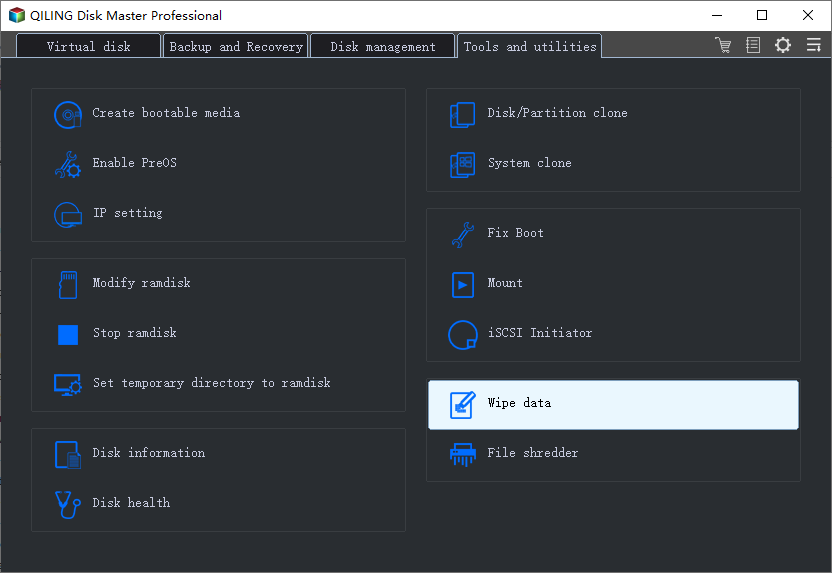
Step 1. Connect the USB drive and open Qiling Disk Master. Choose the wipe tool.
Step 2. Select the USB drive you want to erase. Check the capacity and drive letter carefully.
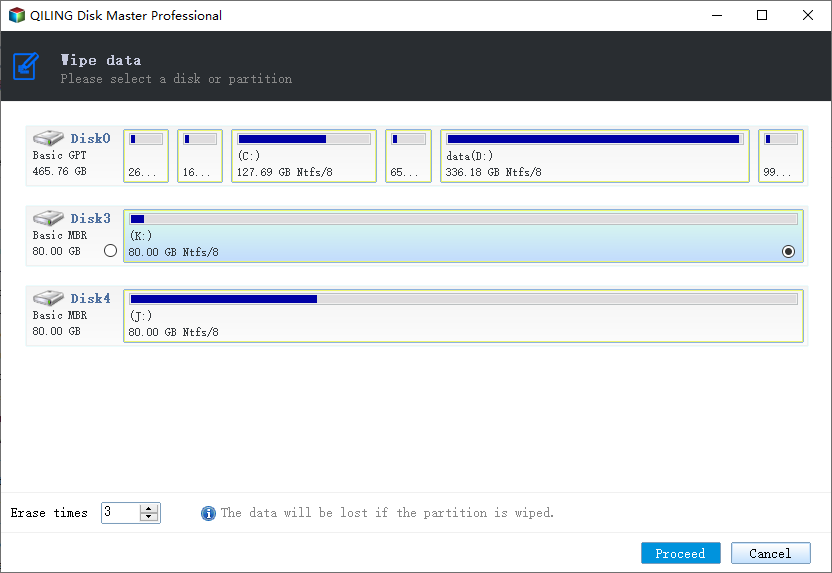
Step 3. Choose a wiping method. A one-pass method is faster, while stronger methods take more time.
Step 4. Confirm the warning message and click Proceed. Wait until the wipe finishes before unplugging the USB drive.
After Secure Erase
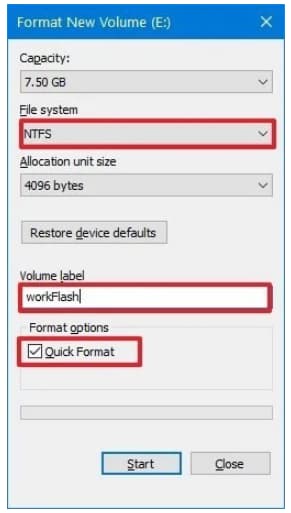
Open Disk Management or Qiling Disk Master to create a new partition and format the USB drive if Windows no longer shows it in File Explorer.
Conclusion
Secure erase is the better choice when a USB drive leaves your hands. Always confirm the target drive before wiping because the process is designed to make data recovery difficult.
Related Articles
Products
Articles & Tutorials
- Data Recovery
- Data Backup
- File Recovery
- File Backup
- System Backup and Restore
- Disk and Partition Clone
- Technical articles
- Mobile articles
- Disk Master Help
- Windows Data Recovery Tutorials
- Windows Secure Delete Tutorials
- Windows Partition Management Tutorials
- Windows File Backup and Restore Tutorials
- Windows System Backup and Restore Tutorials
- Windows Disk Backup and Restore Tutorials
- Windows Clone Tutorials