SSD Slow After Cloning? Fix Speed with 4K Alignment & TRIM
A cloned SSD should run faster than the old HDD, but sometimes it feels the same or even slower. The clone moved the files correctly, so the problem is usually the settings around the drive: alignment, the controller mode, or garbage collection that never runs.
This guide covers the three main causes of a slow cloned SSD and the quick checks that bring the speed back to what the drive should deliver.
PAGE CONTENT
- Check the 4K Alignment
- Switch SATA Mode to AHCI
- Enable TRIM and Optimize
- Clone Again with the Right Settings
- Confirm the Speed
- FAQs About SSD Speed
- Back Up Before the Clone
Check the 4K Alignment
- SSDs use 4 KB physical sectors. If a partition starts at the wrong offset, every write spans two cells.
- Use msinfo32 to inspect. Press Win+R, type msinfo32, expand Components and Storage, then select Disks.
- Read Partition Starting Offset. Divide the value by 4096; a whole number means aligned.
- Re-clone if misaligned. A good clone tool aligns the partitions automatically.
- Use a reputable tool. Cheap utilities often copy the wrong offset.
Misalignment hurts the most on random writes. Boot time and program launches stay sluggish even though the SSD is healthy.
Switch SATA Mode to AHCI
- IDE mode disables Native Command Queuing. The SSD runs one request at a time.
- Change the firmware to AHCI. Enter BIOS, find SATA Configuration, and set it to AHCI.
- Do not switch inside Windows. Windows boots into a blue screen if the driver is not loaded.
- Use the safe mode trick. Boot Windows once in Safe Mode so it loads the AHCI driver, then switch.
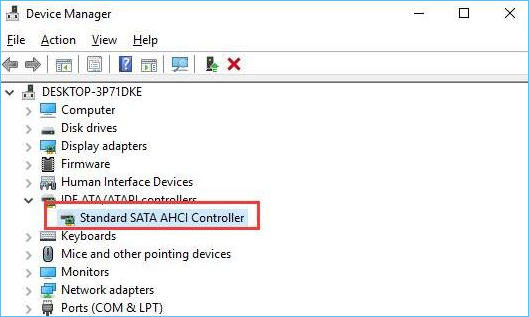
- Verify in Device Manager. The controller should read as SATA AHCI Controller.
Many old systems were set to IDE for the HDD. Switching to AHCI unlocks the SSD's parallel command queueing and usually doubles or triples the random speed.
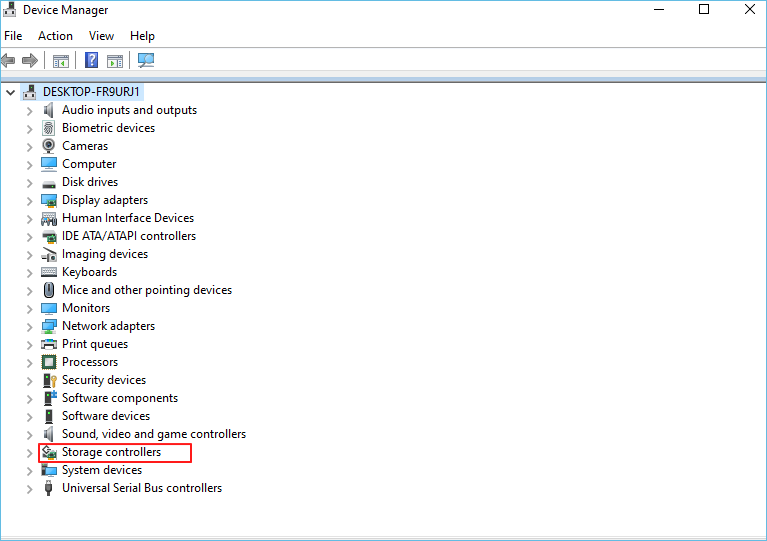
Enable TRIM and Optimize
- TRIM tells the SSD which cells are free. Without it, garbage collection slows every write.
- Check with fsutil behavior query DisableDeleteNotify. A result of 0 means TRIM is on.
- Run Optimize Drives. Type defrag in the Start menu, select the SSD, and click Optimize.
- Set the schedule weekly. Windows sends the TRIM command during the optimize pass.
- Restart after enabling. TRIM settings apply fully after a reboot.
TRIM does not recover deleted files, it just tells the controller to erase blocks early. A drive with TRIM off accumulates stale blocks and gets slower the more you write to it.
Clone Again with the Right Settings
If the alignment is wrong, the cleanest fix is to re-clone with a tool that aligns partitions to 1 MB and optimizes for SSD. Qiling Disk Master handles both automatically.
Watch the video tutorial below to clone the drive step by step with Qiling Disk Master.
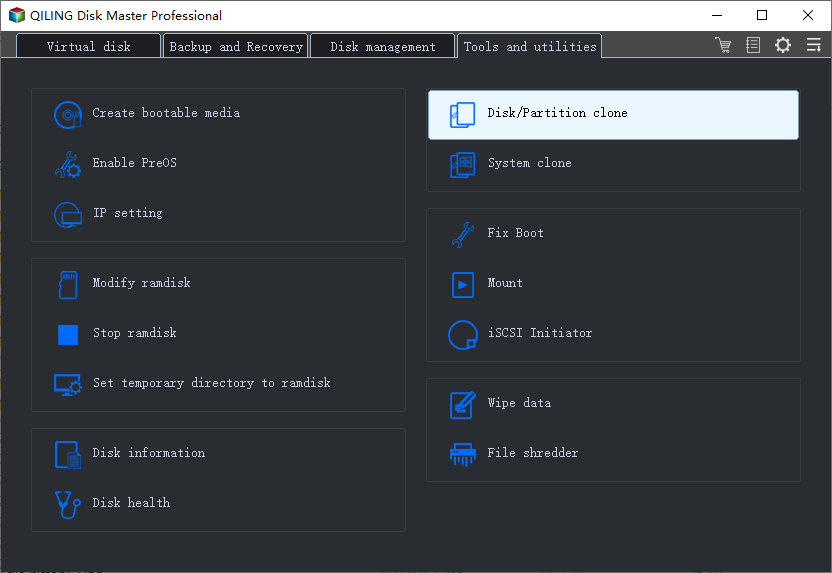
Step 1. Open Qiling Disk Master, choose Clone, and then select Disk Clone.
Step 2. Select the source disk and click Next.
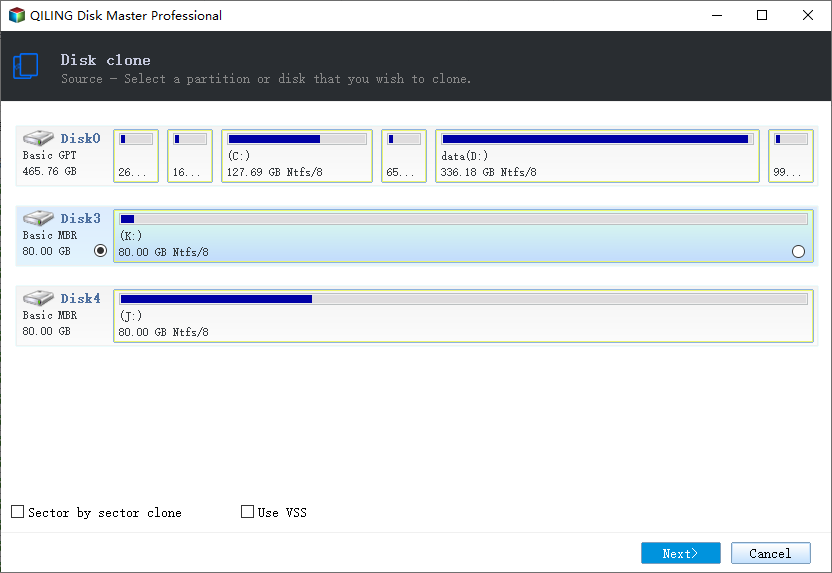
Step 3. Select the destination disk and confirm that its data will be replaced.
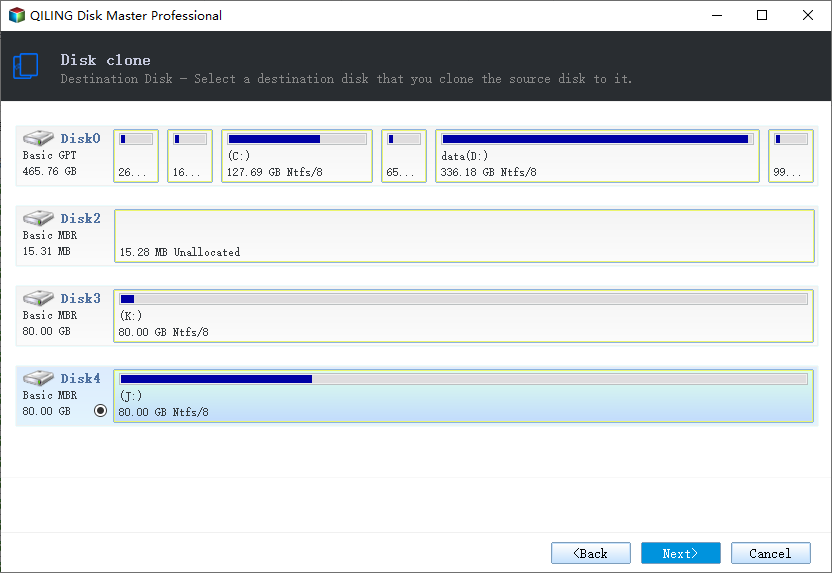
Step 4. Confirm the partition layout. The tool aligns every partition to 4K automatically.
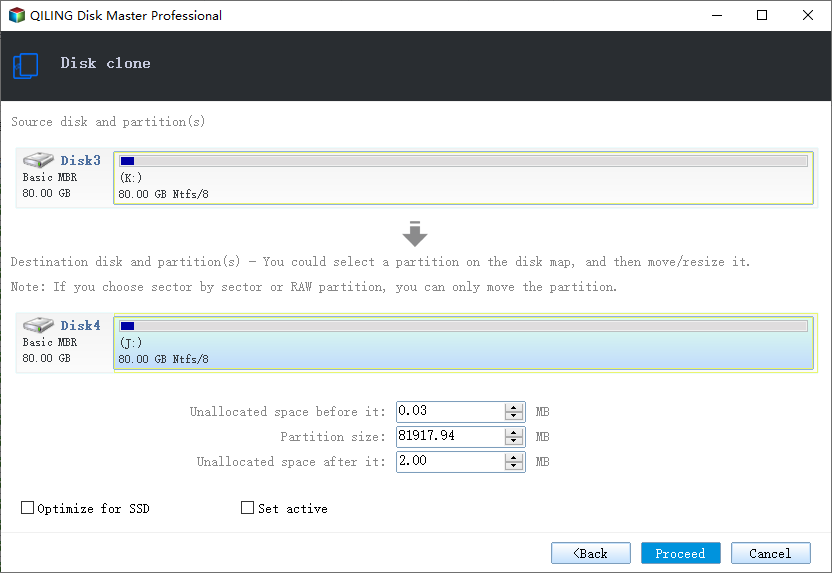
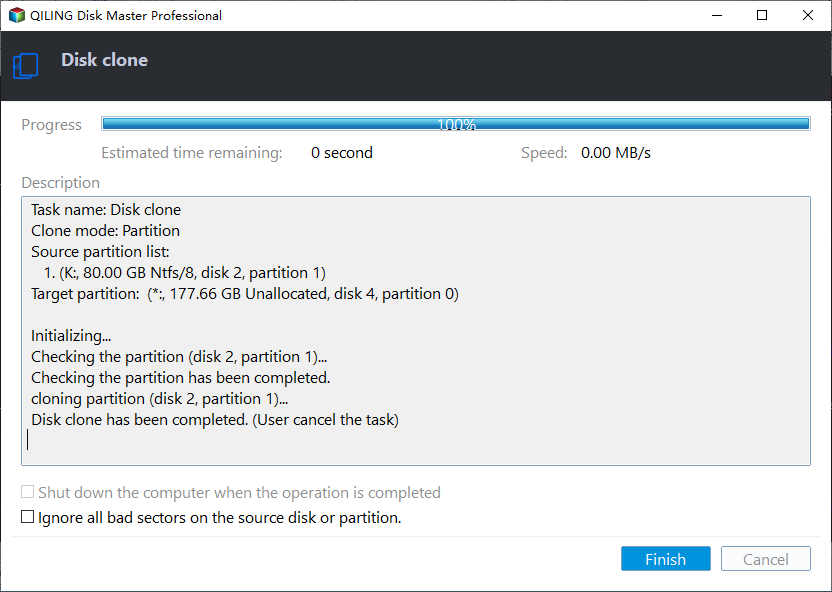
Step 5. Click Proceed, wait for the copy to finish, then shut the machine down before you remove any cable.
Confirm the Speed
- Run a benchmark. CrystalDiskMark or AS SSD gives sequential and random scores.
- Compare to the spec sheet. A healthy SATA SSD reaches near 550 MB/s sequential read.
- Watch the random 4K score. Alignment and AHCI show up here first.
- Re-run after each change. Benchmarks tell you which fix actually helped.
- Test real-world loads. Open large files and programs to feel the speed difference.
Do not expect the SSD to be faster on the first boot. Windows rebuilds indexes and caches; run the benchmark after a restart.
FAQs About SSD Speed
Why is my cloned SSD as slow as the old HDD?
The most common causes are 4K misalignment, IDE SATA mode, and disabled TRIM. Check all three before re-cloning.
Does cloning damage an SSD?
No. Cloning writes once and the drive lasts for thousands of write cycles. The wear from one clone is negligible.
How do I know if TRIM is working?
Run fsutil behavior query DisableDeleteNotify. A 0 means TRIM is enabled; a 1 means it is off.
Should I defrag my cloned SSD?
No. Run Optimize Drives instead, which sends TRIM. Defragmenting an SSD adds wear with no speed gain.
Can I align an SSD without cloning again?
You can use partition tools to move the start, but re-cloning is safer and often faster.
Back Up Before the Clone
Re-cloning to fix alignment overwrites the target. Keep a backup image so you can roll back to the working system if the speed is still wrong.
Watch the video tutorial below to back up Windows and restore it if the clone fails.
Step 1. Open Qiling Disk Master and select System Backup to include the boot partitions.
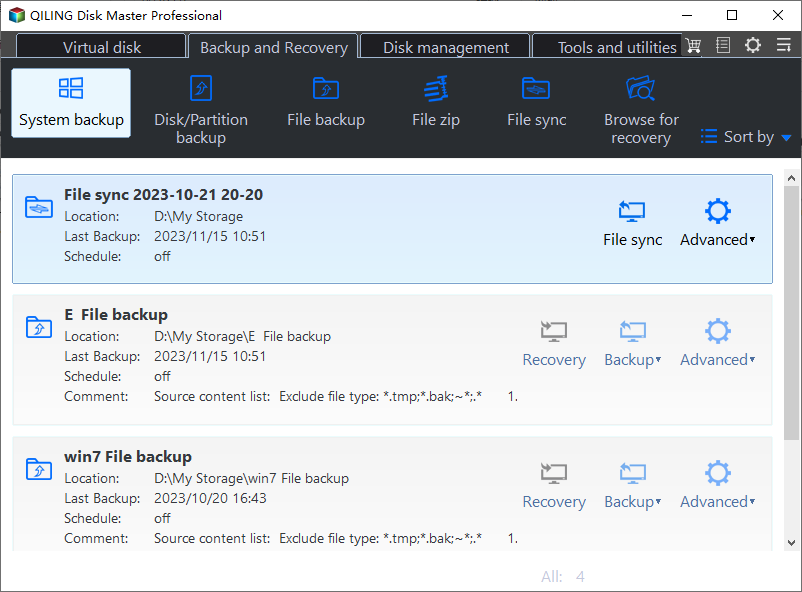
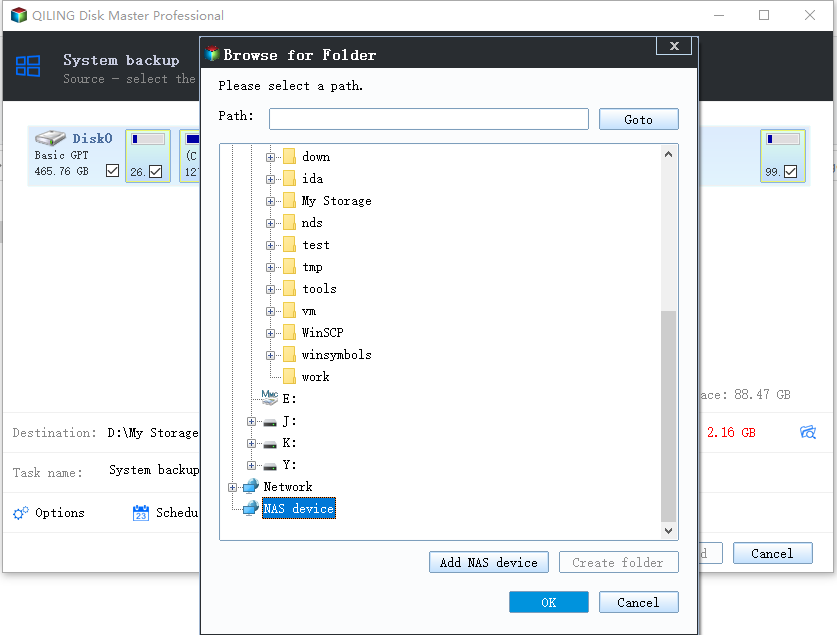
Step 2. Save the image to a drive other than the target disk and start the backup.
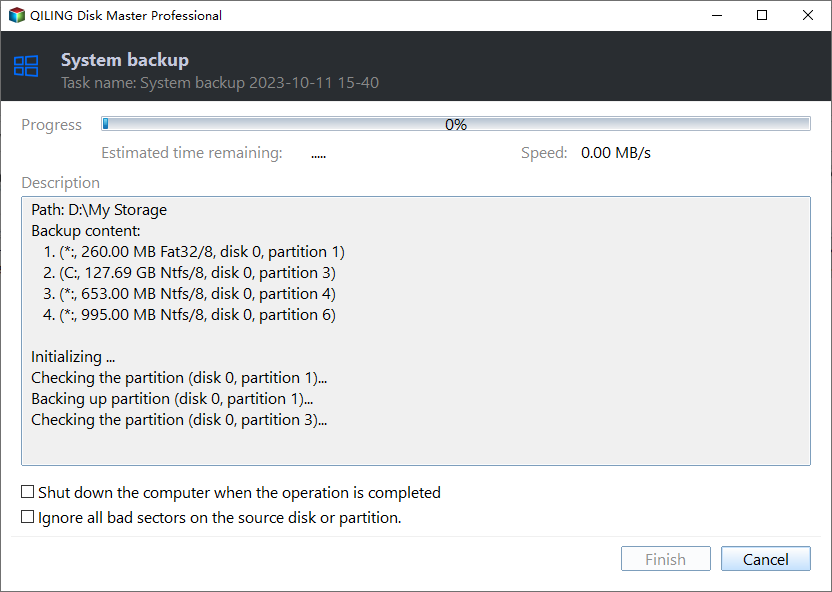
Step 3. Click Proceed to start the system backup and wait patiently until it finishes. You can also tick Shut down the computer when the operation is completed to power off automatically.
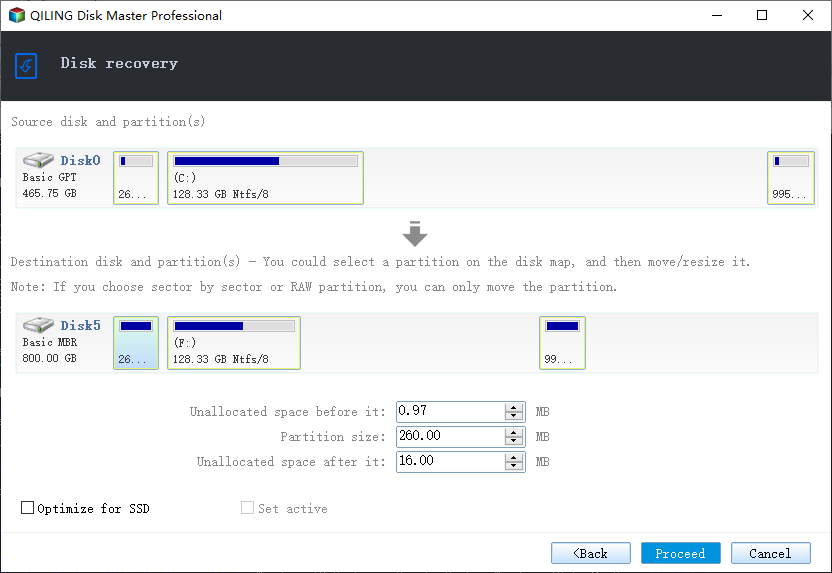
Step 4. If the SSD is still slow, restore the image and try another clone mode or check the firmware settings again.
Conclusion
A slow cloned SSD is almost always a setting problem, not a broken drive. Check 4K alignment, switch the SATA controller to AHCI, and make sure TRIM runs weekly. If alignment is wrong, re-cloning with SSD-optimized software is the cleanest fix.
For more on keeping an SSD fast, see 4K Alignment When Cloning an SSD, How to Clone an SSD to a Larger SSD, Clone HDD to NVMe SSD on Windows 11, and Clone Windows 11 to a Smaller SSD.
Related Articles
- 4K Alignment When Cloning an SSD
Keep the SSD at full speed after the copy. - How to Clone an SSD to a Larger SSD
Grow the system onto a bigger drive. - Clone HDD to NVMe SSD on Windows 11
Move the system to a faster NVMe drive. - Clone Windows 11 to a Smaller SSD
Shrink the system onto a smaller SSD. - Clone Only the OS Partition to a New SSD
Move just Windows and the boot files.
Products
Articles & Tutorials
- Data Recovery
- Data Backup
- File Recovery
- File Backup
- System Backup and Restore
- Disk and Partition Clone
- Technical articles
- Mobile articles
- Disk Master Help
- Windows Data Recovery Tutorials
- Windows Secure Delete Tutorials
- Windows Partition Management Tutorials
- Windows File Backup and Restore Tutorials
- Windows System Backup and Restore Tutorials
- Windows Disk Backup and Restore Tutorials
- Windows Clone Tutorials