Best Android Data Recovery Software
Joshua on Reddit asked how to recover deleted data from the Android data/data folder. This is a common question on tech forums.
If you're looking for a solution to recover data from your Android phone, this post is for you! It aims to provide a hassle-free guide to data recovery, allowing you to retrieve your important files and information without any trouble.
Our personal and professional information is invaluable to us, encompassing essential documents, memories, and photos. However, when dealing with technology, unpredictability is a factor that must be considered, highlighting the importance of preserving this information.
Following are the reasons that you can lose your data:
- Data loss can occur due to various reasons, such as human error, like accidentally deleting a folder, or more complex reasons like phone data corruption caused by external factors.
- Accidental phone deletions can happen to anyone, even parents, due to a child's innocent mistake, such as a curious kid deleting files on their parent's phone.
- The phone's storage could be affected by a power surge. This could be caused by plugging the phone into a power source and then having a power surge occur, which could damage the phone's storage.
Your data is always at risk, and while the threat may seem insignificant, it's essential to be prepared. The best way to safeguard your information is through prevention, and that's achieved by backing up your data regularly. This simple yet effective technique can help mitigate potential losses and ensure your valuable data remains secure.
If you've lost your Android phone's backup, don't worry, data recovery is possible using Android data recovery software.
A data recovery software will scan your device and restore lost files, eliminating the need to suffer the consequences of losing them, by checking the recent deleted/lost files and allowing you to scan the location to restore your important files.
Choosing the right software can be overwhelming, which is why this blog will explore some of the best Android data recovery software to help you prepare for future data loss situations.
Top 7 Best Android Data Recovery Software
Android data recovery software helps users to restore their deleted media and important documents, offering an easy-to-use solution to recover data without hassle, but the question remains as to which tool to choose.
To help you make a decision, we've narrowed down the top 7 Android data recovery software options. Each of these tools has its own unique features and capabilities, including Deep Data Recovery, DiskDigger, FonePaw Android Data Recovery, Wondershare Dr.Fone, Tenorshare UltData, Android Data Recovery, and Recovery for Android.
- 1. Deep Data Recovery for Android
- 2. MyJad
- 3. FoneLab
- 4. Disk Drill
- 5. Disk Digger
- 6. Apeaksoft
- 7. MobiKin Doctor for Android
1. Deep Data Recovery for Android
If you're looking for the best experience, Qiling MobiSaver For Android is the top choice. It ranks high on our and many others' data recovery lists due to its abundance of features, user-friendly interface, and convenient use, making it a standout in the field.
This software provides a reliable solution for data recovery, allowing you to recover data from various scenarios such as virus attacks, improper handling, SD card issues, accidental deletions, or device failures, using either your desktop or a mobile app.
This app can recover lost videos, photos, contacts, audio, and documents from almost all Android devices, helping you get back your important files.

Note: You can choose different search modes based on where and why the data was lost.
This software stands out from other Android data recovery tools due to its unique features, including the ability to recover deleted data, restore lost contacts, and retrieve lost photos and videos. Its user-friendly interface and advanced algorithms ensure a seamless recovery process, making it an ideal choice for users looking to recover lost data on their Android devices.
- 3-Step Recovery Process: Restoring important data is a straightforward process that involves a 3-step procedure: connecting your device to a PC, scanning it, and recovering the data.
- Fully Safe & Clean: This app is completely secure and virus-free, ensuring a clean and safe experience on your Android device without any clutter or performance issues.
- Lifetime Free Upgrade: Since it's a one-time purchase, you don't have to spend money on upgrades, and you'll receive free upgrades without any additional charges. Additionally, technical support is also free.
- Real-time Process Preview: With this tool, you can watch the entire recovery process unfold in real-time, from the search and recovery of lost files to the preview of the files being recovered. You can also hand-select the files you want to recover and export them in various formats.
Pros:
- The tool can recover data from both SD cards and internal memory, making it a versatile solution for retrieving lost information.
- The UI is simple and accessible for everyone
- It supports more than 6000+ Android devices
- Allows the examination/preview of files before recovering
- In-depth search and filtering are allowed
- You can expect high-speed working and quick results as well
Cons:
- Only available for Windows OS
- Limited functionality on the free version
User Experience: This App has been highly rated in many countries, earning five stars, and is considered one of the easiest data restoration Apps to use. It has been particularly useful for users in recovering contacts and messages, and can revive all required files in just three easy steps.
Qiling MobiSaver for Android is a straightforward and simple-to-use data recovery software that consistently ranks among the best in its category, satisfying its vast clientele base with its reliable performance.
2. MyJad
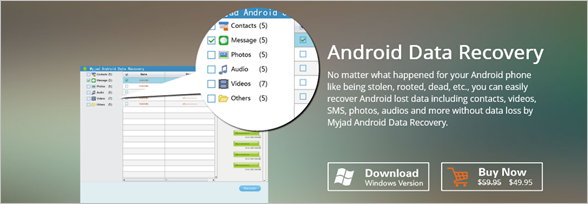
MyJad allows users to preview and recover deleted Android content, making it a popular choice due to its versatility and user-friendly interface, which works with almost any Android device.
Pros:
- A user-friendly interface
- It also has the function of backing up contacts and messages in text format.
- Allows you to preview files specifically
Cons:
- The free version has limited functionality
- Does not allow in-depth searching
- It can only be used on Windows OS
User Experience: MyJad is a straightforward app to use, even for non-professionals, and gets the job done quickly, but it has a lot of annoying pop-up messages.
3. FoneLab
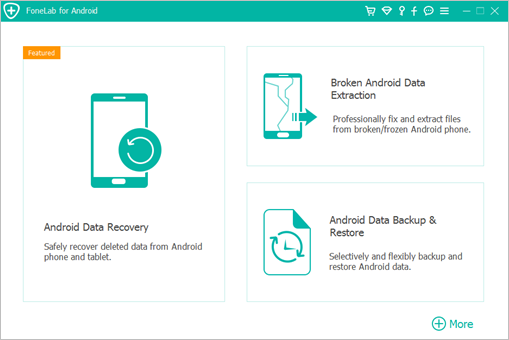
FoneLab specializes in recovering photos, videos, and text messages from SIM cards and Android phones, and supports various Android brands including HTC, Motorola, Google, Sony, and LG.
This data recovery app is effective in many data loss scenarios thanks to its advanced algorithm. It can even work with devices running older versions of Android, making it a good option for lower-budget or older Android smartphones.
Pros:
- Allow you to preview the files before recovery.
- The software is available for Windows as well as Mac
- Have three modes to recover the data
- Recover all types of files
Cons:
- Data recovery can fail due to errors
- Compatibility issues can occur
User Experience: FoneLab has a user-friendly interface that many users appreciate, making it easy to use despite its competitors. However, its customer service is reportedly slow. It's suitable for people looking to recover data from a SIM card or SD card.
4. Disk Drill
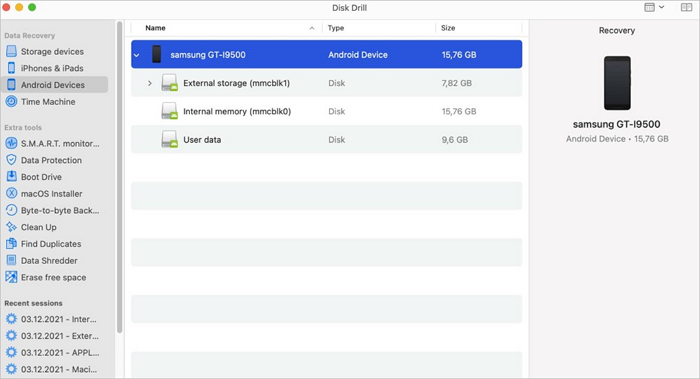
Disk Drill is a powerful data recovery tool that scans every sector of a device to find and retrieve lost data. It can even recover data after a factory reset, making it a reliable option for users. However, it's worth noting that Disk Drill is designed for rooted Android devices only, and its complex design ensures that it can access and recover data from every corner of the device.
Pros:
- Simplistic interface
- Available for both macOS and Windows OS
- Allows in-depth file search
Cons:
- Only support devices that can be rooted
- It can be slow at times
User Experience: This software is described as user-friendly and powerful, also referred to as a "comprehensive tool kit" due to its free side data protection and backup options, making it suitable for recovering data from Samsung edge, galaxy, Android tablets, and Nexus smartphones.
5. Disk Digger
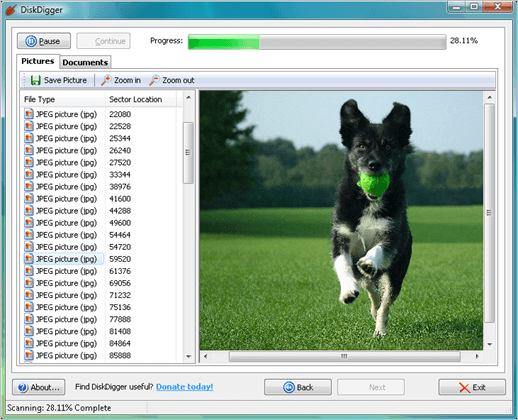
Disk Digger is a powerful Android data recovery software that offers two modes of scanning to help you recover data from your PC or directly from your Android device using the app.
A data recovery app for Android that offers various scanning and recovery depths, allows searching for specific file extensions, has a simple interface, and comes in free and pro versions, making it accessible to those who have lost data on their Android phone.
Pros:
- The free version of the software allows for unlimited free recovery of photos and videos.
- Allows for saving recovered data on an FTP server
- 30-day money-back guarantee
Cons:
- If the device is not rooted, the App will restore low-quality photos.
- Unfortunately, there is no straightforward way to recover data from messaging apps like Whatsapp or Kik. These apps are designed to be ephemeral, meaning that messages are deleted from the server after a short period of time, usually 30 days.
- Essential features are not included in the free version
User Experience: The app is user-friendly and efficient in retrieving various types of data and backing it up. However, it falls short in features such as scanning files from a specific time frame, and users have expressed frustration over the inability to review specific files, a feature available in other software. Additionally, it displays all lost data without any sorting or organization.
6. Apeaksoft
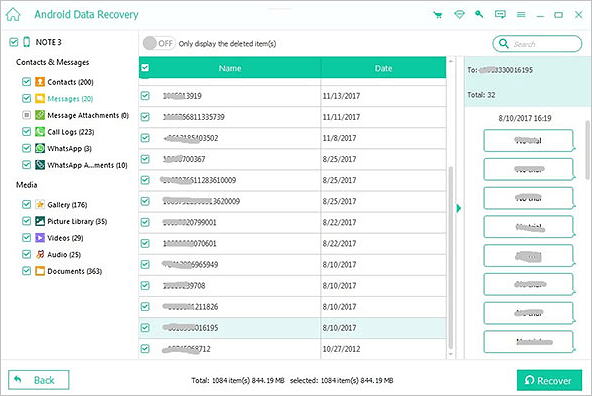
If you're looking for data recovery software, consider Apeaksoft Android Data Recovery, which can restore data and also help you manage your backup. It offers easy connectivity options to all kinds of devices, including Android tablets, and works quickly. The tool's accessibility and ease of use make it a standout feature, and it can even recover data from SIM cards, SD cards, and mobile phone devices.
Pros:
- Supports more than 5000 devices and tablets
- Easy to use
- Quick scanning and recovery
Cons:
- No free version
- Limited features and functionality even on the paid version
- Cheaper options are available in the market
User Experience: Users find Apeaksoft easy to handle and safe to use for recovering their lost files, with no security risk involved when restoring data and no harm done to their device.
7. MobiKin Doctor for Android
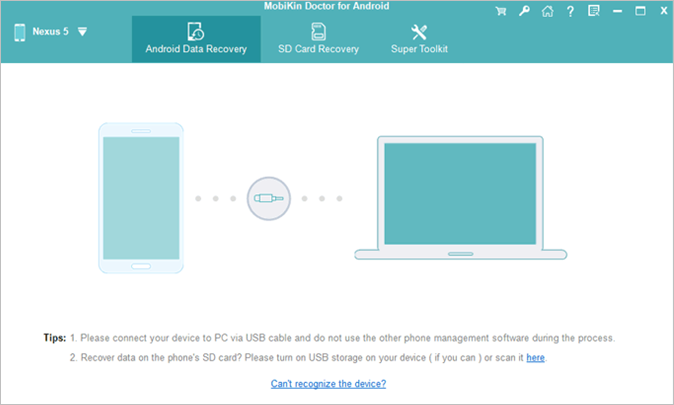
The data recovery process in MobiKin Doctor for Android is highly clinical and designed to ensure minimal data loss, supporting over 6000+ Android devices.
Pros:
- Excellent usability
- It has the highest success rate
- Allows you to preview the file before the recovery process
- Available for Windows as well as MAC
Cons:
- User interface and information can confuse people
- Weaker customer support
- Money-back guarantee on the paid version is highly conditional
User Experience: MobiKin Doctor for Android is a reliable data recovery tool with a high success rate, despite its plain interface, making it relatively easy to use. However, it lacks 24/7 support.
How to Choose Android Data Recovery Software
Choosing the best Android data recovery software involves considering factors such as the type of data to be recovered, the device's operating system, and the software's compatibility, as well as reading reviews and comparing features to select the most suitable option.
-
User Friendliness
User-Friendliness is a crucial aspect of recovery software, as it determines how user-friendly and accessible the tool is, making it essential to consider when choosing a recovery tool, especially for non-tech-savvy individuals.
-
Security
Choosing the right software is crucial, as many programs have security issues or bugs that can lead to a virus or further corrupt already lost files. Therefore, it's essential to select the most secure app to minimize risks.
-
Supported File Types
Choosing a recovery software requires considering the types of files you need to recover, as different software may support various file types. Before making a final decision, ensure the software can recover the specific file types you need, such as documents, images, videos, or other formats.
-
Price
The importance of price consideration when choosing a file recovery software is highlighted. The cost of some software can be prohibitively expensive for some users, making it essential to select a tool that fits within one's budget.
-
Performance
Performance in data recovery refers to the overall rate and quality of recovery, with better performance resulting in quicker and more complete recovery of data.
This case, we would recommend Qiling MobiSaver for Android because of its brilliant all-around performance, making it a top choice for users who need a reliable and effective solution for recovering lost data.
To make it easy for you, we've selected the top 3 software based on their ranking and compared them based on their functions, making it simple to choose the best one.
| Android Data Recovery Software | Qiling MobiSaver for Android | Disk Digger | FoneLab |
| User Friendliness | Simple and easy-to-use interface. Can be navigated easily. | The application has a clean and simple interface, which can make it easy to use for those who are familiar with it. However, for first-time users, it can be complicated and overwhelming due to its simplicity, which may lead to a steep learning curve. | Cluttered interface. Not for people looking for a smooth experience. |
| Security | Highly secure using the latest algorithms. | Relatively secure. | Outdated security algorithms. It may be vulnerable to some viruses. |
| Supported File Types | Supports all types of files. | Does not support files from Messaging Apps. | Supports all types of files. |
| Price | One-time purchase of $39.95 | The license of $14.99 | One-time purchase of $49.95 |
| Performance | The most effective data recovery software on the market. | It can be slow to recover data. | Underperformer in data recovery success rate compared to other software. |
Recover Lost Android Data With Qiling MobiSaver
After reviewing all seven software options, we recommend Qiling MobiSaver for Android, which boasts a simple and easy-to-use interface, supports all types of file recovery, and has the lowest data loss ratio among Android data recovery software, making it a perfect choice.
Here are some more features that this software offers:
- Recover videos, messages, and contacts from almost all Android devices
- Data recovery software can restore data even if it was lost a long time ago, provided the data was not overwritten or corrupted beyond recognition. This is because data recovery software can scan the entire hard drive, including deleted and hidden files, to locate and recover lost data.
- You can recover any type of file, including messages and media, from messaging services like WhatsApp, using data recovery tools and techniques. These tools can scan your device's storage for deleted files, and sometimes even recover files that have been overwritten.
- Simple and easy-to-use interface
- Have a great price point that is reasonably market competitive
- One-A one-time purchase allows you to use the App for as long as you need it, eliminating the need for ongoing subscription fees.
To recover files using the three steps process, follow these steps: First, identify the type of file you want to recover and the location where it was stored. Next, use a data recovery software or tool to scan the storage location and retrieve the file. Finally, verify the recovered file to ensure it's complete and usable.
Step 1. Connect your Android phone to the computer
To use Qiling MobiSaver for Android, install the software on your computer and connect your Android phone to the computer with a USB cable. Then, click the "Start" button to initiate the software's recognition and connection with your device.
Step 2. Scan Android phone to find the lost data
After connecting your Android phone, the software will quickly scan the device to find all existing and lost data, allowing you to easily locate the lost files you want by selecting the correct file types.
Step 3. Preview and recover data from Android phone
To recover your files, preview all the recoverable files and select the items you want to recover. Once you've chosen the files you want back, click the "Recover" button to retrieve them.
Android Data Recovery Software FAQs
Android data recovery software allows users to recover deleted or lost data from their Android devices. This type of software can be used to retrieve photos, videos, contacts, messages, and other important files that were accidentally deleted or lost due to a device crash or other issues. By using Android data recovery software, users can potentially recover their data without having to rely on backups or manufacturer support.
1. What is the best free Android recovery software?
Qiling MobiSaver for Android stands out as the top choice for data recovery, outshining the other software on this list. Fonelab, for instance, can result in significant file loss and compatibility issues, making it a less reliable option. In contrast, Qiling MobiSaver for Android offers a more well-rounded experience, making it the best bet for users looking to recover their data.
2. Does all Android data recovery software require you to root your phone?
Some software for data recovery may require root access, but others like Qiling MobiSaver for Android and DiskDigger do not.
3. How can I recover data from internal storage without root?
To recover data from your Android phone's internal storage without rooting it, you can download and use Qiling MobiSaver for Android.
To completely scan the device, ensure the backup and restore feature is turned on, or root the device if that's not possible. This is necessary to access all areas of the device, including apps and files.
4. What's the best Android photo recovery software?
Qiling MobiSaver for Android is the top-rated recovery software that excels in all aspects, including data, photo, and video recovery, and is available for free.
Conclusion
While each software on the list has its own benefits, such as deep recovery or extra functionality, they also come with drawbacks like data loss, security concerns, limited data recovery, or user interface difficulties.
When it comes to data recovery software, each option has its pros and cons. However, if you're investing in such software, Qiling MobiSaver for Android stands out as the best choice. It combines the best qualities of other software without their drawbacks, making it the top investment for Android data recovery. Overall, its pros far outweigh its cons.
Related Articles
- Samsung Data Recovery with Broken Screen
- How to Recover Deleted APK Files from Android
- How to Recover Deleted Snapchat Photos on Android?
- Data Recovery Software for Android Phone Internal Memory
Products
Articles & Tutorials
- Data Recovery
- Data Backup
- File Recovery
- File Backup
- System Backup and Restore
- Disk and Partition Clone
- Technical articles
- Mobile articles
- Disk Master Help
- Windows Data Recovery Tutorials
- Windows Secure Delete Tutorials
- Windows Partition Management Tutorials
- Windows File Backup and Restore Tutorials
- Windows System Backup and Restore Tutorials
- Windows Disk Backup and Restore Tutorials
- Windows Clone Tutorials