BitLocker Drive Unlocked but No Drive Letter in Windows
An unlocked BitLocker data volume can still be absent from File Explorer if Windows has not assigned it a drive letter. That is different from a locked volume, a failed disk, or a recovery partition. Identify the volume before making changes; never format it to obtain a letter.
Confirm the volume's identity
Step 1. Open Disk Management and locate the volume by disk number, capacity, label, and partition layout. Check whether it is Online, Healthy, and a data partition. If it is a system, EFI, recovery, or Storage Spaces volume, stop and use the relevant Windows procedure.
Step 2. Open an elevated Command Prompt and run manage-bde -status to read BitLocker status. Check the specific volume's lock and protection status; this command is diagnostic and does not unlock or decrypt anything. Keep the recovery key available before further changes.
Step 3. For a confirmed healthy, unlocked data volume only, use Disk Management's Change Drive Letter and Paths option to add an unused letter. If the option is unavailable or Windows reports errors, do not initialize, format, or change partition type. Investigate the underlying issue first.
Protect files after the volume appears
Step 1. In Qiling Disk Master Pro, choose Backup and Recovery > File backup and select the newly visible data folders in the source tree. Qiling does not replace the BitLocker unlock or recovery key.
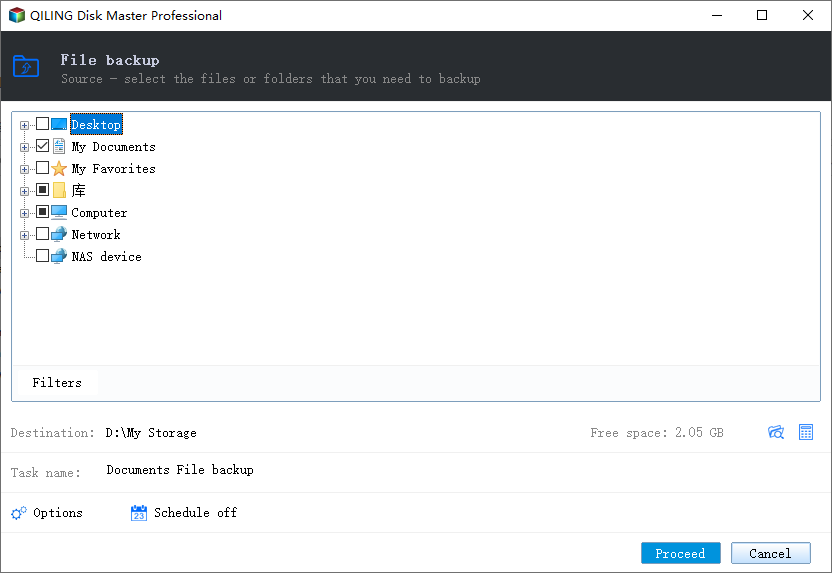
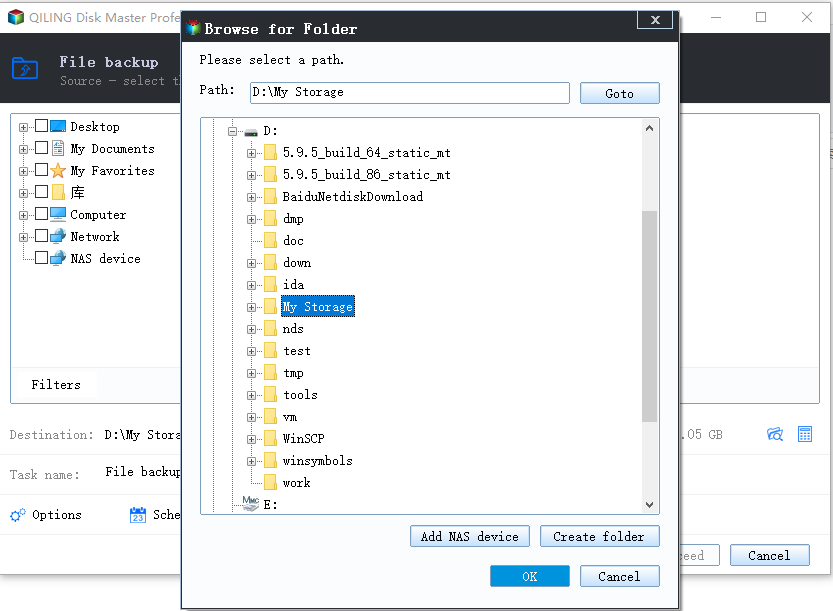
Step 2. Choose a separate destination, confirm the source and destination paths, and click Proceed. Verify that a sample file can be restored. Remember that an unencrypted backup destination does not inherit BitLocker protection automatically.
Related Articles
- Find a BitLocker Recovery Key
Check the recovery-key path before changing encrypted storage. - Windows Backup and Restore
Protect accessible files before further disk troubleshooting.
Products
Articles & Tutorials
- Data Recovery
- Data Backup
- File Recovery
- File Backup
- System Backup and Restore
- Disk and Partition Clone
- Technical articles
- Mobile articles
- Disk Master Help
- Windows Data Recovery Tutorials
- Windows Secure Delete Tutorials
- Windows Partition Management Tutorials
- Windows File Backup and Restore Tutorials
- Windows System Backup and Restore Tutorials
- Windows Disk Backup and Restore Tutorials
- Windows Clone Tutorials