FAT32 to NTFS Converter for Windows
FAT32 works with many devices but cannot store a single file larger than 4GB. NTFS supports larger files, permissions, compression, and better Windows compatibility for internal drives.
Before You Convert
- Back up important files before changing a file system.
- Use NTFS for Windows system, game, and backup drives.
- Use exFAT instead if the drive must work with Windows, macOS, cameras, and TVs.
- Check the disk for errors before converting.
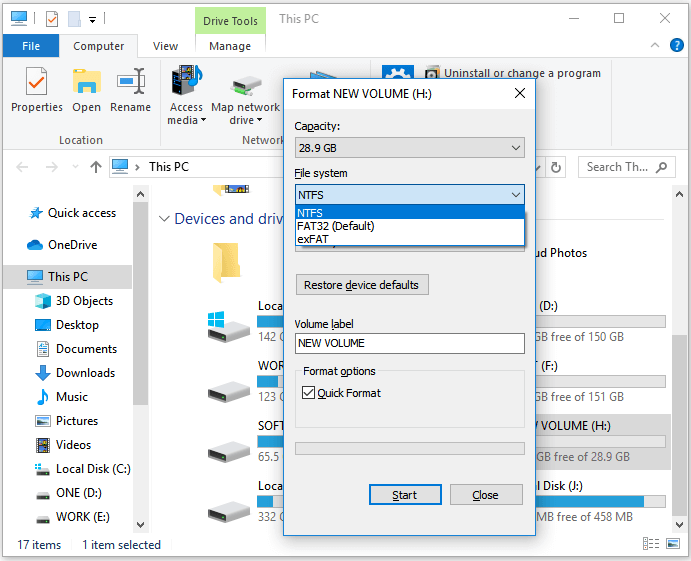
Convert FAT32 to NTFS with Command Prompt
- Connect the FAT32 drive and note its drive letter.
- Open Command Prompt as administrator.
- Type convert X: /fs:ntfs, replacing X with the correct drive letter.
- Wait for the conversion to finish.
- Open File Explorer and confirm the file system is now NTFS.
Format or Rebuild the Partition with Qiling Disk Master
If the command fails, the file system is damaged, or you prefer to recreate the partition layout, use Qiling Disk Master after backing up files.
Step 1. Open Qiling Disk Master and select the FAT32 partition.
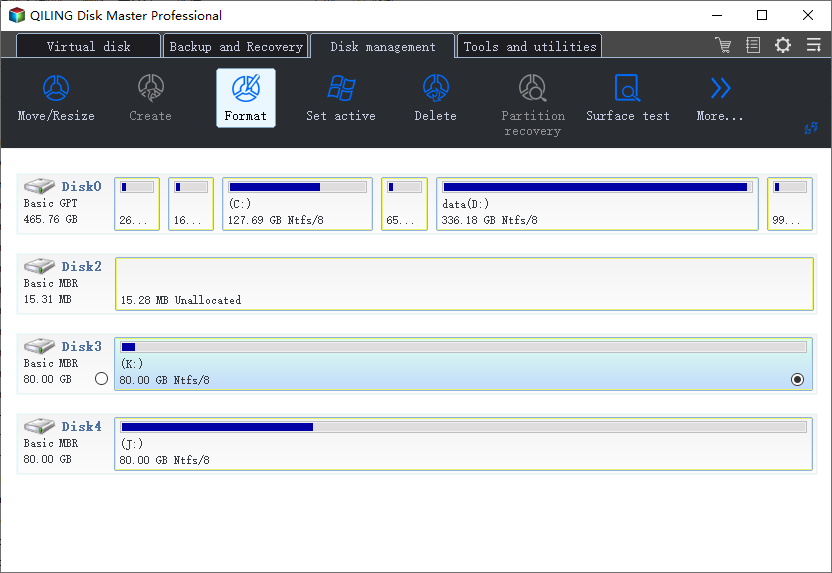
Step 2. Choose format or partition adjustment according to the current disk condition.
Step 3. Select NTFS as the target file system.
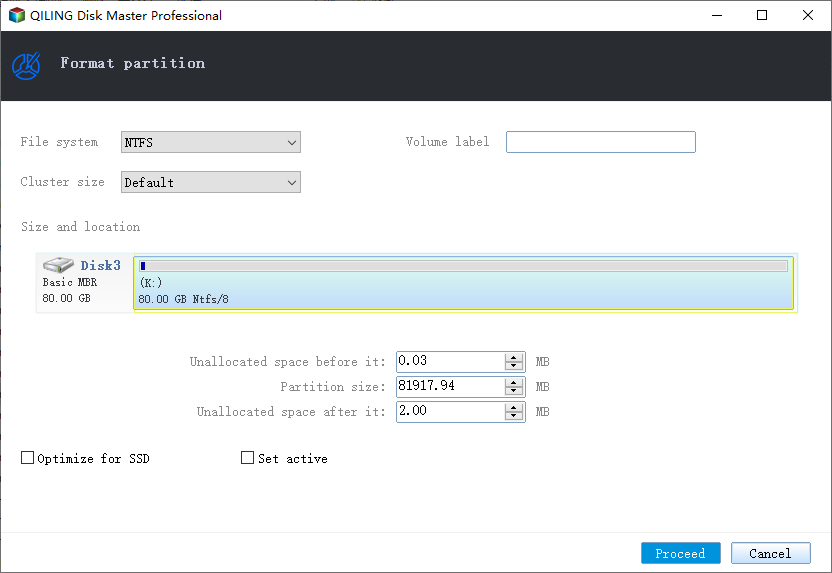
Step 4. Click Proceed after checking the target drive carefully.
Conclusion
Use the Windows convert command when you want to keep files, and use formatting only after backup. NTFS is usually the better choice for Windows-only storage.
Related Articles
Products
Articles & Tutorials
- Data Recovery
- Data Backup
- File Recovery
- File Backup
- System Backup and Restore
- Disk and Partition Clone
- Technical articles
- Mobile articles
- Disk Master Help
- Windows Data Recovery Tutorials
- Windows Secure Delete Tutorials
- Windows Partition Management Tutorials
- Windows File Backup and Restore Tutorials
- Windows System Backup and Restore Tutorials
- Windows Disk Backup and Restore Tutorials
- Windows Clone Tutorials