Windows 10 Password Reset Tools: Safe Ways to Regain Access
Compare safe Windows 10 password reset methods and use Qiling only on authorized PCs.
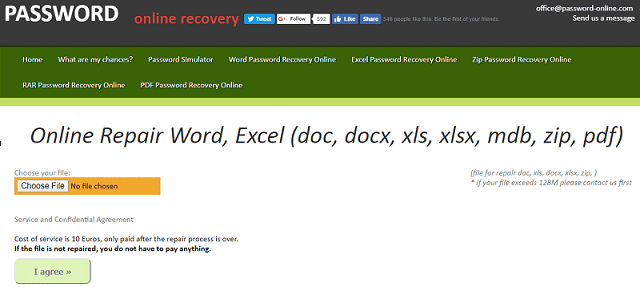
Before Using a Password Reset Tool
A password reset tool should be used only on your own PC or a machine you are authorized to maintain. If you use a Microsoft account, try online account recovery first. If BitLocker is enabled, keep the recovery key ready.
Safe Options to Try First
- Reset the Microsoft account password online.
- Use security questions for a local account when available.
- Use another administrator account to change the password.
- Use a trusted bootable reset tool when normal sign-in is impossible.
Reset a Windows Password or PIN with Qiling Disk Master
Use a password reset tool only on a computer you own or are authorized to maintain. If the sign-in issue is caused by a Microsoft account, network problem, or Windows Hello policy, try account recovery first.
Start from Bootable Media
- Create Qiling bootable media on a working PC, then boot the locked computer from that USB drive.
- Open Tools and utilities and choose the password reset feature.
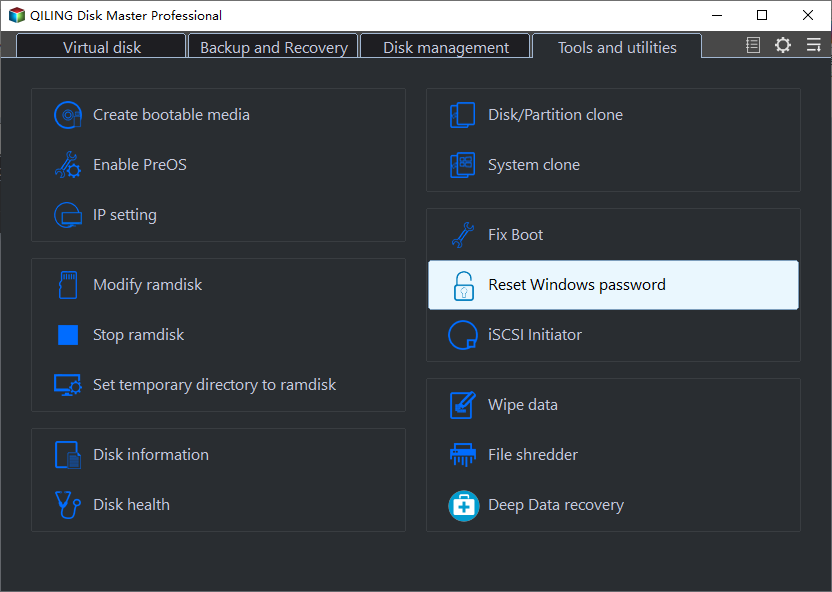
Select the Windows Account
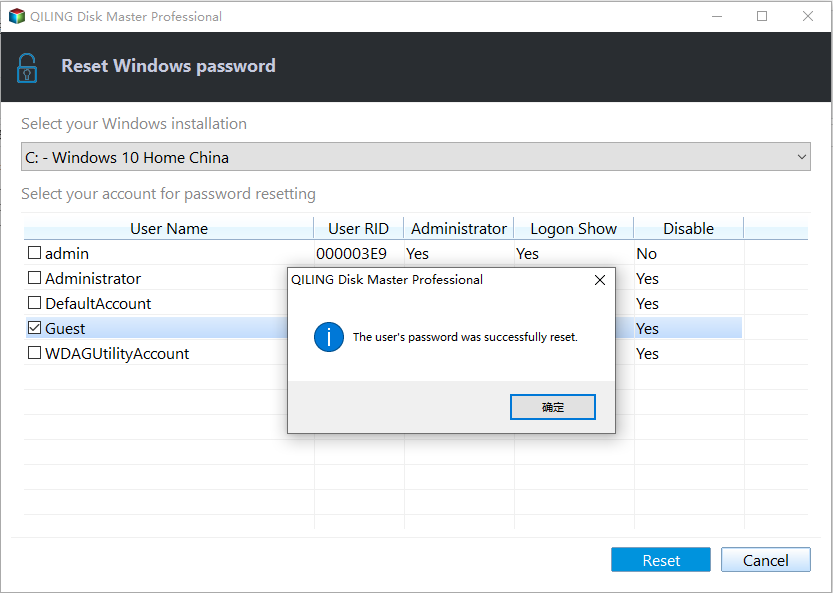
- Select the Windows installation, then choose the local user account that needs a password reset.

- Confirm the reset, remove the bootable USB, and restart the PC. Set a new password or PIN after Windows signs in successfully.
For Windows Vista local-password recovery, read Forgot a Windows Vista Password? Legitimate Recovery Options.
Related Articles
- Windows Partition Management Tutorials
Find practical Windows partition guides for resizing, formatting, checking, converting, and repairing disks without unnecessary risk. - Windows System Backup and Restore Tutorials
Browse Windows backup and restore guides for system images, recovery drives, restore points, and safe repair preparation.
Products
Articles & Tutorials
- Data Recovery
- Data Backup
- File Recovery
- File Backup
- System Backup and Restore
- Disk and Partition Clone
- Technical articles
- Mobile articles
- Disk Master Help
- Windows Data Recovery Tutorials
- Windows Secure Delete Tutorials
- Windows Partition Management Tutorials
- Windows File Backup and Restore Tutorials
- Windows System Backup and Restore Tutorials
- Windows Disk Backup and Restore Tutorials
- Windows Clone Tutorials