Data Recovery Software for Windows 10/Mac/iPhone/Android
What Is Data Recovery Software
Data recovery software helps users retrieve lost data by providing logical and physical recovery functions. It can recover data from accidental deletion, formatting, partition loss, and virus infections, as well as physical hardware damage like stuck motors, bad sectors, and head shifts.
In What Data Loss Situations Can Data Recovery Software Help
Here are some common examples of data loss situations where data recovery software can be helpful:
- If you accidentally delete a file or folder from your hard disk, hard drive recovery software can scan your disk and retrieve the data.
- If you empty the Recycle Bin without realizing that you still need a file that was in it, a Recycle Bin data recovery program might be able to help you recover the deleted file.
- If you accidentally format a drive like a USB flash drive, a USB recovery software can help you unformat it in time.
- Data recovery software can help retrieve lost data in the event of a virus or malware attack that deletes or corrupts files on a computer.
- If the Windows 10 operating system crashes or doesn't run properly, a free data recovery software can help recover your data.
Data recovery software can help restore lost or deleted files, but there is no guarantee of success, especially in cases of severe drive damage. It's worth trying the software before giving up.
How Does Data Recovery Software Work
Data recovery software works by accessing and retrieving deleted or lost files from a computer's storage system. Computers store files in a hierarchical structure, with files being broken down into smaller chunks called sectors. When a file is deleted, the operating system doesn't actually remove the data, but rather marks the sectors containing the file as available for reuse.
How a Hard Disk Stores Data
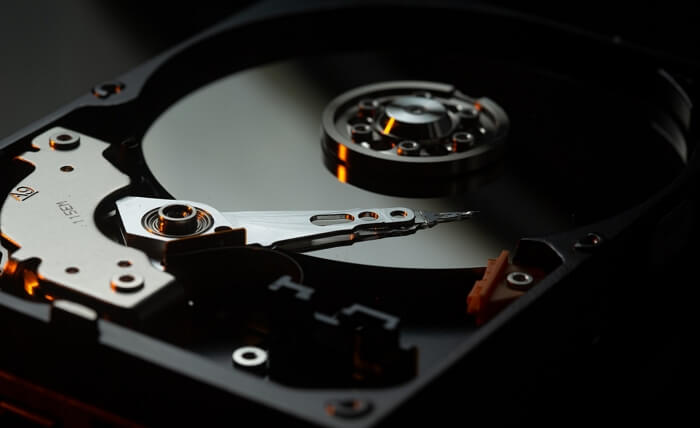
When saving a file to the hard disk, the system first records the file name and size in the file allocation table. It then allocates space in the data area based on the free space in the table, writing the starting position of the file content. Finally, the actual file contents are written to the allocated space in the data area, completing the file storage operation.
How Data Recovery Software Works
Data recovery refers to the process of retrieving information from a storage device that is inaccessible through standard means, such as after a file deletion or formatting operation. When a file is deleted, the system marks it as deleted in the file allocation table, freeing up the occupied space for other files. However, the actual data remains on the device, waiting to be recovered.
When a file is deleted, it's not actually erased from the hard drive, but rather marked for deletion. This means that the file's data remains intact, and it can be recovered using data recovery software. By removing the deletion mark, the software can scan the hard drive and retrieve the deleted file, effectively restoring it to its original state.
What Can't Data Recovery Software Do
Of course, there are some limitations to data recovery software.
- If the data has been overwritten, it's likely gone for good and can't be restored.
- File recovery software can only retrieve lost files that were previously saved to a device and then disappeared, meaning it can't recover unsaved Word documents or any other type of file that wasn't saved before it was lost.
What's the Best Data Recovery Software in Different OSs
The best data recovery software depends on various factors, including the type of data to be recovered, hard drive size, operating system, data recovery difficulty, and budget. There are many free and paid options available on the market, each with its own strengths and weaknesses.
To help you make a decision, we've compiled a list of the top-rated data recovery programs for various operating systems, based on user reviews and expert recommendations, and invite you to read on for more in-depth information.
For Windows 10:
If you're looking to recover deleted files, consider using a free program such as Recuva, Photorec, or TestDisk, which are popular and free data recovery tools that allow you to restore files without incurring any cost.
If you're trying to recover data from a damaged or corrupted hard drive or retrieve a lost or formatted partition on Windows, a robust program like Deep Data Recovery or R-studio is necessary. These programs can recover data from all file systems, including FAT, exFAT, NTFS, NTFS5, ext2, ext3, HFS+, and ReFS.
Here are the top five best data recovery software on Windows 10 to restore lost files:
- Recuva
- Deep Data Recovery
- R-Studio
- Data Rescue
- Stellar Data Recovery
If you're an advanced user, you can use the Windows File Recovery tool to retrieve deleted files using command lines.
Full Guide
For Windows 10 PC/laptop users, there are numerous data recovery software options available that can help retrieve lost or deleted files. Some of the top-rated software include Deep Data Recovery, Recuva, Disk Drill, PhotoRec, Wondershare Data Recovery, R-Studio, Recoverit, and Remo Recover, each offering unique features and capabilities to suit different needs and preferences.
If Recoverit is on your shortlist, compare its Windows recovery workflow with Qiling's in Wondershare Recoverit vs Qiling.
For Mac:
If you need to recover data on a Mac, there are several options available, including restoring from the Trash Bin, using a Time Machine backup, or employing dedicated Mac file recovery software. Basic data recovery programs like Disk Drill can help recover data from SSDs and HDDs, but for more complex cases, such as recovering data from a failed hard drive or other storage devices, a more powerful tool like Data Rescue may be necessary.
Full Guide
How to use the free data recovery software for macOS to get data off Mac devices.
For iPhone:
To recover data on your iPhone after accidental deletion, you can use various software or apps that are compatible with your device and the latest iOS version. It's essential to choose a reputable and secure program to protect your private information, ensuring that your data is not compromised or stolen.
Recovering deleted files on your iPhone is a relatively simple process once you've found the right data recovery software for your needs.
Full Guide
The article provides a detailed comparison of the top iPhone data recovery software, including iMyFone D-Back, Enigma Recovery, and PhoneRescue. It highlights the features, pricing, and user reviews of each software, helping users choose the best one for their needs. The article also provides a brief overview of how to recover deleted data from an iPhone, including photos, contacts, and messages. Overall, the article aims to provide a comprehensive guide for iPhone users who want to recover their lost data.
For Android:
Android is a widely used mobile operating system, but data loss can still occur on Android devices due to various reasons, including accidental deletion, physical damage to the SD card, virus or malware infection, or a software update gone wrong.
Fortunately, Android data recovery software like DiskDigger can be very effective in recovering lost or deleted data, including photos, videos, documents, and more, from your Android device.
Full Guide
To recover lost data on your Android device, follow the full instructions provided by Android data recovery software. This software can help you restore deleted files, contacts, messages, and more. By using it, you can retrieve your lost data and get back to your normal routine.
Useful Tips for Using Data Recovery Software (Must-Read)
To improve the data recovery rate, use a data recovery software that suits your needs, and operate it skillfully.
- After data is lost, avoid saving new files to the same device where the data was lost, as overwriting the data can make it unrecoverable.
- If you want to restore data on the system disk, don't reinstall the system or restore it. Instead, remove the hard disk and connect it to another computer as a slave disk for recovery.
- Be careful not to format the disk, so that the data can be recovered and formatted again.
- When you encounter a problem with a partition and can't access your data, avoid checking the disk as it may damage the partition's magic data, making recovery more complicated.
- Don't restore data directly to the source disk to avoid overwriting the original data.
Data Recovery Software FAQs
Read the following frequently asked questions about data recovery.
1. Are data recovery software safe?
Knowing which data recovery software is safe to use can be a daunting task, but by following a few simple guidelines, you can reduce the risk of disk damage and ensure a successful recovery.
To recover deleted data, download data recovery software from a reputable source, create a backup of your data beforehand, and carefully read the instructions before using the software. Alternatively, consider seeking expert advice to ensure the process is done correctly and safely.
2. How can I recover my data for free?
You can recover data for free using a free file recovery tool like Recuva or the free version of a professional data recovery program like Deep Data Recovery Free, which allows you to recover up to 2GB of data for free.
3. Can erased data be recovered?
Overwritten and erased data cannot be recovered, regardless of the competence of data recovery software. Any claim by a data recovery tool that it can restore a wiped hard drive or USB flash drive is likely a false claim.
4. How do I recover permanently deleted files?
If you've permanently deleted files, you can try recovering them from backups or previous versions. If that doesn't work, you may need to use professional data recovery software to retrieve the lost data.
5. What data recovery software do professionals use?
PhotoRec, TestDisk, and Windows File Recovery are tools that are more suitable for professional users due to their complexity, but they can still be used by experts to recover deleted, lost, or formatted data using the Command Prompt.
6. What's the difference between free and pro data recovery tools?
The free editions of data recovery software typically come with limitations, such as restricted data recovery capacity. For instance, Disk Drill only allows for 500M of data recovery for free, whereas Deep Data Recovery offers 2GB of free data recovery. In contrast, the pro versions of file recovery tools often provide more features and services than their free counterparts.
Wrap Things Up
The best data recovery software depends on your specific needs, so it's essential to consider its features, ease of use, compatibility, and price when choosing a program. While some tools offer more features, others may be more expensive or harder to use, making it a trade-off between functionality and user-friendliness.
The best data recovery software should have a few key features that set them apart, including the ability to recover data from various devices such as hard drives, flash drives, SD cards, external hard drives, and SSDs, as well as handle different types of data loss like accidental deletion, formatting errors, and physical damage.
After reading our tutorials, you should be able to easily choose the most suitable and helpful data recovery software that meets your needs.
Related Articles
- File Repair| How to Repair Corrupted File (PST, PDF, Photo, etc.)
- Email Recovery for Gmail, Yahoo, Outlook, Hotmail
- Ultimate Guide on SD Card Recovery in 2026
- Word Recovery for Unsaved, Deleted, and Corrupted Word Documents [Professional Guide]
- Missing File Headers? We Can Resolve the Header Missing Case
To fix the header missing error, use the best manual options in the guide provided, or run the Qiling file repair tool for file repair to fix corrupted Word, Excel, PowerPoint, and PDF files with header-related issues. - How to Mount ISO File in Windows 10/11
You can access and mount the contents of an ISO image in several ways. In this guide, you'll learn to mount ISO images on Windows 10. A reliable file recovery tool is provided to help you restore ISO files if necessary.
Products
Articles & Tutorials
- Data Recovery
- Data Backup
- File Recovery
- File Backup
- System Backup and Restore
- Disk and Partition Clone
- Technical articles
- Mobile articles
- Disk Master Help
- Windows Data Recovery Tutorials
- Windows Secure Delete Tutorials
- Windows Partition Management Tutorials
- Windows File Backup and Restore Tutorials
- Windows System Backup and Restore Tutorials
- Windows Disk Backup and Restore Tutorials
- Windows Clone Tutorials