Top 10 Free Photo Recovery Software - Recover Lost Photos Easily
Quick Navigation of Top 10+ Best Free Photo Recovery Software
If you've lost your photos, images, or pictures on a memory card, hard drive, SD card, or digital camera, you can rely on the best free photo recovery software to recover them. These software tools can retrieve deleted or lost pictures, and all you need to do is find the right one to perform the recovery process. After testing over 30 photo recovery software, we've identified the top ones that stand out.
- 1. Deep Data Recovery
- 2. Stellar Data Recovery
- 3. Recover My Files
- 4. Recuva
- 5. Disk Drill
- 6. PhotoRec
- 7. Remo Recover
- 8. R-Studio
- 9. Acronis Revive
- 10. Puran Data Recovery
Why It's Possible to Recover Photos
When files are deleted from a computer, their directories may disappear, but their contents aren't immediately destroyed. Instead, Windows marks the hard drive space as available by changing one character in the file table, making the file entry invisible in My Computer or a command line DIR command. As a result, even if photos are accidentally formatted, there's still a chance to recover them using a recovery tool, as formatting only erases the address table, not the data itself.
If hard drives or partitions have disappeared, the data area is still intact and can be recovered using free and easy data recovery software, allowing you to recover essential images without technical knowledge.
Top 1. Best Photo Recovery Software - Deep Data Recovery
If you're looking for a tool to recover deleted photos, Qiling's free file recovery software can help. It can recover photos lost due to various reasons, such as corrupted devices or formatted SD cards. If your last shooting session is inaccessible due to device corruption or your SD card was formatted and had plenty of pictures, Qiling can assist you in recovering your lost photos.
- It can recover images after deletion, formatting, OS crash, or device corruption.
- This software restores more than 1000 types of files.
- This software supports recovering data from various digital devices, including a digital camera, memory card, computer hard drive, USB, and more.
Qiling has gained a large following of over 72 million users and received numerous positive comments.
| Supported OS | Windows 10/8.1/8/7/Vista/XP, Windows Server, and macOS 10.9+ |
| Supported Image Types | The supported image file formats include PG/JPEG, TIFF/TIF, PNG, BMP, GIF, PSD, CRW, CR2, NEF, ORF, SR2, MRW, DCR, WMF, RAW, SWF, SVG, RAF, and DNG. |
| Ease of Use | Very easy to use |
Pros:
- It supports sorting photos by category (people/animals/buildings/others).
- You can search for deleted/lost photos by extension or name.
- This software allows identifying the source device of deleted/lost photos/videos.
- It only takes three steps to recover lost photos.
Cons:
- The free version of the software allows for the recovery of up to 2GB of data, but if you have more data, you'll need to upgrade to the pro version to access additional storage capacity.
User Guide - How to Recover Deleted Photos with Qiling
Qiling photo recovery software is the easiest and most effective way to recover deleted photos on a computer. This excellent data recovery software can help you get back lost photos or images, and can be downloaded and used with the help of a video or step-by-step guide.
Photo recovery software free download:
Step 1. Select file types
Select file types, then click "Fast Scan" to start.

Note: You can choose different search modes based on where and why the data was lost.
Step 1. Choose the location and start scanning
To recover deleted/lost pictures, hover over the SD card, camera, or hard drive partition where the pictures were deleted/lost, then click "Scan" to initiate the recovery process.

Step 2. Select the pictures you want to recover
After scanning completes, select "Pictures" in the left panel and then click "Lost" at the top to locate the lost photos. You can then find them by device, type, or date.

Step 3. Recover lost photos
After the preview, click "Recover" and choose another location to save the desired pictures.
Top 2. Stellar Photo Recovery
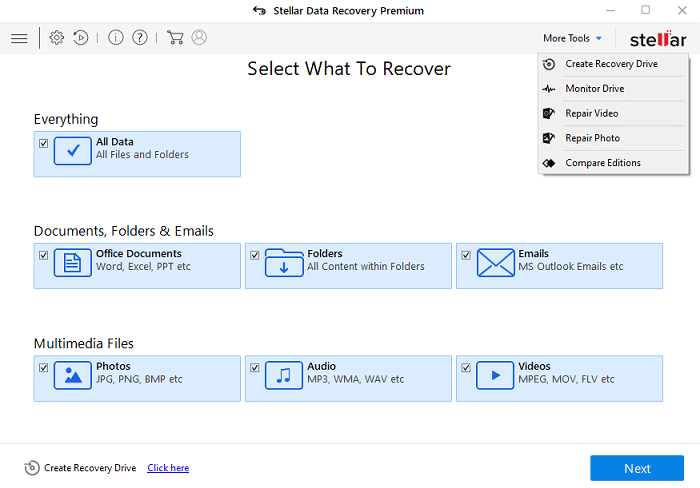
Stellar Photo Recovery is a tool that can recover deleted, corrupted, or lost photos, videos, and audio files from various storage devices, including those affected by formatting, viruses, or inaccessible drives. One of its standout features is the ability to preview audio files before they are recovered, allowing users to confirm their recovery before proceeding.
| Supported OS | Windows 10/8/7/Vista/XP and macOS |
| Supported Image Types | The list of file formats includes CR2/CRW (Canon RAW), RAF (Fujifilm RAW), K25/KDC/DCR (Kodak RAW), MRW (Minolta RAW), MOS (MOS formats), MEF (MOS formats), NEF (Nikon RAW), NRW (Nikon RAW), ORF (Olympus RAW), TGA (Targa image), JPEG (Joint Photographic Experts Group), TIFF (Tagged Image File Format), BMP (Bitmap), GIF (Graphics Interchange Format), PNG (Portable Network Graphics), PSD (Photoshop Document), INDD (InDesign Document), PSP (Corel Paint Shop Pro), PCT (PC Paintbrush), and JP2 (JPEG 2000). |
| Ease of Use | Easy to use |
Pros:
- It has a clear interface and a simple recovery guide.
- This photo recovery software allows for a targeted scan of a specific folder, enabling users to search for files from the scan results.
- Recovering lost photos from any device involves a four-step process.
Cons:
- The scanning of RAW format recovery needs improving
Top 3. Recover My Files
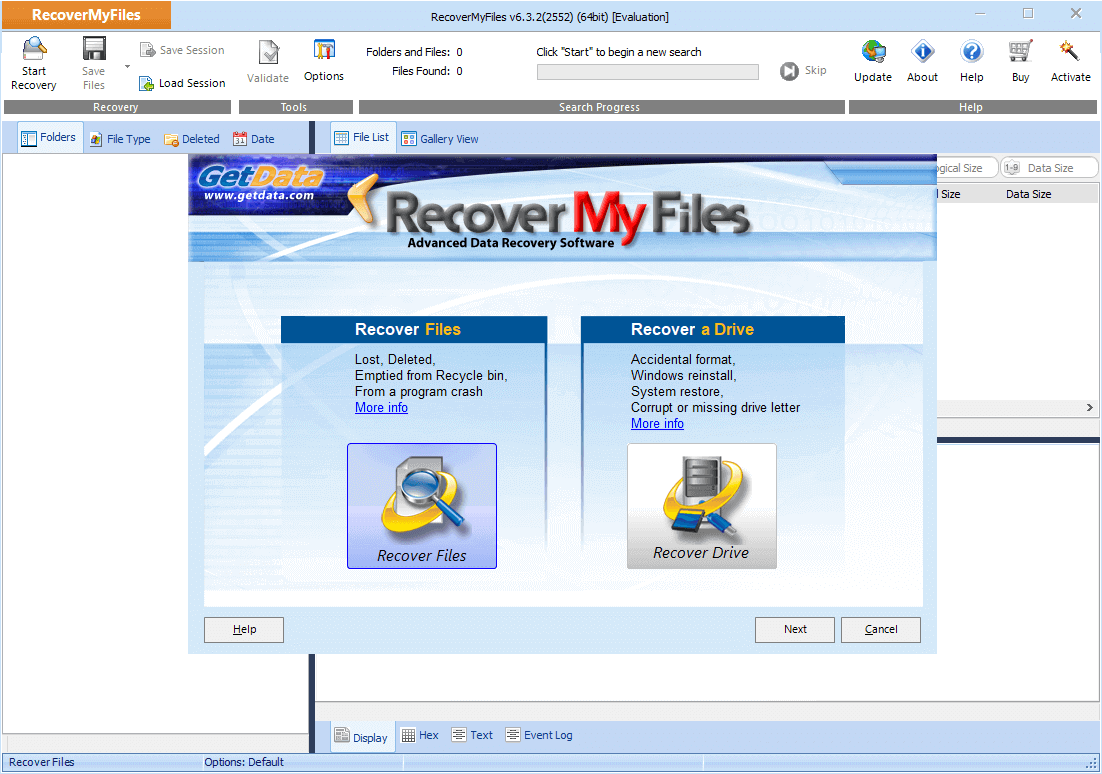
This is one of the best DIY photo recovery tools for Windows users. It is free photo recovery software that can restore photos from a variety of devices, including hard drives, SD cards, USB zip drives, floppy disks, and even iPods. The software is capable of recovering photos from the Recycle Bin, formatted data, and even after OS reinstallation or RAW partition recovery.
| Supported OS | Windows only |
| Supported Image Types | JPEG, TIF, TIFF, GIF, BMP, PNG, WMF, and more |
| Ease of Use | Easy to use |
Pros:
- Conventional storage devices such as hard drives, SD cards, USB drives, and iDevices like an iPod are supported.
- The software can scan the backup of a partition's image file.
- You can sort files by date.
Cons:
- Old-fashioned software interface
Top 4. Recuva
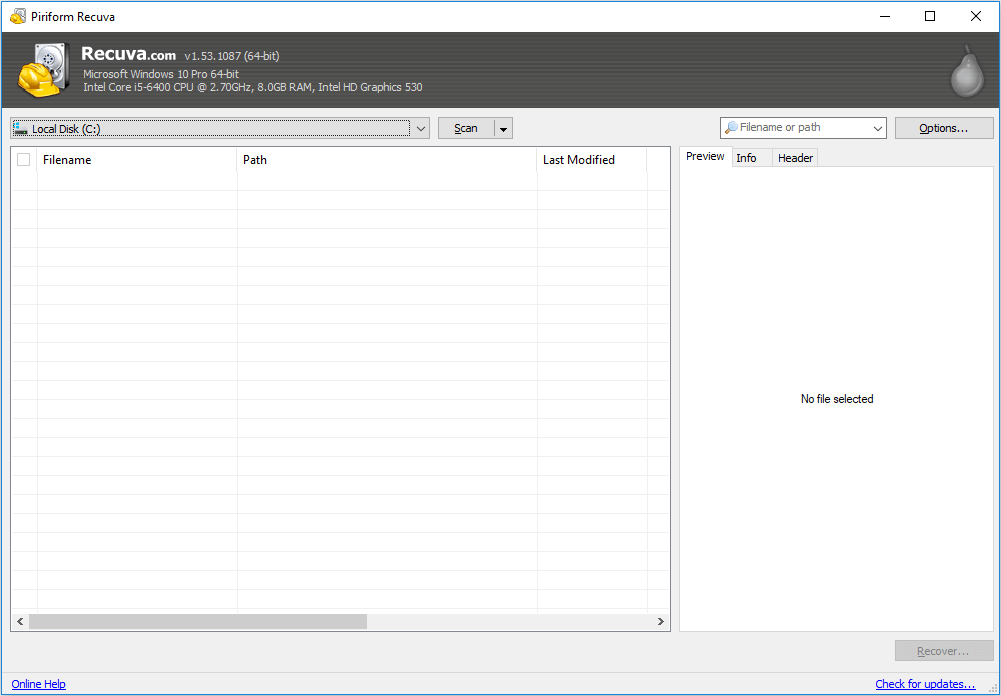
Recuva is a free photo recovery software that can recover deleted files, even if they've been marked as free space by the operating system. It can easily and quickly recover files from your Windows computer, the Recycle Bin, digital camera cards, or MP3 players.
| Supported OS | Windows only |
| Supported Image Types | JPG, JPEG, TIF, TIFF, GIF, BMP, PNG, WMF, and more |
| Ease of Use | Simple to use |
Pros:
- This software works well in JPG file recovery.
- It has excellent privacy protection and removes tracking files.
- It has a Preview screen before final recovery.
Cons:
- The free version has limited features
- There's no support for the free version
Top 5. Disk Drill
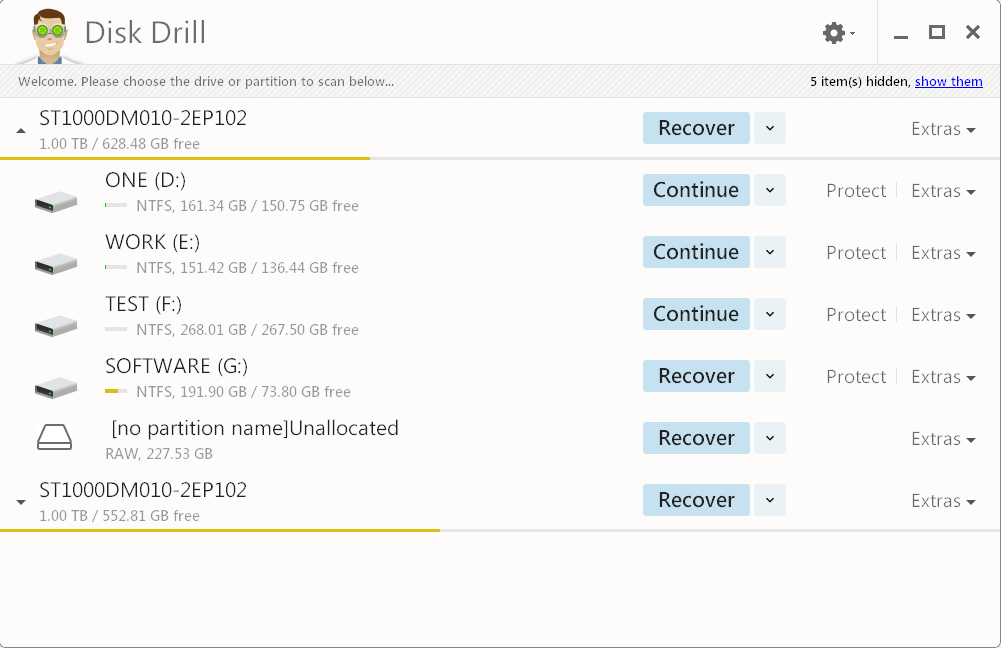
Data loss can occur in many ways, including power failures, failed boot drives, partition damage, accidentally emptied Recycle Bins, and virus attacks. However, with the help of Disk Drill, a professional data recovery program, you can often recover lost data or pictures. This software is highly regarded in the tech industry and works well on Windows computers, with even better results on Macs.
| Supported OS | Windows and macOS |
| Supported Image Types | PTIF, TIFF, JPG, JPEG, GIF, BMP, PNG, WMF, and more |
| Ease of Use | Easy to use |
Pros:
- Has auxiliary features like data protection and backup drive
- Organizes files found by category
- Filters the results by size and data
Cons:
- Only free for 500MB
- The scanning process is slower than previous versions and fewer files are being found.
Top 6. PhotoRec
PhotoRec is a free and open-source program designed to work effectively on older operating systems such as OS X, Linux, Free BSD, Net BSD, Open BSD, and Windows, and can recover data even when the file system has been corrupted.
| Supported OS | Windows/macOS/Linux |
| Supported Image Types | Commonly used photo formats |
| Ease of Use | Hard for beginners |
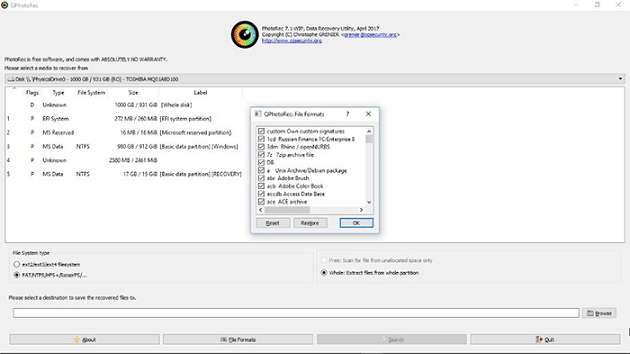
Pros:
- It supports data recovery cross-platform---Mac OS X, Windows, Linux, etc.
- It can restore data on most devices.
- This software supports a wide range of file formats, not limited to just images, allowing it to work with various types of files.
Cons:
- Recovers many files but not all
- Slightly complicated usage instructions
Top 7. Remo Recover
This software provides a comprehensive file repair solution and data recovery for various scenarios, scanning drives to locate deleted files and folders that can be saved at any chosen location.
| Supported OS | Windows and macOS |
| Supported Image Types | Commonly used photo formats |
| Ease of Use | Easy to use |
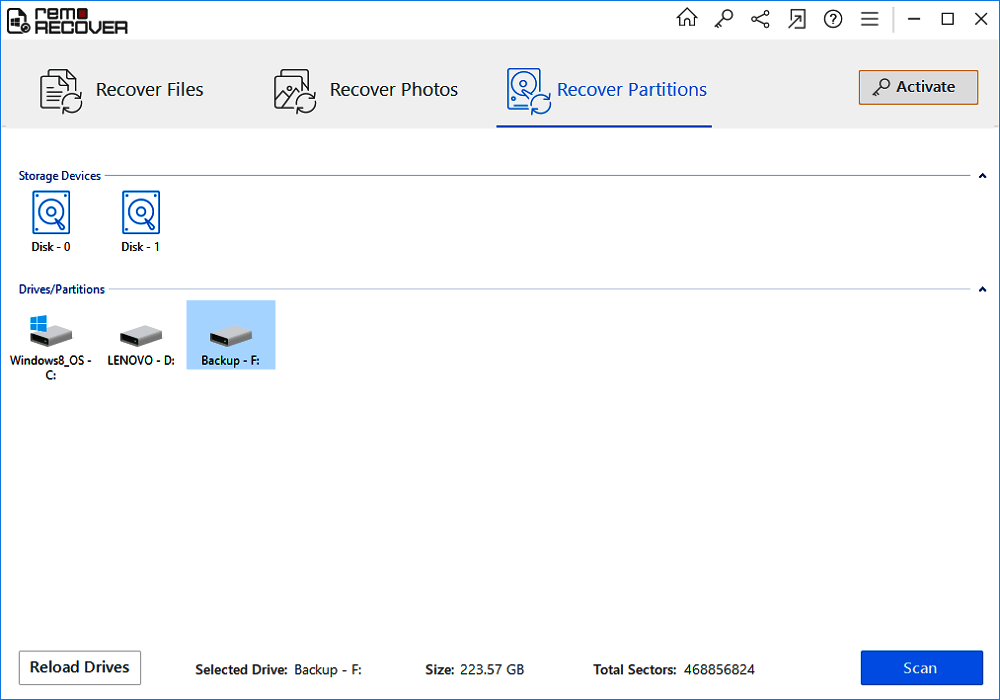
Pros:
- It has a high recovery rate for production images
Cons:
- The camera raw images were not recovered during the reformatted drive test, as the software failed to retrieve any data from the drive that had been reformatted.
Top 8. R-Studio
R-STUDIO is a comprehensive data recovery solution that utilizes unique technologies to recover files from various file systems, including NTFS, NTFS5, ReFS, FAT12/16/32, exFAT, HFS/HFS+, and APFS, making it a reliable tool for recovering data from real-life data loss situations.
| Supported OS | Windows, macOS, and Linux |
| Supported Image Types | Nearly all file types |
| Ease of Use | Easy to use |
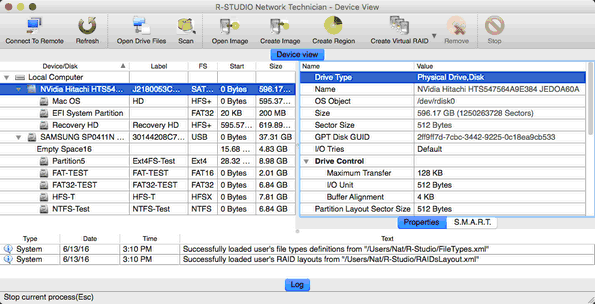
Pros:
- Enables data recovery from various data loss situations.
- Exclusively supports data recovery from network drives.
- This tool enables the creation of image files and the recovery of files from those image files.
- It only takes five steps to get back lost pictures.
Cons:
- It has an old-fashioned and relatively complex interface.
- It takes a long time for a simple scan.
Top 9. Acronis Revive
Acronis provides data recovery software, Acronis Revive, which can recover accidentally deleted or prematurely removed files, helping to bring them back to life. (Note: The software is no longer available.)
| Supported OS | Windows only |
| Supported Image Types | Commonly used photo formats |
| Ease of Use | Hard to use |
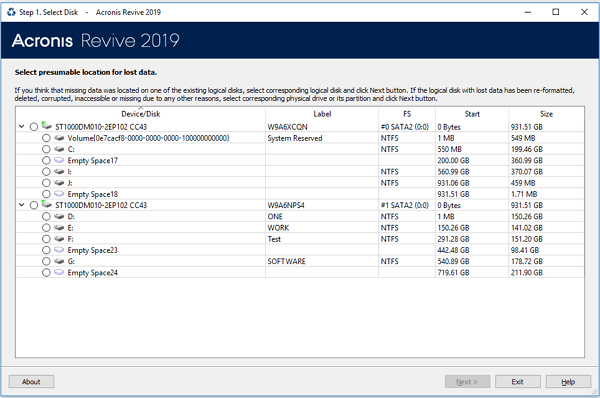
Pros:
- Intuitive wizard-style interface
- Recognizes localized file names
- Supports dynamic disks
- Creates an image file
Cons:
- The free version of the software can only locate and display deleted files, but to recover them, specifically photos, an upgrade to the paid version is required.
Top 10. Puran Data Recovery
Puran Data Recovery is another photo recovery software worth trying, capable of recovering deleted photos, videos, and audio from both computer hard drives and portable storage devices, regardless of how the images were lost.
| Supported OS | Windows only |
| Supported Image Types | Commonly used photo formats |
| Ease of Use | Easy to use |
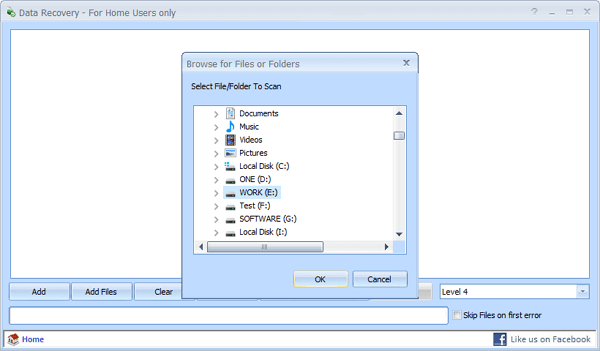
Pros:
- Copy entire drives or individual files and folders
- Drag and drop is supported
- Different speed levels included
Cons:
- You cannot preview the result
- You cannot filter the files you want to recover
Which One Is the Best for Me
To determine the best software for you from the top 10 photo recovery software, we analyzed them based on three criteria: scanning time, files found, and file size. This allows you to compare and choose the most suitable option for your needs. You can refer to the table for more information on free photo recovery software.
| Product Name | Recover My Files | Recuva | Disk Drill | Stellar Data Recovery | Deep Data Recovery |
|---|---|---|---|---|---|
| Scanning Time | 1h | > 1h | > 1h | 37min | 27min |
| Files Found | 321,297 files | 111,213 files | 2,254 files | 414,170 files | 784,741 files |
| File Size | 13.80GB | no size is shown | 1.92GB | 19.84GB | 38.53GB |
Other Photo Recovery Solutions (Android or iPhone)
If you lose photos on your smartphone, you can use Qiling's products to restore them easily, regardless of whether you have an Android or iPhone.
For Android Users:
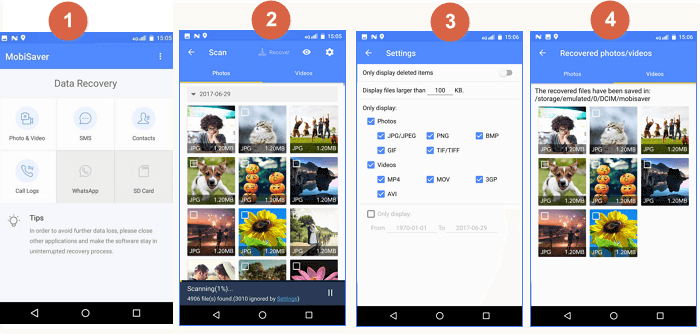
If you want to recover lost Android photos, videos, or other data directly on the phone without using a computer, the best option is to use Qiling MobiSaver for Android, a dedicated Android data recovery app.
More details: Recover Deleted or Lost Android Photos.
For iPhone Users: Recover Deleted or Lost iPhone Photos
You can use Qiling MobiSaver to recover lost iPhone photos by downloading the tool and following the instructions.
Detailed guides are given below.
Step 1. Connect iPhone to Your PC
Launch Qiling MobiSaver, choose "Recover from iOS Device" on the left, and click "Start" to proceed with the recovery process.
Step 2. Scan for Lost iPhone Photos
Qiling MobiSaver will automatically scan your iPhone and find present and lost photos for you.
Step 3. Preview and Restore Photos
To recover photos, tick the "Photos" option on the left, select the desired photos from your phone, and choose to recover them either to your computer ("Recover to PC") or directly to your device.
Conclusion
Don't worry if you've lost photos from your desktop, Mac, iPhone, or Android - there's a solution to recover them, and the sooner you act, the better your chances of getting them back using free photo recovery software.
People Also Ask These Questions About Photo Recovery
If you've lost photos or videos, you can recover them using reliable photo recovery software. This software can help you retrieve images from an SD card, iPhone, or Android device. To tackle image loss issues, consider the following frequently asked questions.
1. How do I recover photos?
To restore photos on your PC:
Step 1. Launch Deep Data Recovery, hover over the partition or storage device where you deleted photos and click Scan.
Step 2. After the scan is complete, select the deleted photos you want to recover, and to speed up the process, click Filter and choose Pictures to narrow down the search.
Step 3. To recover deleted photos, go to the Photos app, click Recover, and choose a location on another hard drive to save the photos.
2. Which is the best photo recovery software?
Best Photo Recovery Software in 2020 - Our Picks:
- Deep Data Recovery
- Stellar Data Recovery
- Recover My Files
- Recuva
- Disk Drill
- PhotoRec
- Remo Recover
- R-Studio
- Acronis Revive
- Puran Data Recovery
Qiling free photo recovery software stands out among others due to its compatibility and excellence, allowing recovery of all kinds of multimedia files, including raster, vector, RAW camera files, videos, and audio files.
3. Can you recover deleted pictures from your phone?
If you want to recover lost Android photos, videos, or other data on the phone without using a computer, the best Android data recovery app - Qiling MobiSaver for Android can help.
Qiling MobiSaver is a tool that can help recover lost photos from an iPhone, iPad, or iPod by downloading and following the provided guide.
4. Can I recover deleted photos from a digital camera?
You can recover deleted photos from any brand of digital camera, including Nikon, Sony, Canon, and Samsung, using free photo recovery software.
Step 1. Choose the location and start scanning.
Step 2. Select the photos you want to recover.
Step 3. Recover the deleted photos.
For a Windows-first checklist that begins with existing copies before scanning, see the free photo recovery guide.
Related Articles
- How to Recover Deleted Photos on Android, iPhone, PC, and Mac
- Free Recover Files from Formatted Hard Drive with Hard Drive Data Recovery Software
- How to Recover Files from USB Flash Drive with or Without Software
- Btrfs Recovery Software: Recover Deleted/Lost Files from Btrfs Drives Synology/QNAP
- How to Recover Files Deleted by Antivirus using CMD and Software
If your antivirus software, such as AVG or Windows Defender, accidentally deletes your files, - there are ways to recover them. - [Solved] Norton Internet Security Deleted My File - Recover Files Deleted by Norton
If Norton deletes your files, you can recover them from the Quarantine folder or use Deep Data Recovery to retrieve the deleted files. The Quarantine folder is where Norton stores removed files, allowing you to restore them if needed.
Products
Articles & Tutorials
- Data Recovery
- Data Backup
- File Recovery
- File Backup
- System Backup and Restore
- Disk and Partition Clone
- Technical articles
- Mobile articles
- Disk Master Help
- Windows Data Recovery Tutorials
- Windows Secure Delete Tutorials
- Windows Partition Management Tutorials
- Windows File Backup and Restore Tutorials
- Windows System Backup and Restore Tutorials
- Windows Disk Backup and Restore Tutorials
- Windows Clone Tutorials