I Forgot My Dropbox ID and Password | What Should I Do?
| Workable Solutions | Step-by-step Troubleshooting |
|---|---|
| Reset Dropbox Password | Step 1. Go to Dropbox's website; Step 2. Click "Forgot Password" at the bottom of the page...Full steps |
| Find Dropbox ID And Password - Qiling Key Finder | Step 1. Click "Internet & Network" under Password; Step 2. Check Browser Accounts & Passwords...Full steps |
| Find Dropbox ID | Step 1. You can find your Dropbox ID from your desktop, phone app, and shared folder by going...Full steps |
| Reset Dropbox Password | Step 1. Open a web browser and go to a dropbox webpage if you have your account logged...Full steps |
| Recover Dropbox Files | Step 1. Go to dropbox and log in; Step 2. In the left sidebar, choose "Deleted files".To recover a deleted...Full steps |
Dropbox is a free file hosting tool that makes storing and sharing files simple, with over 250 million users worldwide. It securely holds files in the cloud, allowing access from anywhere on any device and making sharing with anyone convenient.
While it's unlikely you can memorize your entire password, the system saves it in a cookie on your computer, so you won't have to re-enter it on subsequent visits. However, your account is more likely to be hacked due to a weak password and an easy-to-guess security question.
Dropbox offers cloud storage and syncing capabilities, allowing users to backup and access their files across devices. Additionally, its software and service include a feature for quickly resetting passwords, making it easier for users to regain access to their accounts.
Dropbox has a simple password reset process, but you'll need access to the email address used to create the account to confirm your identity. You'll be asked to enter the email address and password used to create your account to complete the password reset.
To create an account, you must link your email to it, allowing you to recover your password if you forget it.
What to Do When I Forgot My Dropbox ID and Password?
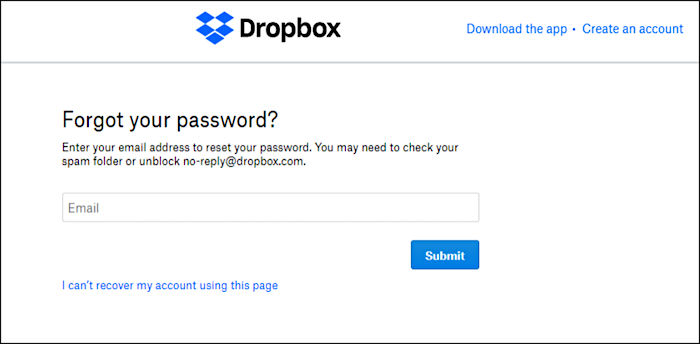
If you've forgotten your password or are having trouble logging in, you can reset it by clicking "Forgot your password?" on the login page. The password reset link is only valid for a limited time for security purposes.
Follow the steps below to reset your Dropbox password.
Step 1. Go to Dropbox's website.
Step 2.Click "Forgot Password"at the bottom of the page.
Step 3.Now, fill in the email address you used to sign up for the platform.
Step 4.To reset your password, go to the link provided in the email you received.
Step 5.You've completed the process of changing your password.
If you haven't received a password reset link, check your junk folder, as it might have been sent there. If you can't find it there, email [email protected] with the required information, and then follow the procedures again.
How to Find My Dropbox ID And Password - Qiling Key Finder
Qiling Key Finder protects your privacy and important data by recovering and finding lost, forgotten, or missing passwords in Windows accounts, even without an active email address.
Qiling Key Finder is a useful utility that helps users who have forgotten their passwords. It displays the Product IDs and CD Keys installed on a computer, making it easy to find and recover them. Additionally, it can also reveal Wi-Fi and browser passwords, providing a convenient solution for users who have misplaced or forgotten their login credentials.
You can also recover lost keys on Windows and other installed applications with this software.
Step 1. Click "Internet & Network" under Password.
Step 2. To check the browser accounts and passwords of Chrome, Edge, Firefox, and IE, you can review the browser's settings or options page. For Chrome, go to the three vertical dots in the upper right corner, click on "Settings", and then select "Advanced" to view saved passwords.
"Copy" - Click it, then directly paste.
"Save" - Save as a PDF file.
"Print" - Connect Printer to print.
You can download and install the Qiling Key Finder to quickly recover your lost passwords within seconds.
How Do I Find My Dropbox ID?
You can easily identify which Dropbox account a file belongs to, allowing you to access all your files from one place, regardless of where they're stored. If a file is shared with you, Dropbox makes it easy to find the sharer's ID, enabling you to add the shared folder to your own Dropbox. You can find the file's ID by using the dropdown menu on the top-right corner of the file's page on the web app or your phone.
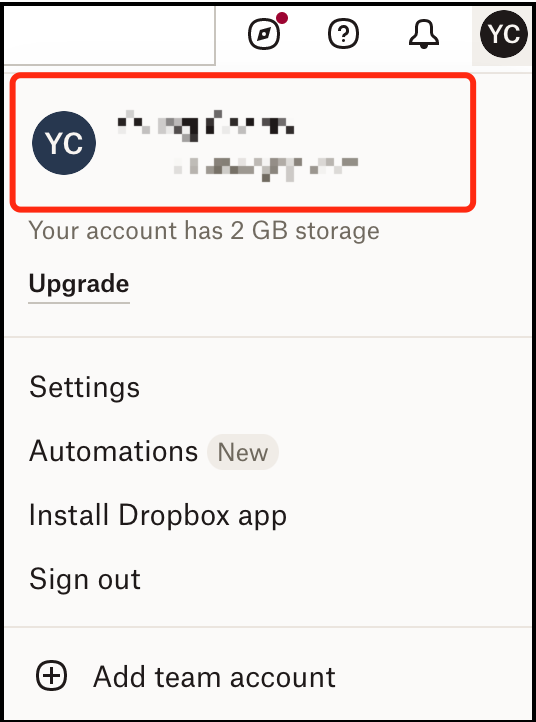
Step 1. You can find your Dropbox ID by signing into the main Dropbox website from your desktop, phone app, or shared folder.
Step 2.Once you've signed in to Dropbox, you'll see a menu near the top of the page. This menu will not appear if you're using an incognito window.
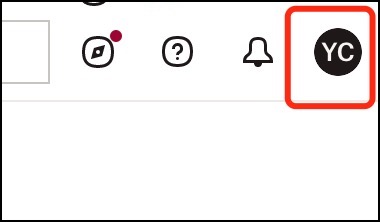
Step 3.Look for an icon that appears as a small, white folder with a red check mark inside it, labeled "Settings".
How to Reset Your Dropbox Password?
If you've forgotten your Dropbox password, you can easily reset it using the password reset feature on your device.
Step 1.You can access Dropbox by opening a web browser and navigating to the Dropbox website, if you have your account logged in. This will allow you to view and manage your Dropbox files directly from the browser.
Step 2.Click on the account icon at the top right corner.
Step 3.Select "Settings" from the list.
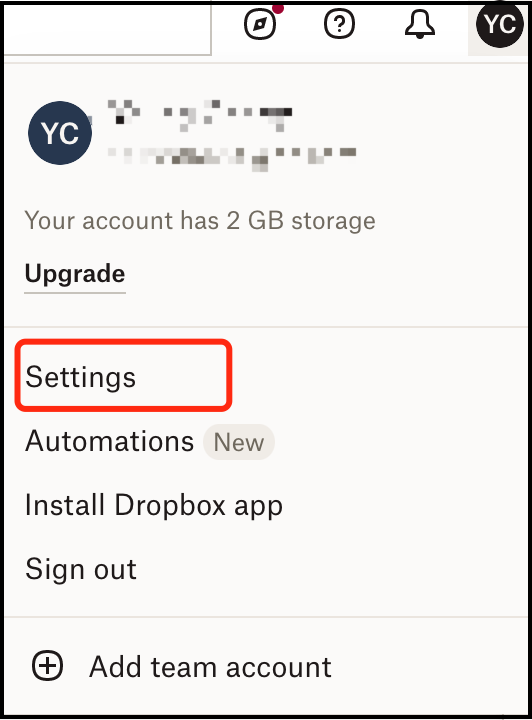
Step 4.Go to the "Security" tab.
Step 5.Click on "Change password".
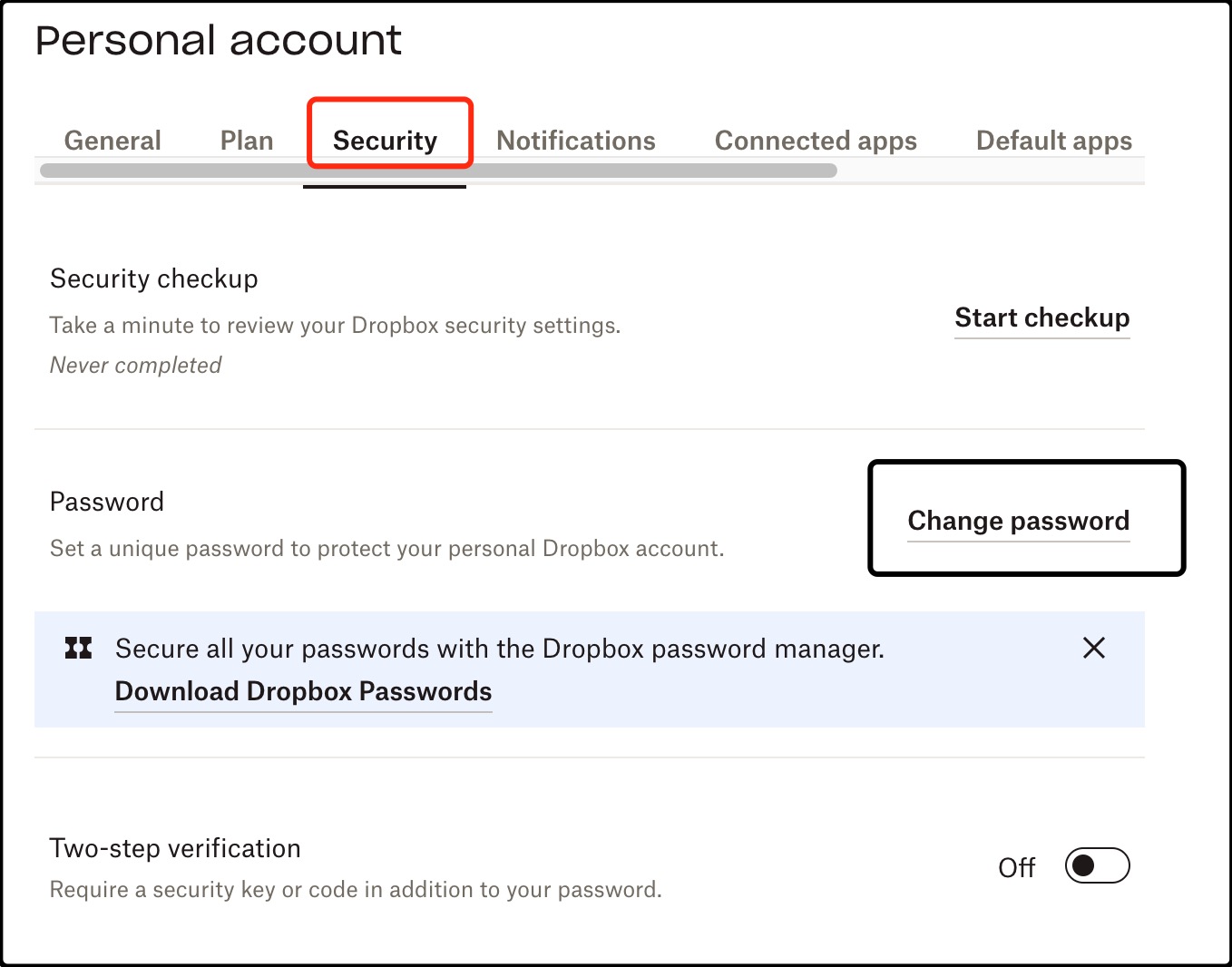
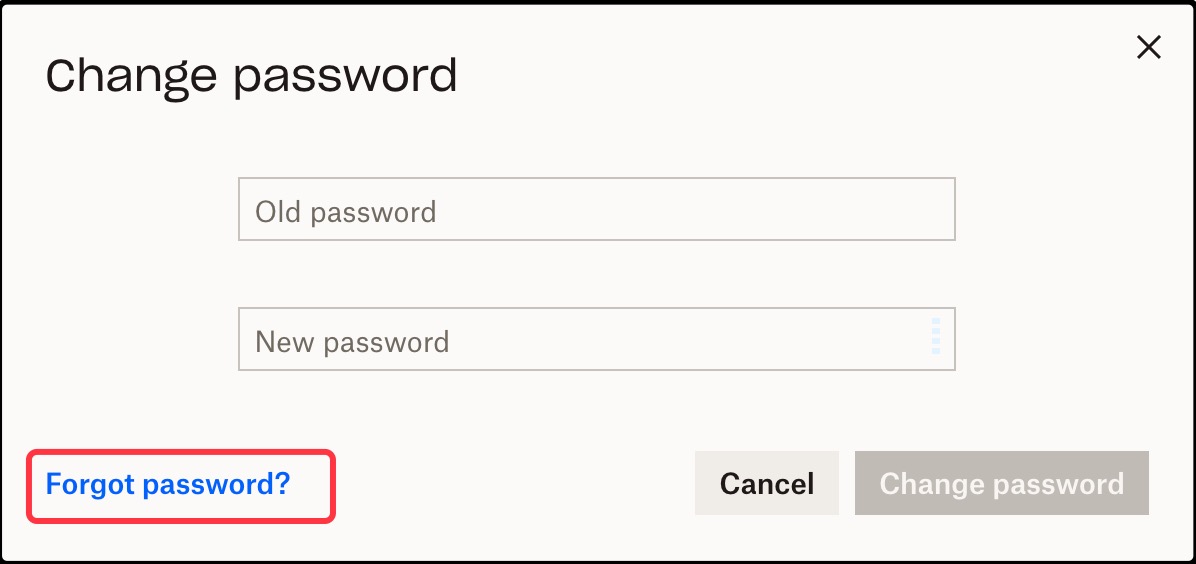
Step 6.Click on "forgot password?".
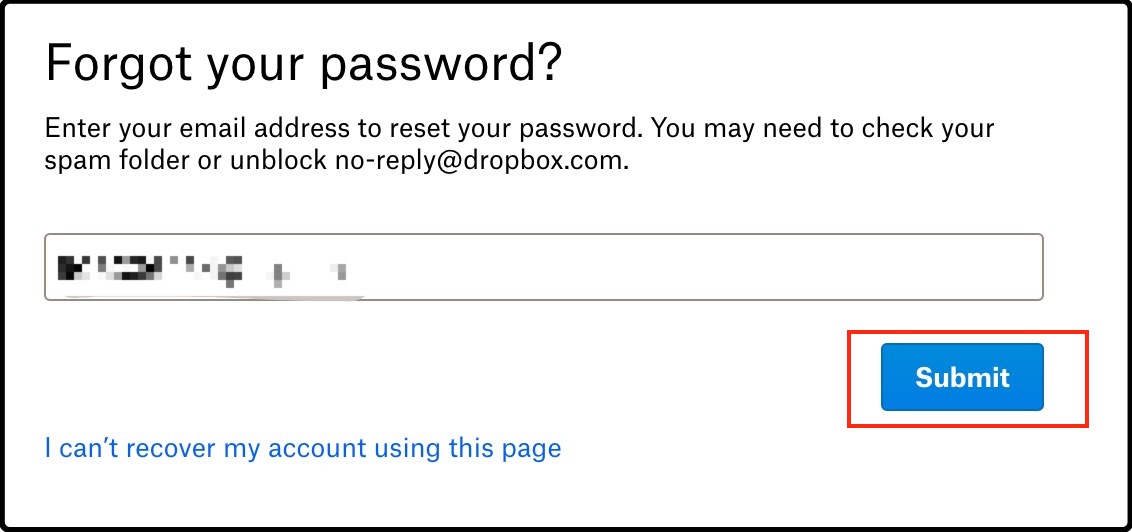
Step 7.Your email will be added automatically, click on "Submit".
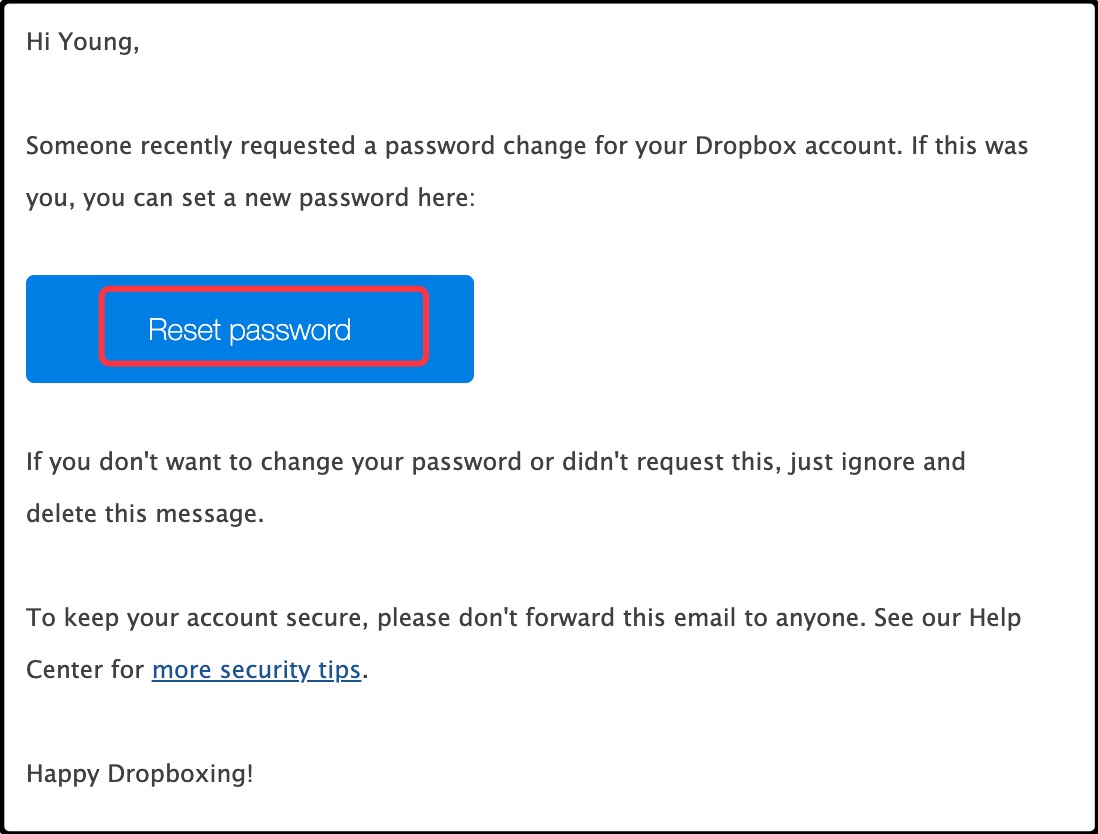
Step 8.Open a new tab, go to your email, find an email from Dropbox, open it, and click on "Reset password".
Step 9.Enter a new password and retype it below.
Step 10.Click on "submit".
Bonus Tip:How Do I Recover My Dropbox Files?
Dropbox allows for easy recovery or restoration of deleted data. Depending on your subscription, deleted files and modifications can be preserved for up to 180 days.
Step 1.Go to dropbox and log in.
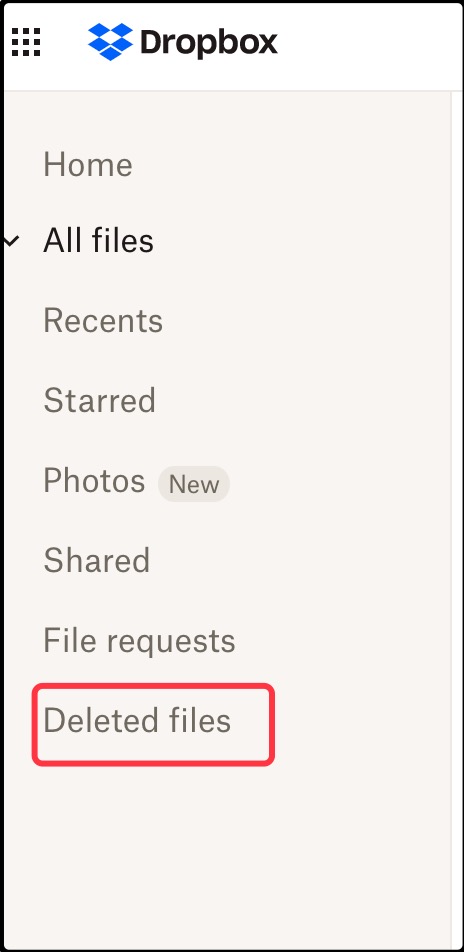
Step 2.To recover a deleted file or folder, navigate to the left sidebar, select "Deleted files", and click on the name of the file or folder you want to recover.
Step 3.You can select multiple files or directories by checking the checkbox symbol.
Step 4.To recover your files, select the "Restore" option from the menu, which may take a while if you're recovering multiple files.
Conclusion
Dropbox is the best cloud storage service that allows you to back up and sync your information across multiple devices. Its robust software and service also include a convenient password reset feature for users who forget their passwords, making it easy to recover your account if it's compromised or you've forgotten your password.
When creating a Dropbox account, you link your email ID to it, allowing you to recover your password if forgotten. However, you can also recover and find your Microsoft Office product key using the Qiling Key Finder, even without an email account. With just one click, you can easily recover and find your lost password using Qiling. Install Qiling now to get started!
Related Articles
- Can I Recover Lost Product Key on Windows 11/10/8/7? 5 Methods Here to Help
- Windows 10 Password Recovery Tool [Free & Paid]
- Where Can I Find My Windows Product Key Remotely?
- How to Find Windows Server Product Key [6 Ways] - Qiling
- How to Fix Drive Is Not Accessible Access Is Denied on Windows 11
Feeling distressed when Windows 11 prevents you from using an external hard drive? You can fix the 'disk is not accessible access denied' error and use Deep Data Recovery to retrieve deleted files from inoperable disks, making it possible to recover lost data. - Atomic Heart Save File Location on a PC [2024 Tips]
Where are the save game files located? How to find Atomic Heart save file location? You can get all the answers here. Besides, If you lost Atomic Heart game data, run Deep Data Recovery to get them back.
Products
Articles & Tutorials
- Data Recovery
- Data Backup
- File Recovery
- File Backup
- System Backup and Restore
- Disk and Partition Clone
- Technical articles
- Mobile articles
- Disk Master Help
- Windows Data Recovery Tutorials
- Windows Secure Delete Tutorials
- Windows Partition Management Tutorials
- Windows File Backup and Restore Tutorials
- Windows System Backup and Restore Tutorials
- Windows Disk Backup and Restore Tutorials
- Windows Clone Tutorials