Macintosh HD vs. Macintosh HD Data: What Are the Differences
Macintosh HD and Macintosh HD Data are two distinct storage spaces on a Mac. While Macintosh HD is the primary startup disk where the operating system and most applications are stored, Macintosh HD Data is a separate storage space used for storing files, documents, and other data. In essence, Macintosh HD is the "brain" of your Mac, while Macintosh HD Data is the "hard drive" where you store your files. Understanding the difference between these two can help you manage your Mac's storage space more effectively.
The Definition of Macintosh HD
Since Apple released macOS 10.15 Catalina, Mac's internal hard drive has been split into two separate entities: the Macintosh HD (which contains the operating system) and a separate storage entity for files and data.
The Macintosh HD is the primary storage for the operating system and applications, also known as the system volume. It cannot be freely erased, deleted, or edited as it contains crucial macOS files, and any modifications or deletions would cause the device to malfunction.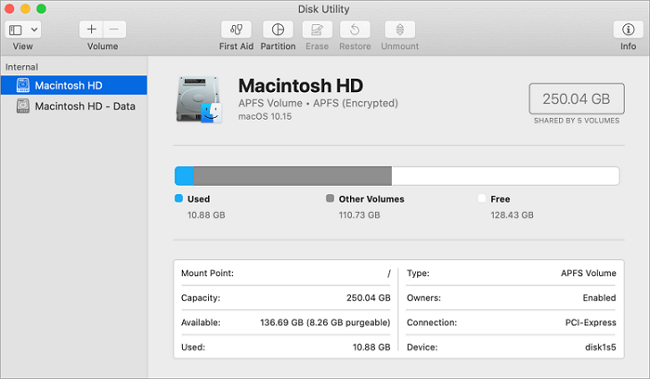
The Definition of Macintosh HD Data
Macintosh HD - Mac's hard drive, known as Macintosh HD - Data, is a separate entity that stores files like documents, videos, photos, and audio, allowing users to directly edit and manage them.
The Difference Between Macintosh HD And Macintosh HD - Data
Macintosh HD and Macintosh HD - Data differ in content, with Macintosh HD primarily storing system files and scripts, and Macintosh HD - Data storing personal data. Additionally, Macintosh HD volumes are read-only, whereas Macintosh HD - Data allows read and write access.
They all show up as one total Macintosh HD volume in the Finder.
Which One to Erase, Macintosh HD or Macintosh HD - Data
We perform different operations on the device, so the desired operation steps will also differ. Below we will explain the corresponding steps for different operation purposes.
Erase Macintosh HD Volume When Reinstalling macOS
When downgrading macOS, it's essential to erase the Macintosh HD and Macintosh HD - Data partitions to ensure a clean installation. This process involves booting from the macOS installer, selecting the "Disk Utility" option, and then erasing the Macintosh HD and Macintosh HD - Data partitions.
Erase Macintosh HD Volume When Reinstalling macOS
The Macintosh hard drive volume on a Mac is a system volume that stores data separately from all other data, preventing accidental overwriting of critical operating system files. As a result, when reinstalling macOS, the startup disk (Macintosh HD volume) must be wiped in macOS Recovery Mode. This ensures a clean installation of the operating system.
Erasing Macintosh HD is done to create a clean environment for a successful macOS reinstallation, avoiding potential errors or failures if not done before installing the system.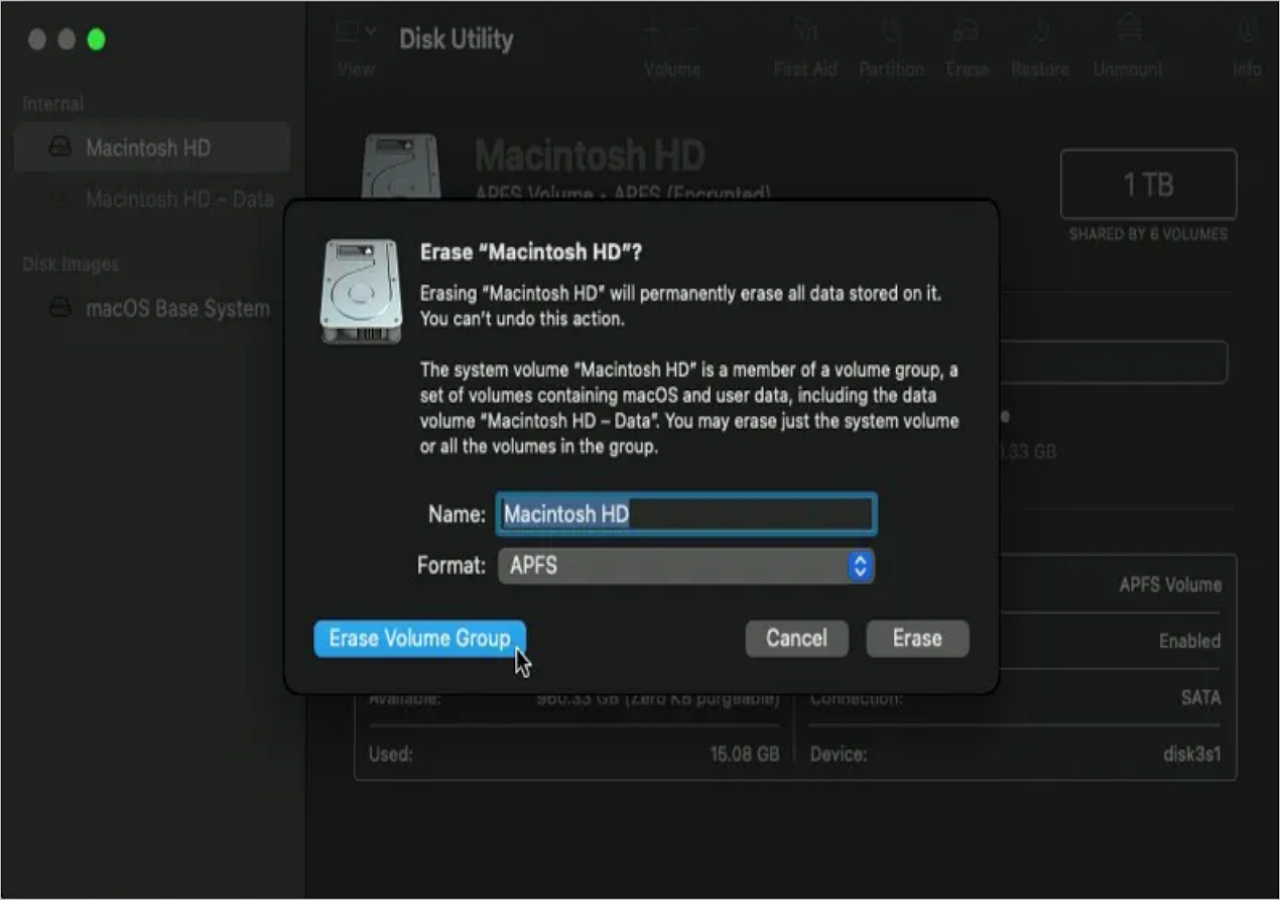
Note: To prevent accidental loss of essential files during system reinstallation, we recommend backing up important data in advance.
Erase Macintosh HD And Macintosh HD - Data When Downgrading macOS
Downgrading macOS and reinstalling macOS are distinct processes. When downgrading, you must wipe both the Macintosh HD volume and the Macintosh HD - Data volume, which is a more comprehensive process compared to a simple reinstall.
When downgrading macOS, it's necessary to wipe both the original Macintosh HD volume and the new Macintosh HD - Data volume that's generated, to avoid data retention and compatibility issues.
Related Articles
- Bitlocker Encryption: The Guard of Your Data [All You Need to Know]
- What Is macOS Base System [Everything You Need to Know]
- What Is Hyper-V Snapshot [Full Explanation]
- SD Card Troubleshooting: How to Rescue A Damaged or Corrupt SD Card
- [FIXED] How to Fix Hogwarts Legacy AutoSave Not Working
If you're experiencing issues with the Hogwarts Legacy autosave not working, you can try resolving the problem and recovering any disappeared game data. To fix the issue, you can refer to the article for guidance. - Hogwarts Legacy Save File Location & Config File Location
Finding 'Save File' may not be simple for some games. Sometimes you can find it in the 'AppData' file; other times, you have to use 'Regedit' to locate it. Hogwarts Legacy is a highly anticipated open-world game. This guide will describe where to find Hogwarts Legacy save file location.
Products
Articles & Tutorials
- Data Recovery
- Data Backup
- File Recovery
- File Backup
- System Backup and Restore
- Disk and Partition Clone
- Technical articles
- Mobile articles
- Disk Master Help
- Windows Data Recovery Tutorials
- Windows Secure Delete Tutorials
- Windows Partition Management Tutorials
- Windows File Backup and Restore Tutorials
- Windows System Backup and Restore Tutorials
- Windows Disk Backup and Restore Tutorials
- Windows Clone Tutorials