NetBIOS: What It is, How It Works and How to Use It
Networking among computers began in 1983 with Sytek Inc.'s creation of NetBIOS, an API for communication over IBM Network LAN technology. This technology was later adopted by other leading companies, including IBM and Microsoft, which implemented it in their MS-DOS operating system in 1985.
NetBIOS is a network protocol that allows applications to communicate with each other on a local area network (LAN). It enables applications to share resources, communicate, and work together seamlessly.
What is NetBIOS (Network Basic Input/Output System)?
NetBIOS is an industry standard for networking over TCP/IP protocol, allowing distributed applications to access each other's network services regardless of the transport protocol used.
The technology gained popularity, particularly with the rise of Microsoft Windows, due to the operating system's widespread adoption over the years. Additionally, it enables data transmission over a network, with Windows-based computers in a workgroup using NetBIOS names converted to IP addresses to communicate.
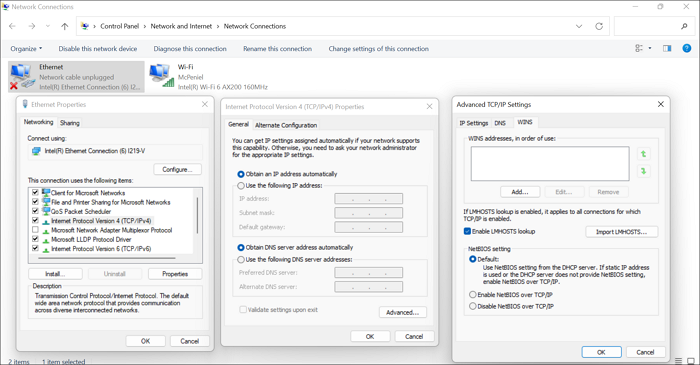
NetBIOS provides network services to support client-server applications on the network, defining key aspects of network communication.
- An IPC mechanism or API allows NetBIOS-enabled applications to request service from lower protocol levels and remotely communicate over a network.
- The OSI reference model's session layer protocol, coupled with the transport layer, enables functionalities such as session termination, establishment, registration, resolution, and renewal.
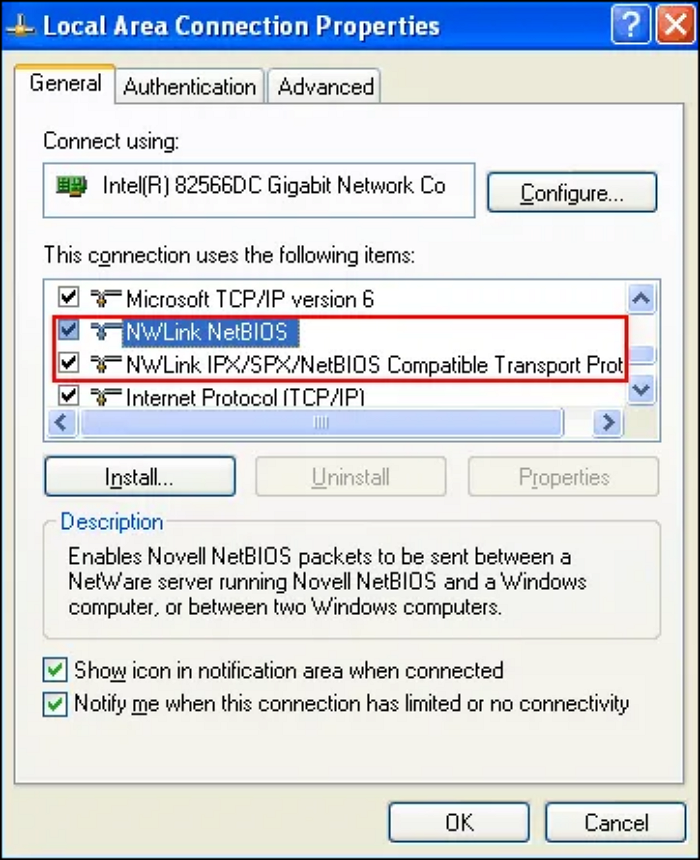
NetBIOS can take on various forms, including NBF, NWLink NetBIOS, and NetBT, depending on the network protocols such as NetBEUI, SPX-Compatible Transport/NWLink IPX, and TCP/IP it is running on.
How Does NetBIOS Works with Applications?
In Windows OS, software applications identify and locate each other using their NetBIOS names, which are different from the computer names. However, applications from other computers can access NetBIOS names over UDP (a simple transport protocol) on Port 137, allowing them to communicate with each other.
Windows Internet Naming Service (WINS) provides NetBIOS name resolution services, but registration of the NetBIOS name is only required for IPv4, not IPv6. The last octet of an IPv4 address serves as the NetBIOS Suffix, indicating the services available on the system.
In a client-server network, two applications are required to initiate a NetBIOS session, with the client sending a 'call' command to the server over TCP port 139. This process is bidirectional, allowing both the client and server to send and receive commands to each other, making it a session mode.
The datagram service in NetBIOS controls sending, receiving, and broadcasting datagrams, and a session terminates when a 'hang-up' command is received. It also supports connectionless communications through UDP, where applications listen to receive NetBIOS datagrams on Port 138.
How to Enable or Disable NetBIOS?
To enable or disable NetBIOS on Windows, go to the Control Panel, click on "System and Security", then click on "System", and finally click on "Advanced system settings" on the left side. From there, click on the "Advanced" tab, then click on "Settings" in the "Network" section, and select the "Properties" window.
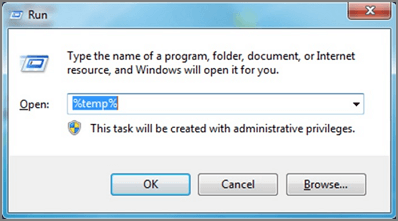
Step 1. To open the Network Connections screen, press the Windows Key + R simultaneously, then type "ncpa.cpl" and click OK. This will bring up the Network Connections screen.
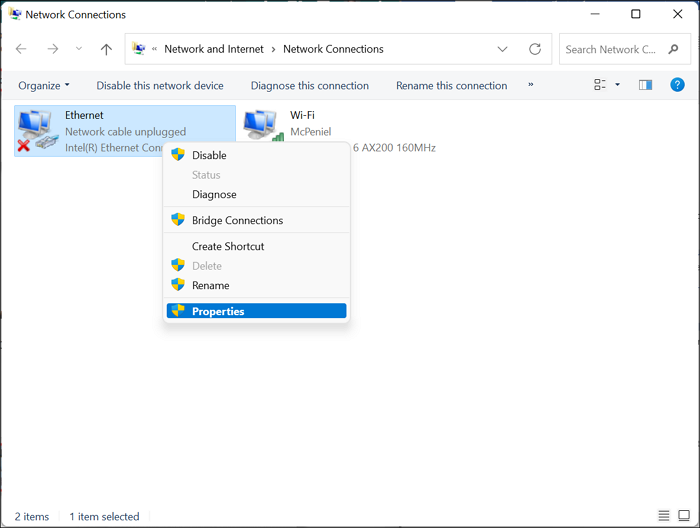
Step 2. Right-click on the Ethernet and select "Properties" to access the Network Properties.
Step 3. To access the next page, double-click "Internet Protocol Version 4 (TCP/IPv4)" on the new screen that pops up.
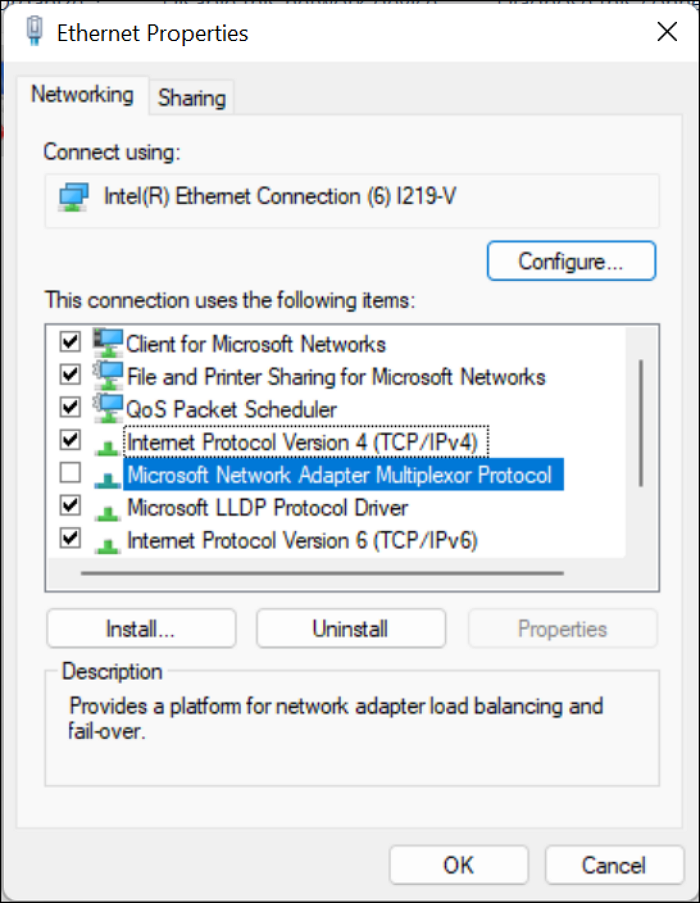
Step 4. Then, click on "Advanced" to adjust the settings.
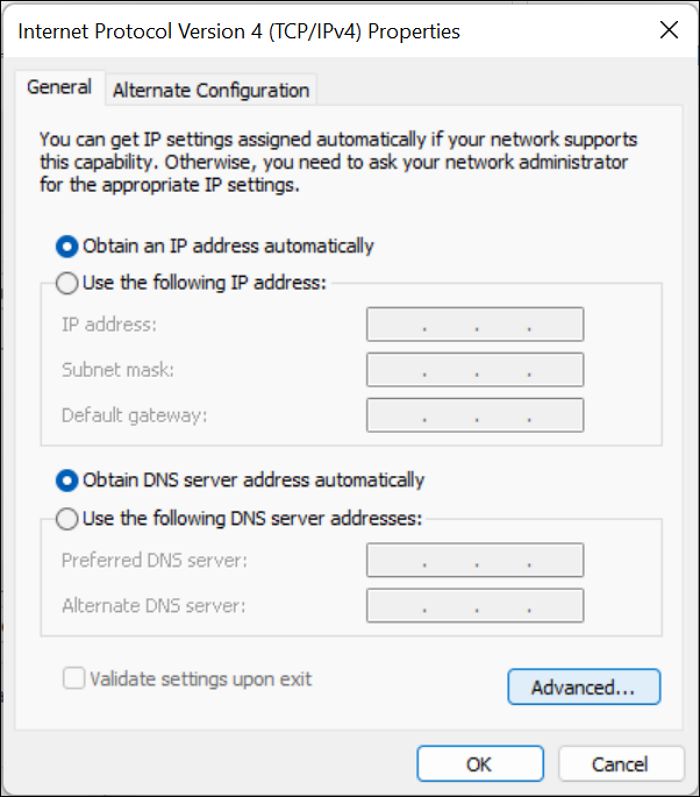
Step 5. Now, click on the "WINS" tab of the "Advanced TCP/IP Settings" screen.
Step 6. To enable NetBIOS over TCP/IP, click the radio button beside the "Enable NetBIOS over TCP/IP" option.
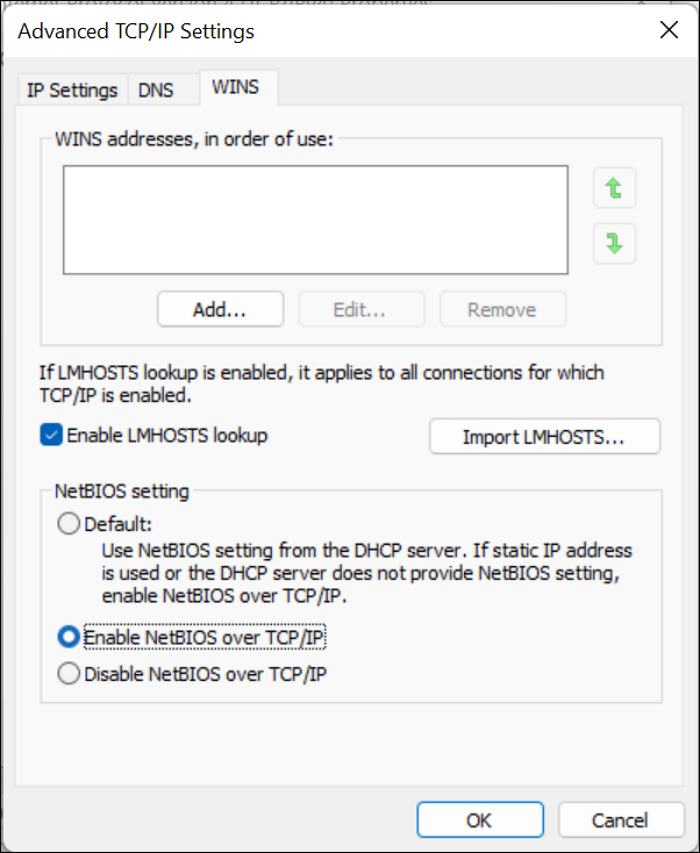
Step 7. To save the changes, click OK, which may require a system restart.
To disable NetBIOS over TCP/IP, start from the beginning, but this time, select the radio button next to "Disable NetBIOS over TCP/IP" and click OK to apply the changes.
Final Words
Disabling NetBIOS can help prevent attackers from obtaining user hashed credentials, poisoning responses, and inspecting web traffic. However, it's not necessary to disable it if applications or the Windows OS require it. To enable or disable NetBIOS, you can follow the steps outlined in the article.
Related Articles
- Windows 11 Is Affecting Performance on AMD CPUs, Fixes Are Coming Soon
- What Is Winver and How to Run Winver to Check Your Windows Version?
- What Is 4K Ultra HD [All You Need to Know]
- What Is Ping in Gaming? Everything You Need to Know
- Fixed: The Office Open XML Cannot Be Opened [Full Guide]
What do you know about the Office Open XML file? This article features an overview of the file format and provides a guide on what to do if the Office Open XML cannot be opened. With the provided details, you can resolve the particular issue. - OneDrive Files Corrupted | How to Restore Them in 2024
Learn how to fix and recover corrupted OneDrive files, check sync issues, restore previous versions, and protect cloud files.
Products
Articles & Tutorials
- Data Recovery
- Data Backup
- File Recovery
- File Backup
- System Backup and Restore
- Disk and Partition Clone
- Technical articles
- Mobile articles
- Disk Master Help
- Windows Data Recovery Tutorials
- Windows Secure Delete Tutorials
- Windows Partition Management Tutorials
- Windows File Backup and Restore Tutorials
- Windows System Backup and Restore Tutorials
- Windows Disk Backup and Restore Tutorials
- Windows Clone Tutorials