2020 Top 5 Free Online PDF Service
PDF, or Portable Document Format, is a file format that allows users to present their works, marketing plans, and other documents with text formatting and images, compatible with both Windows and Mac computers.
Since PDF was standardized as ISO 32000 in 2008, it no longer requires royalties for implementation, making it widely used for various purposes such as tax forms, contacts, worksheets, and tutorial guides globally.
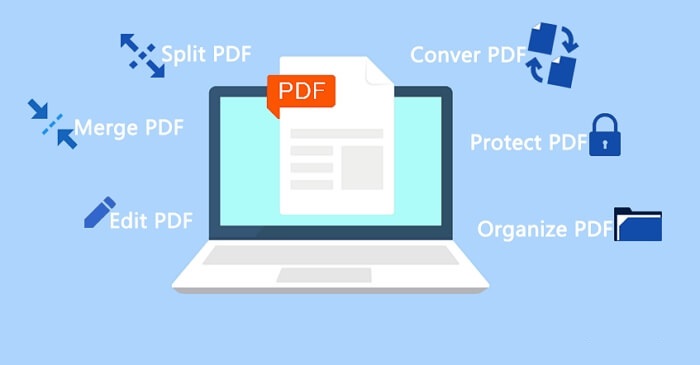
Why Do You Need PDF Service
PDF is widely used due to its high security, privacy protection, and availability features, making it a popular choice among users.
However, unlike Word, Excel, or PowerPoint, PDFs can be complex for some beginners, presenting several cons when using or editing them.
- It's not free to edit PDF files.
- Editing a PDF can be more complicated than editing other file formats due to its fixed nature, which makes it harder to modify the content within the file.
- PDF files are often considered images, making it difficult to edit the text within them.
The above-Many people are deterred from using PDFs due to their limitations, such as being difficult to edit and convert, and being incompatible with certain devices. However, these cons are also the reasons why many people seek out free online PDF services. If you're looking for a reliable solution, continue reading to find out how you can get the help you need.
Top 5 Free PDF Services in 2020
You can edit, convert, crop, and compress PDF files for free on both Windows and Mac computers using the top 5 free online PDF tools collected below. These tools allow you to easily manipulate your PDF files without any additional software or costs.
- #1. PDF Candy - Your Best Free Online PDF Service
- #2. PDF Online by Adobe Acrobat
- #3. Soda PDF Online
- #4. PDF Converter
- #5. I LOVE PDF
Pick up one and let it help you to manage your PDF files for free now.
#1. PDF Candy - Your Best Free Online PDF Service
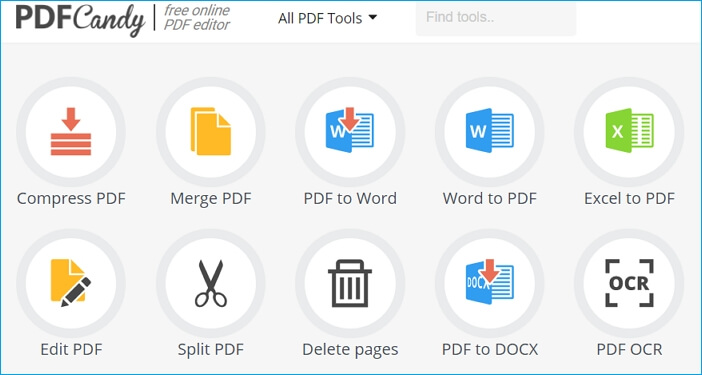
PDF Candy, produced by pdfcandy.com, is the top-recommended free online PDF service, offering portable, flexible, and countable editing services to both Windows and Mac users in 2020.
- OS:Windows, Mac, iOS, Android.
- Licensing: Free online.
| Pros | Cons |
|---|---|
|
|
As long as you have a web browser, you can apply it's multiple features as listed below to edit, crop, convert, compress, and even encrypt the PDF file for free online:
- Support Editing PDF: Merge, Edit, Split, Compress PDF, Edit PDF/Metadata.
- Support Managing PDF: unlock/protect PDF, rotate/crop/rotate PDF, rearrange or resize pages, etc. and also support edit PDF, add text, add image, add watermark, etc.
- This tool can convert various file formats to PDF, including Microsoft Office documents such as Word, Excel, and PowerPoint, as well as HTML files. It also supports converting image files like JPG, PNG, and TIFF to PDF.
- The service supports converting PDF files to various other file formats, including Word, Excel, PowerPoint, and image formats like JPG, PNG, and TIFF, among others.
PDF Candy offers a free online service for editing and managing PDF files, and also provides a desktop version for Windows users to create, edit, and manage PDF files on their own computer.
#2. PDF Online by Adobe Acrobat
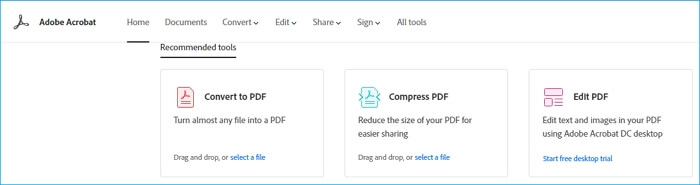
PDF Online is a free online service that works similarly to Adobe Acrobat, allowing users to convert, compress, edit, and export PDF files directly on their web browser, compatible with both Windows and Mac computers.
- OS: Windows, Mac, iOS, Android.
- Licensing:Free, Sign in with an account is required.
| Pros | Cons |
|---|---|
|
|
PDF Online is the online version of Adobe Acrobat, allowing users to convert, edit, and share PDF files with others.
- Support Converting PDF: PDF to Word/PPT/Excels, PDF to JPG.
- Support converting files to PDF, including Word, Excel, and PPT documents, as well as images like JPG, to a single, easily shareable format.
- Support Editing PDF: Add Comments/Text, Combine/Rotate/Delete/Crop Pages.
While PDF Online is a capable online PDF editor, it supports fewer services than PDF Candy, making the latter a better option for tasks such as converting PDFs into images or other file formats.
#3. Soda PDF Online
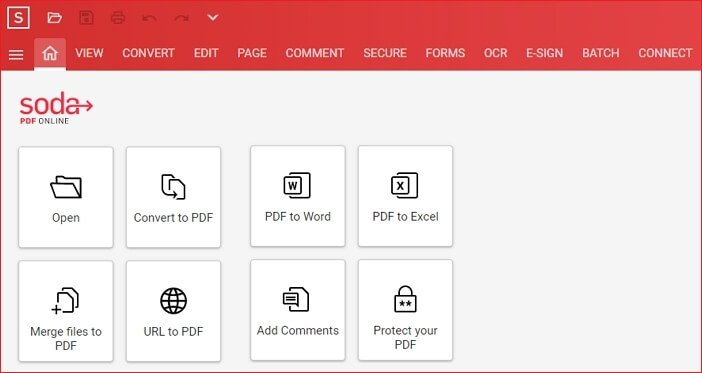
Soda PDF Online is a powerful online tool that allows users to manage and edit PDF files with various features such as CONVERT, EDIT, PAGE, COMMENT, SECURE, FORMS, and more, all accessible online.
- OS: Windows, Mac
- Licensing: Free, Sign in with an account is required.
| Pros | Cons |
|---|---|
|
|
Soda PDF, a free online PDF service, offers a range of tools to meet most of your PDF editing and cropping needs, all accessible from within a browser.
- The video shows a PDF viewer that allows users to check the content of a PDF file in various viewing modes, including Single, Fullscreen, and Side by Side.
- Convert PDF: Create, Export, Merge, Split, Compress PDF.
- EDIT PDF: Type Text, Insert Image, Add Link.
- Comment PDF: Highlight, Underline, Hide Comments, Sticker Notes, etc.
Online PDF editors like PDF Candy and PDF Online by Adobe Acrobat, and Soda PDF Online, do not explicitly list their supported file formats below the feature navigation bar. Users are instead required to manually check and experiment to see if the editor supports editing or converting PDFs to the desired file formats.
#4. PDF Converter
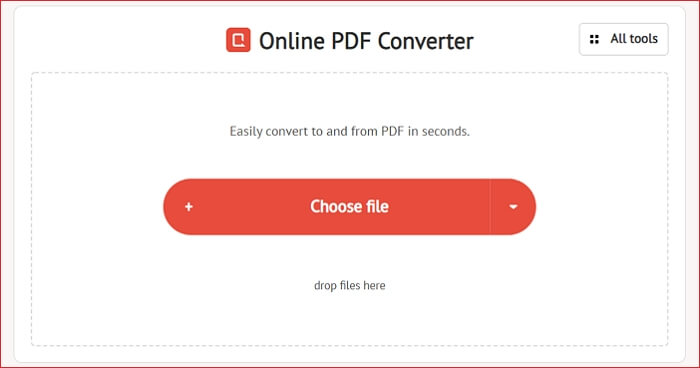
PDF Converter is an online service that converts PDF files to other formats or vice versa, and also offers tools for merging, splitting, securing, and editing PDFs.
- OS: Windows, Mac
- Licensing: Free, Sign in with an account is required.
| Pros | Cons |
|---|---|
|
|
The PDF converter can convert PDFs to various file types, but it's not a full-fledged PDF editing tool. It has some basic features that may be useful.
- Support Converting PDF: PDF to Word/Excel/PowerPoint, PDF to JPG/PNG.
- Convert various file types to PDF format for easy sharing and printing. This includes converting Word, Excel, and PowerPoint documents, as well as files from JPT, OpenOffice, eBooks, and iWorks, into a single, universally accepted PDF file.
- The PDF Manager tool allows you to efficiently manage PDF files through various operations. You can merge or split PDF files, add security to protect them, compress or rotate PDFs, and even delete specific pages from a PDF document.
If you're looking for an online free PDF editor, you can consider using PDF Candy or Online PDC by Adobe Acrobat, which are both recommended options.
#5. I LOVE PDF
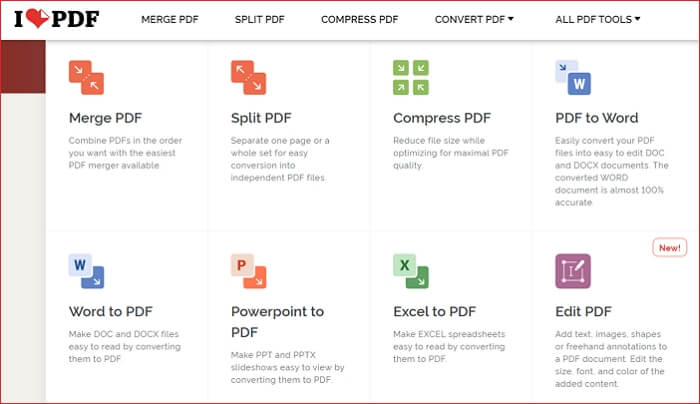
I LOVE PDF is a versatile tool that offers a range of features for users to manage their PDF files, including merging, splitting, compressing, converting, rotating, unlocking, and watermarking. The website's user-friendly navigation bar makes it easy to locate the desired feature, catering to users of all levels.
- OS: Windows, Mac
- Licensing: Free, Sign in with a registered account is required.
| Pros | Cons |
|---|---|
|
|
I Love PDF is a great option when you need a free online PDF service, as it can satisfy most of your needs for editing, converting, and managing PDF files.
- Optimize PDF: Compress PDF, Repair PDF.
- Organize PDF: Merge/Split PDF, Remove/Extract pages.
- Convert various file formats to PDF, including images, word documents, presentations, spreadsheets, and web pages.
- Convert from PDF: PDF to JPG, PDF to Word/Excel/PowerPoint.
Besides the features mentioned, this tool can also be used to edit, rotate, and lock a PDF file, giving users more control over their documents.
The Bottom Line
The best free online PDF service is PDF Candy, which offers a wide range of tools to manage and edit PDFs, making it a great option for those who need to perform various tasks on a regular PDF file.
If you need to directly share your edited PDF file online, Online PDF provided by Adobe Acrobat is the best option.
If your current PDF doesn't work right or can't be opened, you may try the last PDF service tool - I LOVE PDF. Its PDF Repair feature may be able to help.
Related Articles
- One PC Plays as Two: How to Dual Boot Windows 11 with Windows 10 Together
- Windows 11 Is Affecting Performance on AMD CPUs, Fixes Are Coming Soon
- Reset This PC Not Working on Windows 11 (4 Fixes)
- Website Builder Software | Web Design Software
- How to Find Saved Passwords on Chrome [Windows & Mac]
If you're setting up a new PC or Mac and want to use an account password that's saved on your old Chrome browser, you can view and export the saved password from your old Chrome browser, which is especially helpful if you didn't sync your passwords across devices. - Where Can I Find My Windows Product Key Remotely?
The question 'Where Can I Find My Windows Product Key Remotely?' is a common one, and the answer lies in some easy and quick solutions.
Products
Articles & Tutorials
- Data Recovery
- Data Backup
- File Recovery
- File Backup
- System Backup and Restore
- Disk and Partition Clone
- Technical articles
- Mobile articles
- Disk Master Help
- Windows Data Recovery Tutorials
- Windows Secure Delete Tutorials
- Windows Partition Management Tutorials
- Windows File Backup and Restore Tutorials
- Windows System Backup and Restore Tutorials
- Windows Disk Backup and Restore Tutorials
- Windows Clone Tutorials