Update Now! Windows 11 Encryption Bug Can Lead to Data Loss
Microsoft has confirmed a bug in Windows 11 that may cause users to lose data due to AES encryption acceleration issues. This bug was caused by the SymCrypt code base, which was introduced in Windows 10 and Windows Server 2019, but no similar problems were seen previously, leaving users unsure of its compatibility and stability.
The latest feature affects newer PCs and servers, specifically those with Intel Ice Lake, Tiger Lake, Rocket Lake, and Alder Lake architecture CPUs, which support the VAES vector advanced encryption instruction, as well as AMD's upcoming Zen 4 processor.
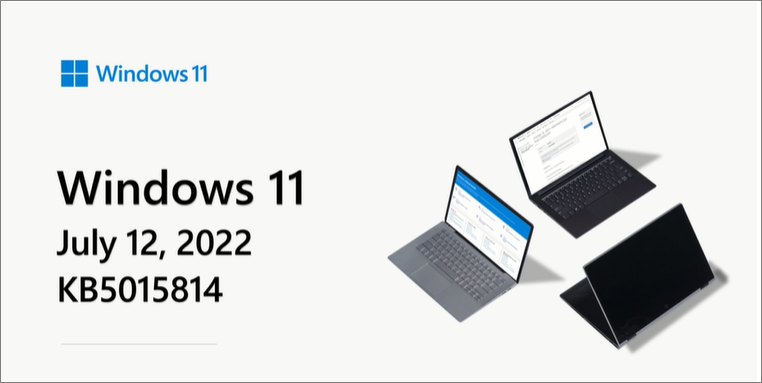
Microsoft has fixed a bug affecting Intel users, initially providing a fix in the June update package Windows 11 build 22000.778, but it caused a performance dip. The July update package Windows 11 build 22000.795 restored performance by modifying the Windows Core Encryption Library's code path, and users are advised to update with the July 2022 security patch, backing up their data in advance to avoid loss.
Windows 11 Upgrade - Download and Install Windows 11 Latest Build
To stay up-to-date with the latest Windows 11 updates, check for updates manually or enable automatic updates. You can also view your Windows 11 upgrade record in the Windows Update settings under "Update history."

Related Articles
- Website Builder Software | Web Design Software
- How to Fix High Memory Usage in Windows 11
- Introduction to Gigabyte and Terabyte: How Many Gigabytes Are There in a Terabyte
- Internet Explorer History, Statistics & Facts
- How to Export bookmarks from Firefox to Chrome (2023 Tutorial)
If you're planning to switch from Firefox to Chrome, you can easily transfer your bookmarks to the new browser using one of three simple methods. This way, you won't lose any of your favorite saved links and can continue to access them seamlessly in Chrome. - How to Export Chrome Bookmarks to Safari - 2024 Updated
If you're looking to export Chrome bookmarks to Safari, you're in the right place. This guide provides a step-by-step process on how to transfer your Chrome bookmarks to Safari on your Mac, iPhone, or iPad, making it easy to switch or sync your bookmarks across different devices.
Products
Articles & Tutorials
- Data Recovery
- Data Backup
- File Recovery
- File Backup
- System Backup and Restore
- Disk and Partition Clone
- Technical articles
- Mobile articles
- Disk Master Help
- Windows Data Recovery Tutorials
- Windows Secure Delete Tutorials
- Windows Partition Management Tutorials
- Windows File Backup and Restore Tutorials
- Windows System Backup and Restore Tutorials
- Windows Disk Backup and Restore Tutorials
- Windows Clone Tutorials