Gateway System Recovery Disk: Create and Use It Safely
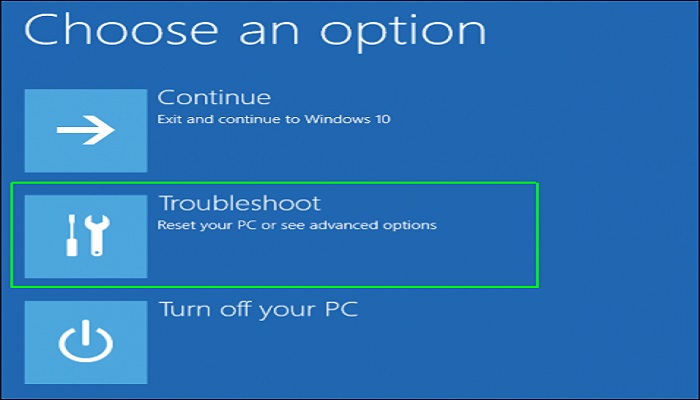
A Gateway system recovery disk can help boot repair tools or restore factory recovery options. It is useful when Windows cannot start, but it may not keep your personal files unless you back them up first.
Recovery Disk vs Backup
A recovery disk starts repair tools. A backup stores your files or system image. Before factory recovery or reset, copy important files to another drive.
Before You Start
- Confirm the Gateway model and Windows version so you choose the right recovery media.
- Prepare a USB drive or DVD that can be erased.
- Connect the laptop to power and remove unnecessary external devices.
- If the computer still starts, save personal files before running factory recovery.
Create a Backup Before Gateway Recovery
Step 1. Install and open Qiling Backup on the Gateway computer. Choose File Backup if you mainly need documents, photos, and desktop files. Choose System Backup if you want a rollback image of Windows.
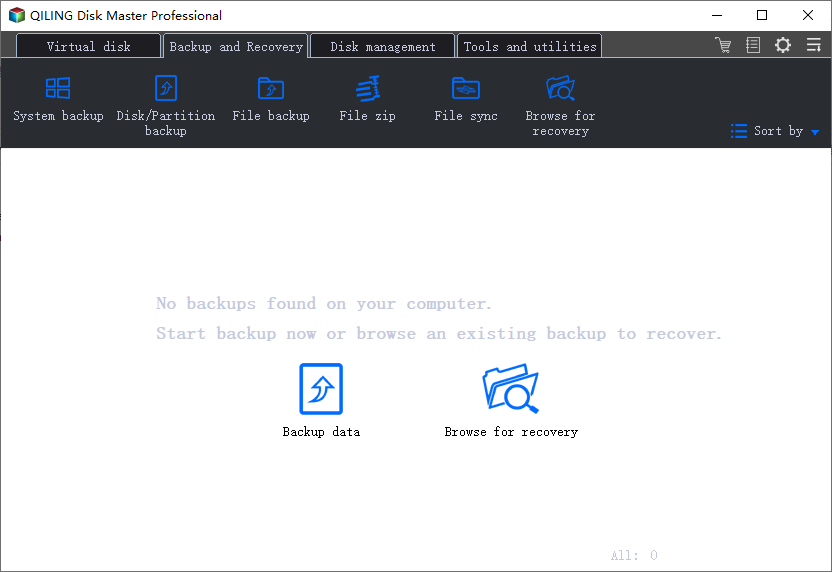
Step 2. Select the files, folders, or system partitions that need protection.
Step 3. Choose an external hard drive, network location, or another safe disk as the destination.
Step 4. Click Proceed and wait until the backup finishes. Open the destination once to confirm the image file was created.
Use the Gateway Recovery Disk
- Insert the recovery USB or DVD and restart the Gateway computer.
- Press the boot-menu key shown on the startup screen, often F12. If the menu does not appear, enter BIOS/UEFI setup and place the USB or DVD before the internal drive.
- Select the recovery media. If it is not listed, check whether USB boot is enabled and whether the boot mode is UEFI or Legacy.
- Choose Startup Repair first when you only need to fix boot problems.
- Use reset or factory recovery only after backups are safe, because these options may remove installed apps and personal files.
- After recovery, reconnect the backup drive and restore your files with Qiling Backup if needed.
Conclusion
A Gateway recovery disk helps repair startup or factory restore the system. Back up files first so recovery does not remove data you still need.
Related Articles
Products
Articles & Tutorials
- Data Recovery
- Data Backup
- File Recovery
- File Backup
- System Backup and Restore
- Disk and Partition Clone
- Technical articles
- Mobile articles
- Disk Master Help
- Windows Data Recovery Tutorials
- Windows Secure Delete Tutorials
- Windows Partition Management Tutorials
- Windows File Backup and Restore Tutorials
- Windows System Backup and Restore Tutorials
- Windows Disk Backup and Restore Tutorials
- Windows Clone Tutorials