Lenovo Recovery Disk Creator: Backup Before Recovery
A Lenovo recovery disk or recovery USB can help repair Windows or restore a Lenovo PC. It is different from a backup image, so personal files should be protected before reset or factory recovery.
Windows and Lenovo Recovery Options
You can use Windows Recovery Drive, Lenovo recovery media, or Windows installation media. If the PC cannot boot from USB, check BIOS/UEFI boot order, Secure Boot, and USB boot support.
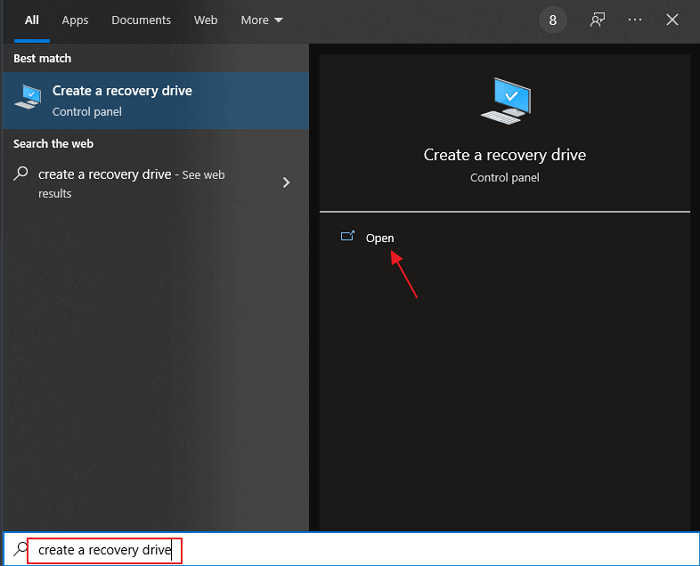
Choose the Right Recovery Media
| Option | Best For | Limit |
|---|---|---|
| Windows Recovery Drive | Startup repair, restore tools, and reset options | Does not include personal files or installed apps |
| Lenovo recovery media | Factory recovery on supported Lenovo models | May erase data during factory reset |
| Windows installation USB | Clean install or advanced repair | Needs drivers and product activation checks |
Back Up Lenovo Files and System
Step 1. Open Qiling Backup and choose File Backup for personal data or System Backup for Windows recovery.
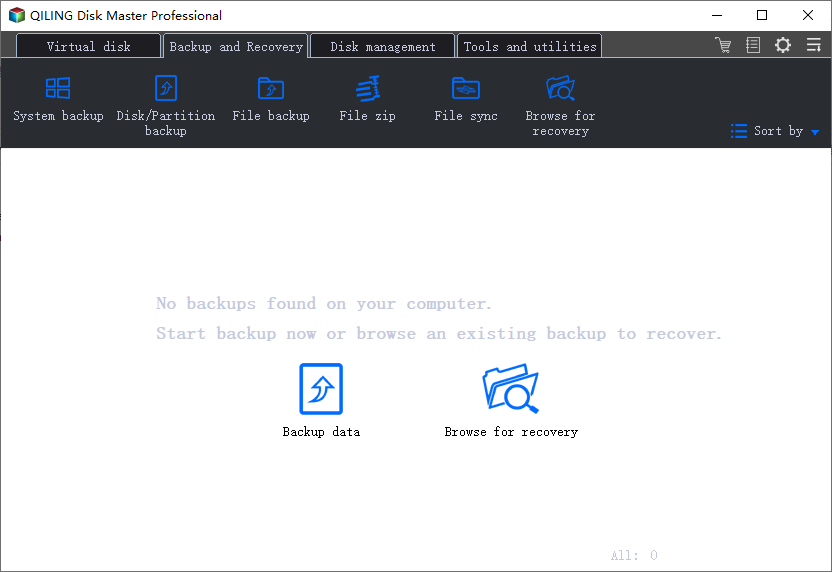
Step 2. Select files or system partitions and save the backup to an external drive.
Step 3. Click Proceed before creating or using recovery media.
Create and Boot a Lenovo Recovery USB
- In Windows, search for Recovery Drive and open the tool as administrator.
- Select Back up system files to the recovery drive if you want more reset options and have enough USB space.
- Choose the USB drive and let Windows create the recovery media.
- Restart the Lenovo PC and press F12 or use the Novo button to open the boot menu.
- Select the USB drive. If it does not boot, check BIOS/UEFI settings, Secure Boot, and USB boot support.
- Use repair options first. Choose reset or factory recovery only after your backup is confirmed.
Conclusion
Lenovo recovery media is for repair and reset, while Qiling Backup protects files and Windows state. Use both for a safer recovery plan.
Related Articles
Products
Articles & Tutorials
- Data Recovery
- Data Backup
- File Recovery
- File Backup
- System Backup and Restore
- Disk and Partition Clone
- Technical articles
- Mobile articles
- Disk Master Help
- Windows Data Recovery Tutorials
- Windows Secure Delete Tutorials
- Windows Partition Management Tutorials
- Windows File Backup and Restore Tutorials
- Windows System Backup and Restore Tutorials
- Windows Disk Backup and Restore Tutorials
- Windows Clone Tutorials