System Restore from Command Prompt in Windows 11
If Windows 11 cannot open normally, Command Prompt from Windows Recovery Environment can launch System Restore. This works only when restore points exist and the system drive is accessible.
Run the Restore Command
- Start Windows Recovery Environment from Settings > System > Recovery, or boot from a Windows 11 installation USB if the PC cannot start.
- Open Troubleshoot > Advanced options > Command Prompt.
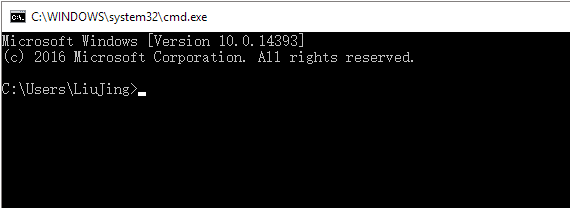
- Type rstrui.exe and press Enter.
- Select a restore point created before the problem appeared.
- Confirm the affected drives and start the restore. Do not interrupt the computer while Windows rolls back system files and settings.
If rstrui.exe Does Not Open
In WinRE, drive letters may be different from normal Windows. If the command is not found, try opening the Windows drive first or run repair commands such as sfc /scannow only when you know which drive contains Windows. Avoid using disk-cleaning commands before files are backed up.
When System Restore Is Useful
- Windows fails after a driver, update, or system setting change.
- The computer can reach WinRE, but normal startup fails.
- Your personal files should stay in place, but apps or drivers installed after the restore point may be removed.
- The disk is healthy enough for Windows to read restore point data.
When It Is Not Enough
System Restore does not recover every lost file, fix severe disk failure, or rebuild a missing Windows installation. If the drive has bad sectors, keeps disappearing, or asks to be formatted, recover or back up data before running more repairs.
Create a System Image for Stronger Rollback
Step 1. Open Qiling Backup when Windows is working and choose System Backup.
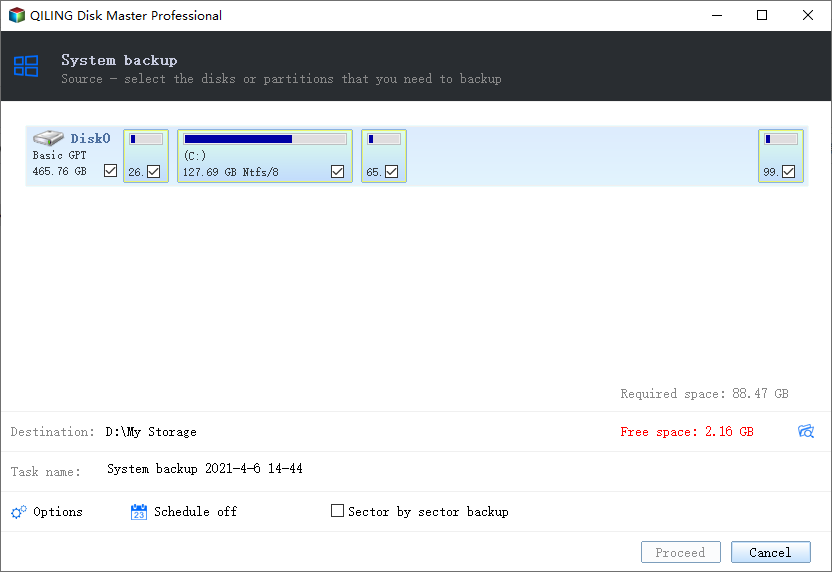
Step 2. Select a safe destination, preferably an external drive or network location.
Step 3. Click Proceed. Keep the bootable rescue media with the image so you can restore Windows even when restore points are missing.
Conclusion
Command Prompt can launch Windows 11 System Restore, but restore points have limits. Keep a system image backup for major failures and disk problems.
Related Articles
Products
Articles & Tutorials
- Data Recovery
- Data Backup
- File Recovery
- File Backup
- System Backup and Restore
- Disk and Partition Clone
- Technical articles
- Mobile articles
- Disk Master Help
- Windows Data Recovery Tutorials
- Windows Secure Delete Tutorials
- Windows Partition Management Tutorials
- Windows File Backup and Restore Tutorials
- Windows System Backup and Restore Tutorials
- Windows Disk Backup and Restore Tutorials
- Windows Clone Tutorials