What Is Disk Cloning and Why Is It Necessary
Cloning a disk in modern society refers to the process of creating an exact copy of a hard drive or solid-state drive, allowing users to duplicate their operating system, programs, and data. This technique has become essential for various reasons, including backing up important files, transferring data to new devices, and even creating a duplicate system for testing purposes. In contrast to the popular media depiction of cloning living organisms, disk cloning is a common and useful practice in the tech world.
What Is Disk Cloning? Learn Definition
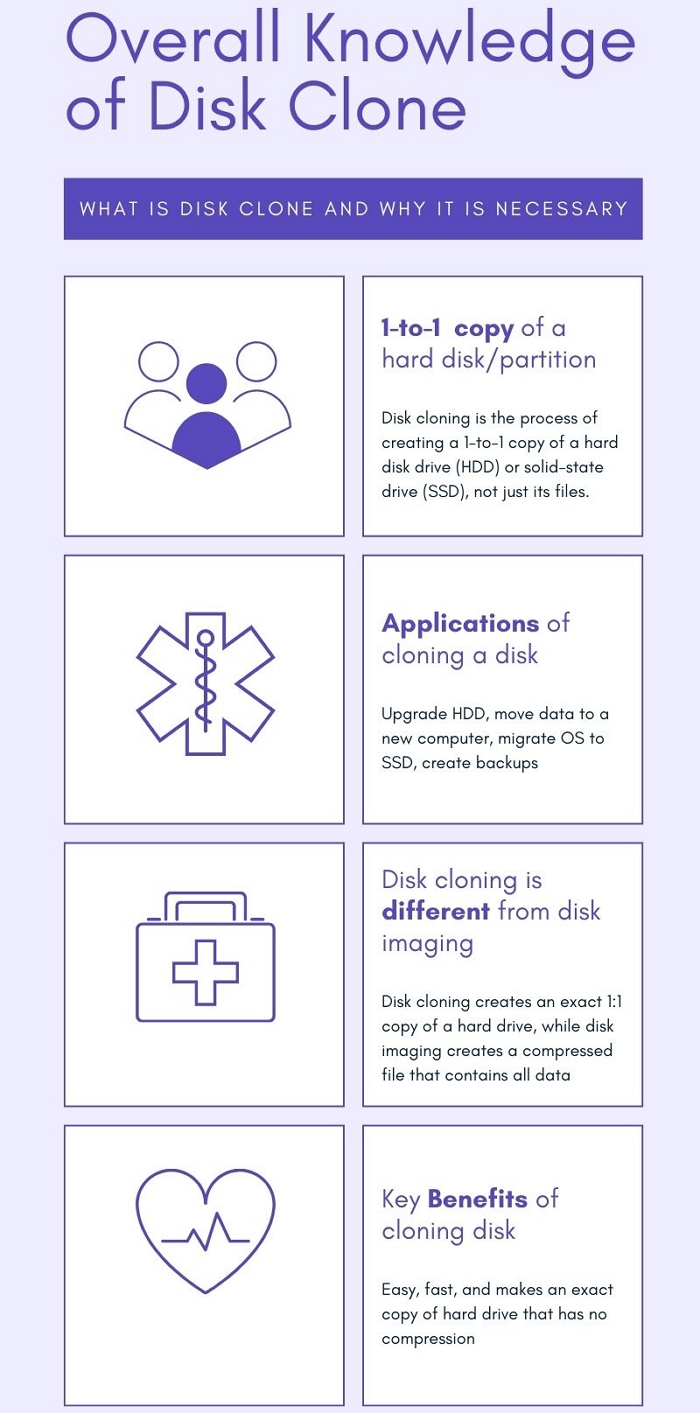
Disk cloning is the process of creating a 1-to-1 copy of a hard disk drive or solid-state drive, used for upgrading or replacing an aging disk, or for disaster recovery and forensics, and is similar to disk imaging, but creates a copy inside a file.
Disk cloning can be achieved with specialized software, backup software, or disk imaging software that has cloning capabilities, as well as with specialized hardware designed specifically for this purpose.
Definition Source: https://en.wikipedia.org/wiki/Disk_cloning
Why Is It Necessary to Clone Disk? Get Reasons
Cloning a disk is often necessary due to various reasons. Some of the most common scenarios include when you need to upgrade your computer, recover from a system failure, or transfer your operating system and data to a new device. Additionally, cloning can be useful when you want to create a backup image of your current setup, or when you're moving to a new location and want to take your digital life with you.
Upgrading to a larger hard drive can be done by cloning the current one to the new, larger one, allowing users to maintain their existing data without any loss.
When switching to a new computer, you can clone your old hard drive to the new one, automatically transferring all your data and settings.
Disk cloning is a method of creating an exact copy of your hard drive, which can be used as a backup in case of data loss.
If you want to move your operating system to a new hard drive, you can clone it, which will automatically transfer everything over.
Replicating a failing hard drive is sometimes necessary for forensic data recovery, where the goal is to duplicate a failing or damaged hard drive to a working one in order to rescue data from it.
Disk Cloning vs. Disk Imaging: Know the Difference
Disk cloning involves creating an exact replica of the original hard drive, including the operating system, programs, and data. This means that the cloned drive will have the same partition layout, file system, and everything else as the original drive. On the other hand, disk imaging creates a snapshot of the hard drive at a specific point in time, capturing only the data and not the operating system or other system files.
Disk cloning creates an exact copy of a hard drive, including all data, partitions, and settings, making it useful for upgrading to a larger hard drive or transferring data to a new computer.
Disk imaging creates a compressed file containing all hard drive data, which can be restored to another drive, creating an exact copy, and is often used for backups as it takes up less space than disk cloning.
Choosing between disk cloning and disk imaging depends on the user's needs. For most users, disk cloning is likely the better option, offering a convenient and efficient way to duplicate a disk. However, users who require a higher level of accuracy or speed may find disk imaging necessary, making it a better choice for those specific needs.
Key Benefits of Cloning Hard Drive? Get Advantages
Upgrading a hard drive or replacing a computer can be done without losing data or reinstalling the operating system by using the disk cloning method, which offers several benefits, including.
Cloning is a simpler process than imaging, requiring only a cloning device and a destination disk, making it easier to use.
Cloning a hard drive creates an exact copy of it, allowing for easy upgrades or data transfers to a new computer.
Cloning is often faster than imaging because it directly copies data from one disk to the other, skipping the time-consuming process of creating a virtual image.
Unlike imaging, cloning does not compress the data, resulting in no loss of quality.
How to Clone a Hard Drive? Get Disk Cloning Software
Many people who have learned about the benefits and purposes of cloning their data, partitions, drives, OS, programs, and configurations on a hard disk are left wondering: is it difficult for beginners to do so?
There are many disk cloning software solutions available, making it easy to choose a working one. Some of the most popular options include various software solutions. They can help you clone your disk with ease.
Qiling Backup offers a user-friendly interface and a variety of backup and cloning features, making it suitable for both novice and experienced users.
Qiling Disk Master is a popular software in the US, designed for both home and business users, offering features for easy disk cloning, but at a relatively high price for individuals.
Qiling Backup vs Acronis True Image
When searching for data backup software, Qiling Backup and Acronis True Image (now called Acronis Cyber Protect Home Office) are two frequently mentioned names. For an ordinary user who can't buy and try both software, the question is which one to choose.
Norton Ghost is a software that can be used for backup and disaster recovery, but it's also a disk cloning tool. However, it was discontinued in 2013, which may be a drawback for some users.
If you're interested in Norton Ghost alternative for Windows 10, click the linked article.
Disk cloning is a great way to create an exact copy of a hard drive, making it easy to upgrade to a larger drive, move data to a new computer, or create backups. This process is often faster and more accurate than disk imaging, making it the preferred choice for most users. When selecting disk cloning software, users should consider their specific needs, with options like Qiling disk cloning software suitable for most users.
A practical question during migration is whether you can keep using the computer while its drive is being cloned.
Related Articles
- How to Back Up Computer Windows 7 Before Upgrading to Windows 10 (2 Ways)
- 2022 Windows XP Backup Software & Backup Utility Free Download
- Best Alternative to Carbon Copy Cloner for Windows
- Dell OS Recovery Tool Windows 11/10: Windows Backup and Recovery Option
- How Do I Create an ISO Image of my Hard Drive?
Learn how to create an image of a hard drive and when to use Qiling Disk Master instead of an ISO file. - How Do I Factory Reset A Windows 7 Lenovo Laptop?
See when to reset a Windows 7 Lenovo laptop and how to prepare before restoring factory settings.
Products
Articles & Tutorials
- Data Recovery
- Data Backup
- File Recovery
- File Backup
- System Backup and Restore
- Disk and Partition Clone
- Technical articles
- Mobile articles
- Disk Master Help
- Windows Data Recovery Tutorials
- Windows Secure Delete Tutorials
- Windows Partition Management Tutorials
- Windows File Backup and Restore Tutorials
- Windows System Backup and Restore Tutorials
- Windows Disk Backup and Restore Tutorials
- Windows Clone Tutorials