What Is Stored in a Windows Recovery Drive?
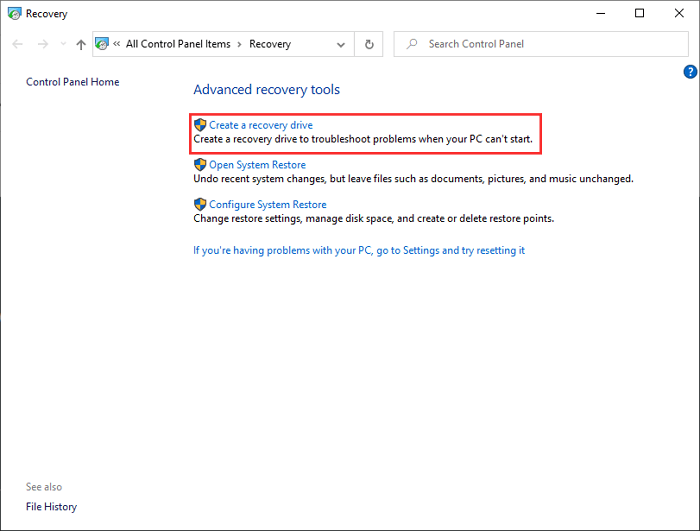
A Windows recovery drive stores boot files and recovery tools that help troubleshoot startup problems. If you include system files, it can also support more reset or recovery options.
What It Usually Contains
- Windows Recovery Environment files.
- Startup Repair, Command Prompt, uninstall update, and restore tools.
- Optional system files if selected during creation.
What It Does Not Store
It normally does not store your documents, photos, installed apps, license data, or a complete disk image. For those, create a file or system backup.
How to Check the Drive Safely
- Insert the recovery USB into Windows and open File Explorer.
- Look at the drive label and size, but do not delete or rename system folders.
- Keep a note of the Windows version and the computer it was created for.
- After a major Windows upgrade, create a new recovery drive so the tools match the current system.
When to Use It
Use a recovery drive when Windows cannot start, Startup Repair is needed, or you need access to Command Prompt from outside the installed system. It is also useful before troubleshooting boot records, uninstalling a bad update, or resetting Windows on the same PC.
Do not use it as your only protection plan. If the internal disk fails completely, a recovery drive can start repair tools, but it cannot restore your personal working environment without a separate backup image.
Recovery Drive vs Backup Image
| Item | Recovery Drive | Backup Image |
|---|---|---|
| Boot repair tools | Yes | Usually with rescue media |
| Personal files | No | Yes, if selected |
| Installed apps and settings | No | Yes, in a system image |
| Best use | Repair or reset Windows | Restore your real working system |
Create a Separate Backup
Step 1. Open Qiling Backup and choose the backup type you need.
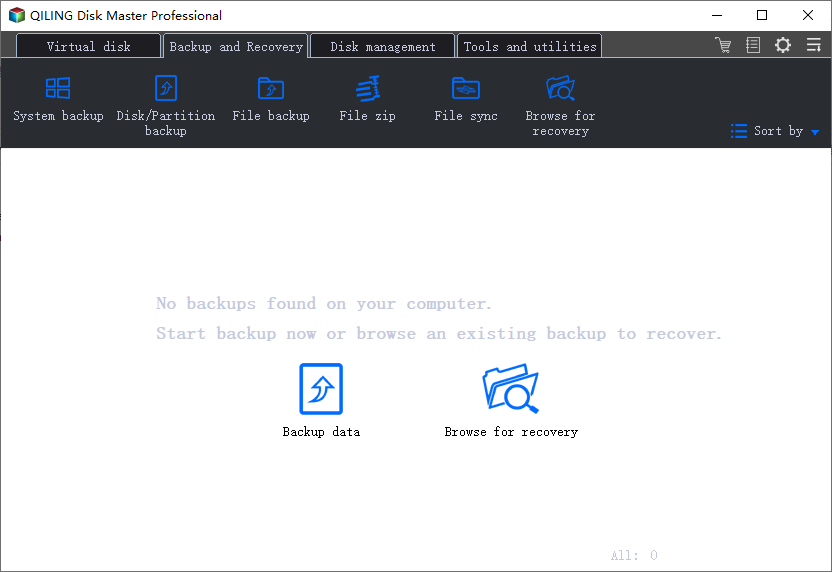
Step 2. Choose a destination and click Proceed.
Conclusion
A recovery drive is a repair tool, not a complete backup. Keep it together with a real backup image for safer Windows recovery.
Related Articles
Products
Articles & Tutorials
- Data Recovery
- Data Backup
- File Recovery
- File Backup
- System Backup and Restore
- Disk and Partition Clone
- Technical articles
- Mobile articles
- Disk Master Help
- Windows Data Recovery Tutorials
- Windows Secure Delete Tutorials
- Windows Partition Management Tutorials
- Windows File Backup and Restore Tutorials
- Windows System Backup and Restore Tutorials
- Windows Disk Backup and Restore Tutorials
- Windows Clone Tutorials