Can I Copy Recovery Drive to Another Drive?
Simply copying files from a Windows recovery USB to another drive may not make the new drive bootable. Boot records, partition layout, and file system settings also matter.
Better Options
- Create a new recovery drive with Windows if the PC is available.
- Use a disk clone method if you need an exact copy of a bootable USB.
- Test the copied drive in BIOS/UEFI before relying on it.
Create a New Recovery Drive When Possible
The cleanest method is to create a new recovery drive from the Windows computer you want to repair. Search for Recovery Drive, select the system files option if needed, choose the USB drive, and let Windows build fresh boot files for that PC.
Why File Copy Often Fails
A bootable recovery drive needs more than visible files. Windows also depends on the partition type, boot sector, EFI files, and firmware boot mode. If any of these parts is missing, the copied USB may appear normal in File Explorer but fail in the boot menu.
Clone the Recovery Drive with Qiling Disk Master
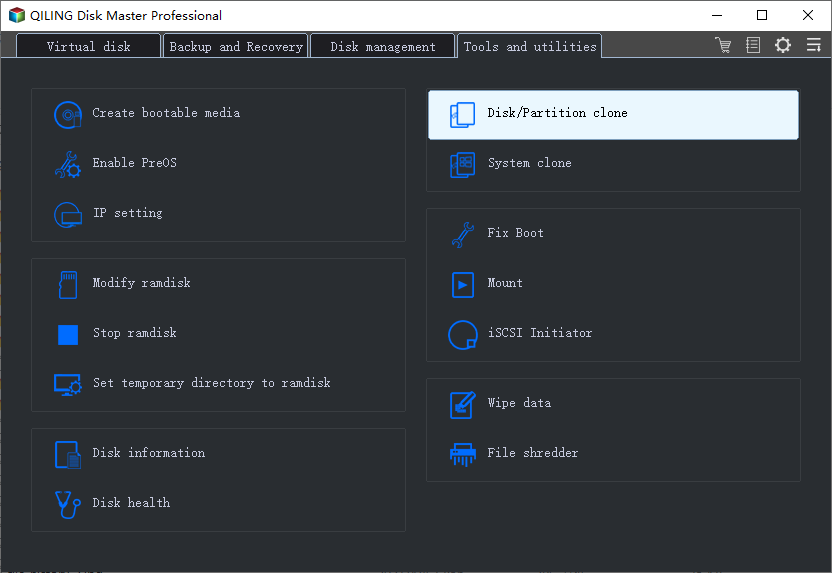
Step 1. Open Qiling Disk Master, go to Tools and utilities, and choose Disk/Partition clone.
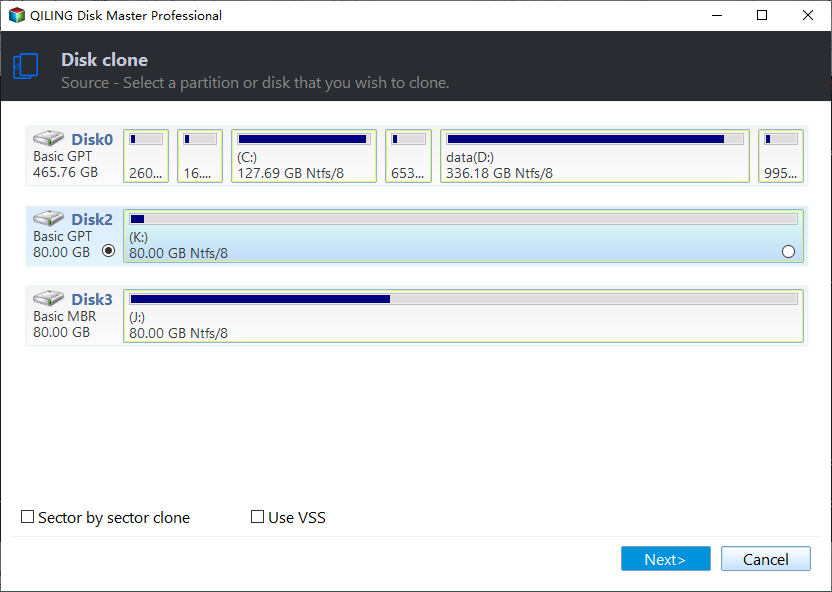
Step 2. Select the original recovery USB or recovery drive as the source disk. If the drive has several small boot partitions, select the whole disk instead of only one partition.
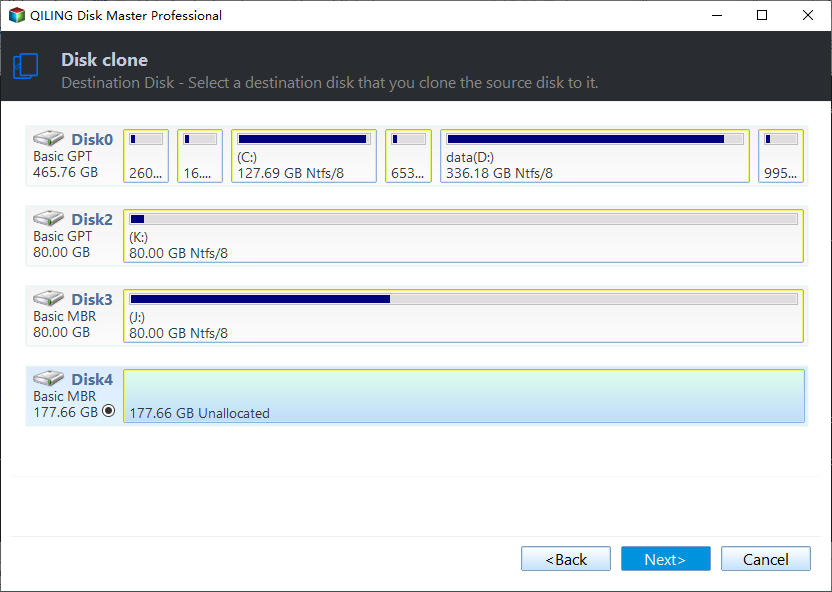
Step 3. Select the new USB drive or external drive as the destination. Make sure it is the spare drive because the destination will be overwritten during cloning.
Step 4. Preview the partition layout. Keep the boot and recovery partitions together so the copied drive can remain bootable.
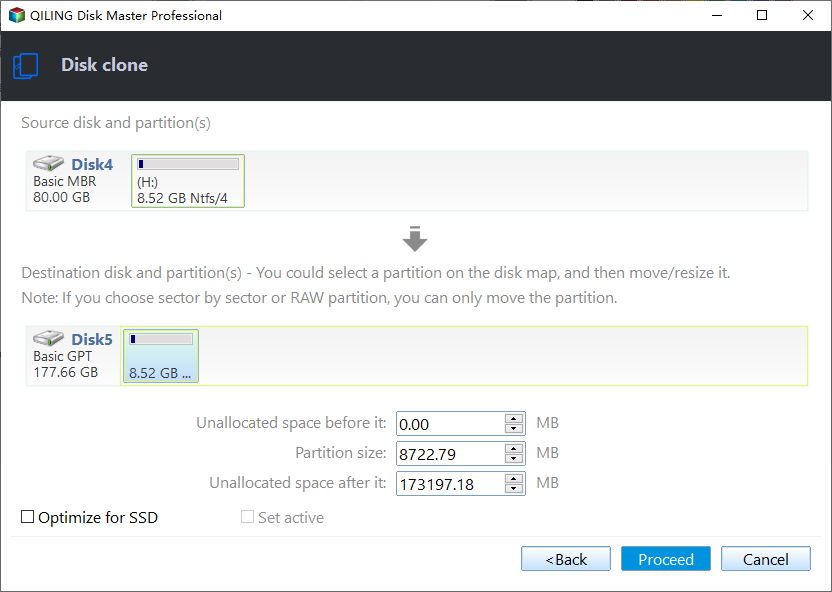
Step 5. Click Proceed and wait for the clone to finish.
Step 6. Restart the computer, open the boot menu, and test whether the new recovery drive starts. If it does not, recreate the recovery drive in Windows instead of using file copy.
Conclusion
File copy is not always enough for a recovery drive. Create a new recovery USB or clone the drive, then test booting before storing it for emergencies.
Related Articles
- What Is Stored in a Recovery Drive?
- Use Windows Recovery Disk on a Different Computer
- Can You Copy a Windows Recovery Drive to Another USB Drive?
Distinguish a Windows recovery USB from an internal recovery partition, create fresh recovery media, and keep a separate full-disk backup.
Products
Articles & Tutorials
- Data Recovery
- Data Backup
- File Recovery
- File Backup
- System Backup and Restore
- Disk and Partition Clone
- Technical articles
- Mobile articles
- Disk Master Help
- Windows Data Recovery Tutorials
- Windows Secure Delete Tutorials
- Windows Partition Management Tutorials
- Windows File Backup and Restore Tutorials
- Windows System Backup and Restore Tutorials
- Windows Disk Backup and Restore Tutorials
- Windows Clone Tutorials