Move Apps to Another Desktop in Windows 11
Moving apps to another Windows 11 desktop is not the same as copying program folders. Many apps store registry entries, services, licenses, and user data in different places. Plan what to reinstall and what to back up.
What Windows Can Move
Microsoft Store apps may support moving between drives on the same PC, but moving installed desktop programs to another computer usually requires reinstalling the app. Personal settings and data can often be backed up separately.
Back Up App Data with Qiling Backup
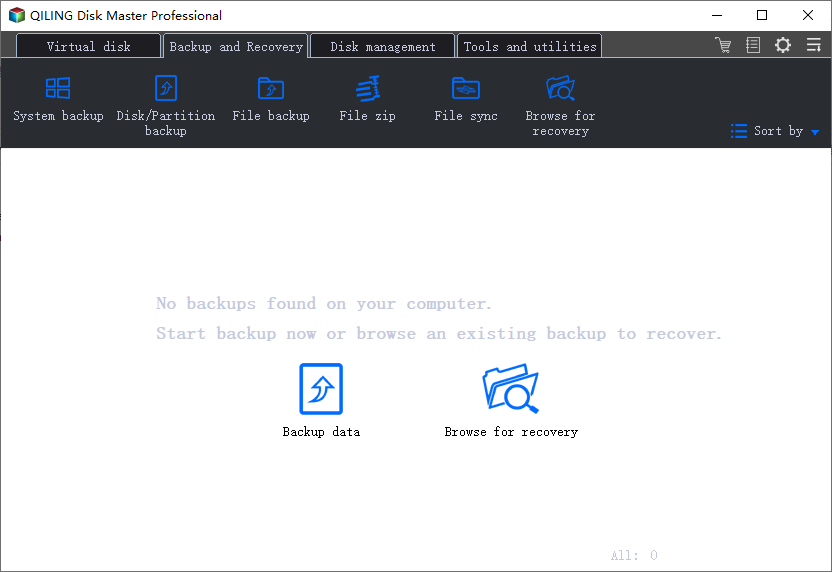
Step 1. Open Qiling Backup and choose File Backup.
Step 2. Select Documents, Desktop, AppData, project folders, and program data folders used by important apps.
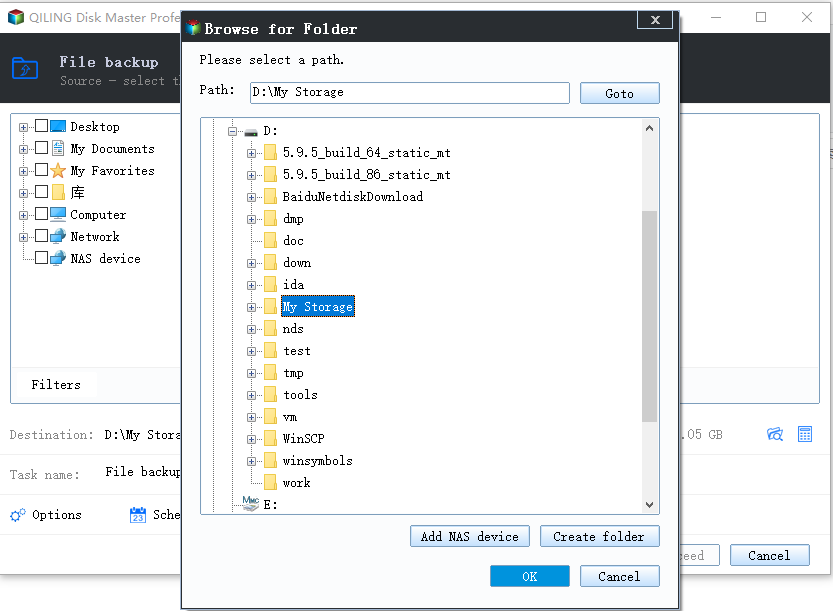
Step 3. Click Proceed, then restore the files on the new desktop after reinstalling the apps.
Practical App Migration Checklist
- List the apps you need on the new desktop and collect installers or official download links.
- Export license keys, activation accounts, browser profiles, email data, game saves, and project settings.
- Back up user folders and app data folders with Qiling Backup.
- Install the apps on the new Windows 11 desktop from official sources.
- Restore app data only to the correct folders after the apps are installed.
- Open each important app and confirm the settings, templates, plug-ins, and recent projects are available.
What Not to Do
Do not simply copy Program Files to another desktop and expect every app to run. Many desktop apps require services, drivers, registry entries, and activation data that are created during installation.
Conclusion
For Windows 11, the safest app move is reinstalling programs on the new desktop and restoring app data from a backup. This avoids broken shortcuts and missing services.
Related Articles
Products
Articles & Tutorials
- Data Recovery
- Data Backup
- File Recovery
- File Backup
- System Backup and Restore
- Disk and Partition Clone
- Technical articles
- Mobile articles
- Disk Master Help
- Windows Data Recovery Tutorials
- Windows Secure Delete Tutorials
- Windows Partition Management Tutorials
- Windows File Backup and Restore Tutorials
- Windows System Backup and Restore Tutorials
- Windows Disk Backup and Restore Tutorials
- Windows Clone Tutorials