Windows Update Cannot Currently Check for Updates: Fix Guide
If Windows says it cannot currently check for updates, the update service, cache, network, or system files may be damaged. Before running aggressive repair commands, create a backup so you can roll back if the repair changes more than expected.
Check Windows Built-in Settings First
Start with simple Windows checks: confirm the PC has internet access, the date and time are correct, and the Windows Update service is not disabled. Also check whether metered connection, pause updates, or a work/school policy is blocking updates.
If the PC recently lost power or failed an update, run the Windows Update troubleshooter before clearing update folders manually. This keeps the first repair step low risk.
Back Up Windows Before Repairing Update Components
Step 1. Open Qiling Backup and choose System Backup.
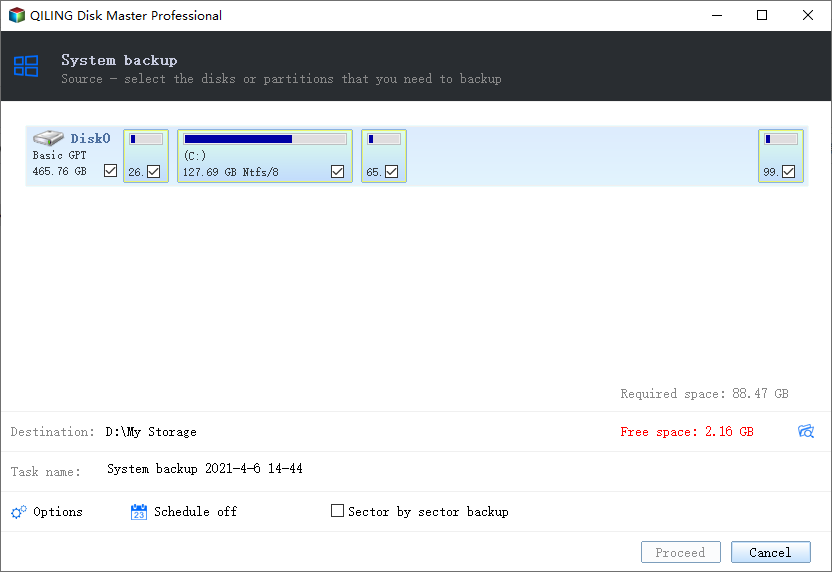
Step 2. Choose an external drive or another safe destination.
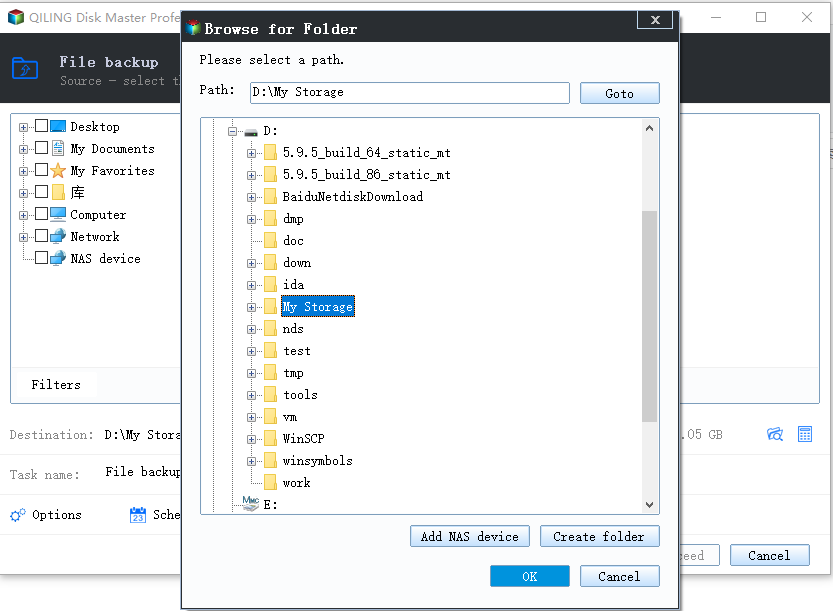
Step 3. Click Proceed and wait until the backup finishes.
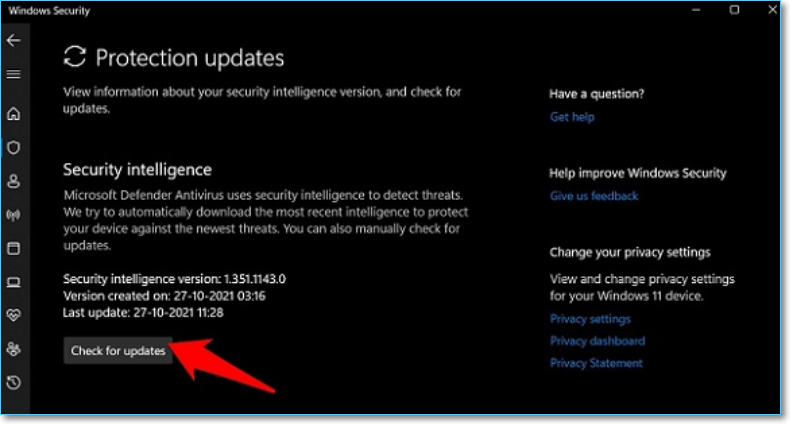
Fix 1. Restart Windows Update Services
Open Services and restart Windows Update, Background Intelligent Transfer Service, and Cryptographic Services. Then try checking for updates again.
Fix 2. Clear the Update Cache
Stop Windows Update services, rename or clear the SoftwareDistribution download cache, and restart the services. This forces Windows to download update files again.
Fix 3. Run System File Checks
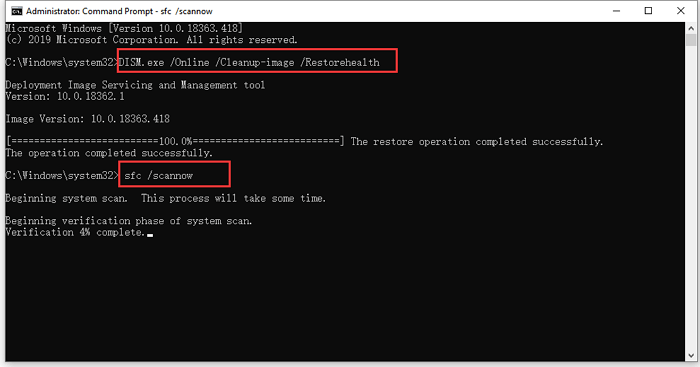
Run SFC and DISM from an elevated Command Prompt to repair system files related to Windows Update.
Conclusion
Windows Update errors are usually fixable by restarting services, clearing cache, and repairing system files. Back up Windows first if you plan to reset update components or run deeper repairs.
Related Articles
Products
Articles & Tutorials
- Data Recovery
- Data Backup
- File Recovery
- File Backup
- System Backup and Restore
- Disk and Partition Clone
- Technical articles
- Mobile articles
- Disk Master Help
- Windows Data Recovery Tutorials
- Windows Secure Delete Tutorials
- Windows Partition Management Tutorials
- Windows File Backup and Restore Tutorials
- Windows System Backup and Restore Tutorials
- Windows Disk Backup and Restore Tutorials
- Windows Clone Tutorials